EasyManua.ls Logo

Yamaha RX-V670 - User Manual

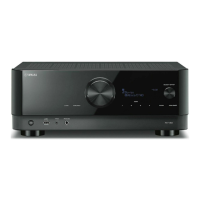
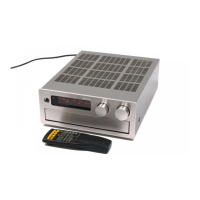
Yamaha RX-V670
30 pages
Print Icon
To Next Page IconTo Next Page
Loading...
IMPORTANT!
Please record the serial number of this
unit in the space below.
Model:
Serial No.:
The serial number is located on the rear
of the unit.
Retain this Owner’s Manual in a safe
place for future reference.
WARNING
TO REDUCE THE RISK OF FIRE OR
ELECTRIC SHOCK, DO NOT EXPOSE
THIS UNIT TO RAIN OR MOISTURE.
RISK OF ELECTRIC SHOCK
DO NOT OPEN
CAUTION: TO REDUCE THE RISK OF
ELECTRIC SHOCK, DO NOT REMOVE
COVER (OR BACK), NO USER-SERVICEABLE
PARTS INSIDE, REFER SERVICING TO
QUALIFIED SERVICE PERSONNEL.
The lightning flash with arrowhead
symbol, within an equilateral triangle,
is intended to alert you to the
presence of uninsulated “dangerous
voltage” within the product’s
enclosure that may be of sufficient
magnitude to constitute a risk of
electric shock to persons.
The exclamation point within an
equilateral triangle is intended to alert
you to the presence of important
operating and maintenance
(servicing) instructions in the
literature accompanying the
appliance.
Explanation of Graphical Symbols
CAUTION
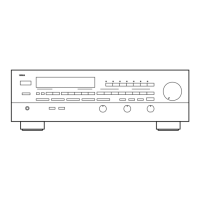
Natural Sound Stereo Receiver
5 Speaker Configuration
70W +70W (8) RMS Output Power, 0.03% THD, 20–20,000 Hz (Front)
70W (8) RMS Output Power, 0.08% THD, 1 kHz (Center)
25W + 25W (8) RMS Output Power, 0.3% THD, 1 kHz (Rear)
Digital Sound Field Processor; 4 Programs for Digital Sound Field Processing
and 2 Programs for Dolby Surround (DOLBY PRO LOGIC and ENHANCED)
Automatic Input Balance Control for Dolby Surround
Test Tone Generator for Easier Speaker Output Balance Adjustment
3 Center Channel Modes (NORMAL/WIDE/PHANTOM)
40-Station Random Preset Tuning
Video Signal Input/Output Capability
SLEEP Timer
Programmable Remote Control Transmitter
RX-V670
Thank you for selecting this YAMAHA stereo receiver.
OWNER’S MANUAL
CONTENTS
Safety Instructions................................2
Supplied Accessories ......................... 4
Profile of This Unit .............................. 5
Speaker Setup for This Unit ............... 6
Connections ........................................ 7
Adjustment Before
Operation .......................................... 10
Operations ........................................ 13
Tuning Operations ............................ 16
Using Digital Sound Field
Processor (DSP) ............................... 18
Setting the SLEEP Timer .................. 22
Remote Control Transmitter ............. 23
Notes about the Remote
Control Transmitter ........................... 26
Troubleshooting ................................ 27
Specifications ................................... 28
Block Diagram .................................. 29

Other manuals for Yamaha RX-V670

Questions and Answers

  • J
    Jose StewartAug 20, 2025
    What to do if my Yamaha RX-V670 has no sound or picture?
    • K
      Krystal Zamora MDAug 20, 2025
      If your Yamaha Stereo Receiver isn't producing sound or picture, check the output cord connections to ensure they are properly connected. If the issue continues, the cords may be defective. Also, verify that the MUTING switch is OFF by first turning the volume control to the left, then using the remote to switch the MUTING off, and adjusting the volume. Finally, ensure the appropriate input selector is pressed for your input source.
  • J
    joseph75Aug 22, 2025
    Why does the sound suddenly go off on my Yamaha Stereo Receiver?
    • B
      Barbara BlackAug 22, 2025
      If the sound on your Yamaha Stereo Receiver suddenly cuts out, the protection circuit may have been activated due to a short circuit or similar issue. To reset it, turn the unit off and then back on.
  • A
    amandaduffyAug 25, 2025
    Why is there no sound from the rear speakers on my Yamaha RX-V670 Stereo Receiver?
    • C
      Christian BenjaminAug 25, 2025
      If there is no sound coming from the rear speakers of your Yamaha Stereo Receiver, first check that the sound output level of the rear speakers is not set to 0. If it is, turn up the sound output level using the REAR LEVEL key. Also, if you are playing a monaural sound source in DOLBY PRO LOGIC or ENHANCED mode, try selecting another program suitable for the monaural sound source.
  • K
    Katherine MoralesAug 26, 2025
    Why is there no sound from the center speaker on my Yamaha RX-V670 Stereo Receiver?
    • J
      Jason KingAug 27, 2025
      If there is no sound coming from the center speaker on your Yamaha Stereo Receiver, first check that the sound output level of the center speaker is not set to 0. If it is, turn up the sound output level using the CENTER LEVEL key. Also, check that the center mode is not in PHANTOM mode, select NORMAL or WIDE. Finally, ensure that you have selected the appropriate sound field program.
  • S
    Sharon StewartAug 28, 2025
    What to do if my Yamaha RX-V670 fails to turn on?
    • D
      David WhiteheadAug 28, 2025
      If your Yamaha Stereo Receiver fails to turn on when you press the power switch, make sure the power cord is fully and firmly plugged into the outlet.
  • K
    kwatsonAug 29, 2025
    Why is FM stereo reception noisy on my Yamaha RX-V670?
    • J
      Jenna GambleAug 30, 2025
      Noisy FM stereo reception on your Yamaha Stereo Receiver may occur if the transmitter is too far away or the antenna input is poor. Check the antenna connections and consider using a multiple element FM antenna to improve reception.
  • J
    Joshua AtkinsAug 31, 2025
    What to do if my Yamaha RX-V670 remote control transmitter does not work?
    • A
      Alexis SpenceAug 31, 2025
      If the remote control transmitter for your Yamaha Stereo Receiver isn't working, it may be due to direct sunlight or strong lighting (like an inverter-type fluorescent lamp) hitting the remote control sensor on the main unit. Try changing the position of the main unit to avoid this interference.
  • E
    Elizabeth OwensSep 2, 2025
    Why does my Yamaha RX-V670 Stereo Receiver only output sound from one speaker?
    • W
      William RoachSep 2, 2025
      If your Yamaha Stereo Receiver is only outputting sound from one speaker, check the BALANCE control to ensure it is set correctly. Also, verify that the speaker cord connections are correct and secure. If the problem continues, the cables may be defective.
  • A
    Anne JohnsonSep 4, 2025
    How to fix sound humming on Yamaha RX-V670 Stereo Receiver?
    • M
      Michael WatkinsSep 4, 2025
      If your Yamaha Stereo Receiver is producing a humming sound, ensure the audio plugs are firmly connected. If the hum persists, the cord may be defective. Also, if you're using a turntable, make sure it is properly connected to the GND terminal on the unit.
  • E
    Ellen BurkeSep 6, 2025
    What to do if I can't tune a desired station with Auto tuning on my Yamaha RX-V670 Stereo Receiver?
    • L
      Luis FloresSep 6, 2025
      If you cannot tune in a desired station using Auto tuning on your Yamaha Stereo Receiver, it may be because the station's signal is too weak. Try using Manual tuning mode. For FM stations, consider using a high-quality directional FM antenna. For AM stations, tighten the AM loop antenna connections and rotate it for the best reception.

Summary

Safety Instructions

Installation Environment Safety

Avoid water, moisture, heat sources, and ensure adequate ventilation for proper operation.

Electrical Safety and Grounding

Connect to correct power sources, protect cords, and ensure proper grounding for electrical safety.

Operating Precautions

Installation Location and Handling

Guidelines for installation location, unit handling, cleaning, and safe operation practices.

Speaker Setup for This Unit

Speaker Configuration Options

Details 5-speaker and 4-speaker configurations for optimal sound field quality.

Speaker Placement Guidelines

Provides recommended positions for front, rear, and center speakers for best performance.

Connections

Component Connection Overview

Illustrates how to connect external audio and video components like CD players, VCRs, and speakers.

Connecting Speakers and Terminals

Speaker Wire Connection Method

Step-by-step guide for properly connecting speaker wires to terminals, ensuring polarity.

Antenna Connections

Adjustment Before Operation

Speaker Balance Adjustment Procedure

Step-by-step guide to adjust speaker output levels using the test tone generator for balanced sound.

Operations

Tuning Operations

Using Digital Sound Field Processor (DSP)

DSP Program Selection and Features

Overview of DSP programs, their features, and usage notes, including Dolby Surround.

Remote Control Transmitter

Troubleshooting

Power and Sound Issues

Troubleshooting common problems related to power, sound output, and speaker balance.

Tuner and Reception Problems

Diagnosing and resolving issues with FM reception quality and station tuning.

Remote Control and Other Issues

Addressing noise, remote control malfunctions, learning failures, and headphone monitoring issues.

Yamaha RX-V670 Specifications

General IconGeneral
Power Output100 W per channel (8 ohms, 20 Hz - 20 kHz, 0.06% THD)
Channels7.2
Frequency Response10 Hz - 100 kHz
Input Sensitivity200 mV
Signal-to-Noise Ratio100 dB
HDMI Inputs6
Weight22.5 kg
Response Bandwidth10 Hz - 100 kHz
Input Impedance47 kOhm
Preset Station Qty40
HDMI SwitchingYes
3D TechnologyYes
Tuner BandsAM, FM
Speaker Impedance8 ohms
FM Sensitivity1.0 µV
Amplifier Output Details90 W per channel (8 ohms, 20 Hz-20 kHz, 0.09% THD)
Tuner TypeFM/AM

Related product manuals