EasyManua.ls Logo

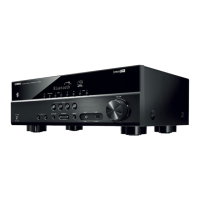
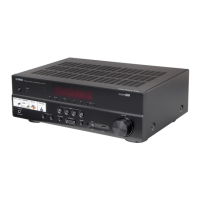
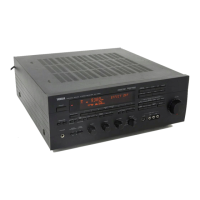
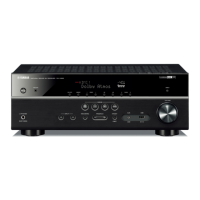
Yamaha RX-V390RDS - User Manual

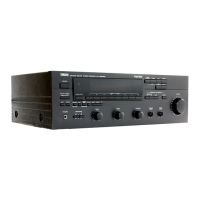
Yamaha RX-V390RDS
34 pages
Print Icon
To Next Page IconTo Next Page
Loading...
OWNER’S MANUAL
MODE D’EMPLOI
BEDIENUNGSANLEITUNG
BRUKSANVISNING
MANUALE DI ISTRUZIONI
MANUAL DE INSTRUCCIONES
GEBRUIKSAANWIJZING
Natural Sound Stereo Receiver
Récepteur stéréo “Son Naturel”
Natural Sound Stereoreceiver
Sintonizzatore stereo a suono naturale
Receptor estéreo de Sonido Natural
Natural Sound Stereo Ontvanger
RX-V390RDS

Other manuals for Yamaha RX-V390RDS

Questions and Answers

  • F
    Fred WalkerSep 3, 2025
    Why can't my Yamaha RX-V390RDS Stereo Receiver find a station with auto tuning?
    • N
      Norma AbbottSep 3, 2025
      If you cannot tune into a desired station using Auto tuning on your Yamaha Stereo Receiver, it may be due to a weak signal or loose antenna connections. Tighten the AM loop antenna connections and rotate it for the best reception. You can also try using Manual tuning mode.
  • K
    Kayla DunnSep 18, 2025
    What to do if Yamaha Stereo Receiver volume is low or distorted?
    • J
      Jerry FloresSep 18, 2025
      If the volume level of your Yamaha Stereo Receiver cannot be increased, or if the sound is distorted, ensure that the component connected to the REC OUT terminals of the unit is powered on.
  • L
    luisjohnsonSep 16, 2025
    Why is there no sound from the center speaker on my Yamaha RX-V390RDS?
    • C
      Christopher SchultzSep 16, 2025
      If you're not getting any sound from the center speaker on your Yamaha Stereo Receiver, first check that the sound output level to the center speaker isn't set to 0. Adjust it with the CENTER LEVEL control. Also, confirm that the center channel mode is set to NORMAL or WIDE, not PHANTOM. Finally, ensure that you have selected the appropriate sound field program.
  • W
    william91Sep 14, 2025
    Why are the rear speakers on my Yamaha RX-V390RDS not working?
    • D
      Dennis MoodySep 14, 2025
      If there is no sound from the rear speakers of your Yamaha Stereo Receiver, check that the sound output level to the rear speakers isn't set to 0. Adjust it using the REAR LEVEL control. Also, verify that you've selected the appropriate sound field program.
  • C
    Courtney LutzSep 12, 2025
    Why is the sound degraded when using headphones with my Yamaha RX-V390RDS?
    • D
      Donna NelsonSep 12, 2025
      If the sound is degraded when monitoring with headphones connected to a compact disc player or cassette deck connected to your Yamaha unit, ensure that the power to the Yamaha unit is turned on.
  • N
    Nicholas OrozcoSep 12, 2025
    Why is the volume low on Yamaha RX-V390RDS when playing record?
    • A
      Anthony DiazSep 12, 2025
      If the volume level is low while playing a record on your Yamaha Stereo Receiver, and you're using a turntable with an MC cartridge, connect the player to the unit through the MC head amplifier.
  • R
    russellryanSep 9, 2025
    Why isn't my Yamaha Stereo Receiver remote working?
    • S
      Stephanie PalmerSep 9, 2025
      If the remote control for your Yamaha Stereo Receiver isn't working, there are a couple of things to check: * Ensure that direct sunlight or strong lighting isn't hitting the remote control sensor on the main unit. Try changing the position of the main unit. * The batteries in the remote may be weak. Replace them with new ones.
  • C
    Christina JacksonSep 7, 2025
    Why is my Yamaha RX-V390RDS Stereo Receiver buzzing and whining?
    • M
      Melissa MackSep 7, 2025
      If you are experiencing buzzing and whining noises, especially in the evening, with your Yamaha Stereo Receiver, it might be due to interference from a nearby television set. Try relocating the unit away from the TV to reduce the noise.
  • V
    Veronica RamosSep 5, 2025
    What causes crackling noises in my Yamaha Stereo Receiver?
    • S
      Sean Underwood Jr.Sep 5, 2025
      If your Yamaha Stereo Receiver produces continuous crackling and hissing noises, these sounds often come from external electrical equipment like lightning, fluorescent lamps, motors, or thermostats. Using an outdoor antenna and a ground wire might help reduce the noise, but it's difficult to eliminate it completely.
  • N
    Nicholas CraigAug 20, 2025
    What to do if my Yamaha RX-V390RDS Stereo Receiver has no sound or picture?
    • C
      Christina GomezAug 21, 2025
      If you are experiencing no sound or picture from your Yamaha Stereo Receiver, there might be a few reasons: * Check the output cord connections to ensure they are correctly connected. If the issue continues, the cords themselves may be defective. * Make sure the appropriate input selector is pressed, corresponding to your input source.

Summary

Supplied Accessories

Features Overview

Cautions and Safety Precautions

Speaker Setup Guide

Speakers to Use

Details on the types of speakers recommended for optimal sound field quality.

Speaker Configuration Options

Explains the 5-speaker and 4-speaker configurations and their requirements.

Speaker Placement Guide

Recommended positions for front, rear, and center speakers for best sound.

Connections

Connecting Other Components

Guides on connecting external audio and video devices to the receiver.

Accessory Terminals Explained

Details on specific terminals like AC outlets, center output, and GND.

Speaker Balance Adjustment

Basic Operations

Playing an Audio Source

Step-by-step guide on how to select an input source and play it.

Audio Controls and Operations

Tuning Operations

Receiving RDS Stations

Using Digital Sound Field Processor (DSP)

Audio Level and Delay Adjustments

Setting the Sleep Timer

Remote Control Transmitter

Troubleshooting

Troubleshooting Categories

Common issues categorized by Amplifier, FM Reception, Remote Control, and Other.

Specifications

Specifications Categories

Detailed specs for Audio, FM, AM, Video, and General sections.

Yamaha RX-V390RDS Specifications

General IconGeneral
Weight10.5kg
Damping factor80
Total Harmonic Distortion0.04%
Input Sensitivity200mV (line)
Dimensions435 x 151 x 391mm
Channel separation50dB (1kHz)
Video ConnectionsComposite
Tuning rangeFM: 87.5-108MHz, AM: 522-1611kHz
Frequency Response10 Hz - 100 kHz

Related product manuals