EasyManua.ls Logo

Yamaha SHS-500 - User Manual

Yamaha SHS-500
28 pages
Print Icon
To Next Page IconTo Next Page
Loading...
Contents
The Functions
Tuning
EQ Type
Modulation
Pitch Bend Range
Portamento
Portamento Time
DSP Type
MIDI Select
MIDI Channel
Local Control
Audio Loop Back
Battery Type
Auto power off
How to Use Terminals
[PHONES]
[AUX IN]
[LINE OUT]
[TO HOST]
Audio data – USB Audio
Interface function
MIDI data
[MIDI]
Troubleshooting
Voice List
Drum Kit List
Voice Parameters
Effect List
DSP Type List
MIDI Implementation Chart
EN
Reference Manual
Question and Answer IconNeed help?

Do you have a question about the Yamaha SHS-500 and is the answer not in the manual?

Summary

The Functions

Tuning

Fine-tune the pitch of the entire instrument in roughly 0.2 Hz steps.

MIDI Select

Choose MIDI transmit/receive port: BLE MIDI, USB MIDI, or MiniMIDI.

MIDI CH (MIDI Channel)

Specify the MIDI transmit channel for MIDI data.

How to Use Terminals

PHONES

Connect stereo headphones for private listening.

AUX IN

Input audio from an external player through the built-in speaker.

LINE OUT

Connect to powered speakers or mixing consoles for higher volume.

TO HOST

Connect to smart devices or computers for MIDI and audio data transfer.

Transmitting;receiving MIDI data

Use USB cable to send/receive MIDI data with computers/smart devices.

MIDI

Connect MIDI devices using breakout and MIDI cables.

Troubleshooting

Common Troubleshooting Issues

Addresses common problems like noise, no sound, volume issues, and connectivity.

Voice Parameters

Summary

The Functions

Tuning

Fine-tune the pitch of the entire instrument in roughly 0.2 Hz steps.

MIDI Select

Choose MIDI transmit/receive port: BLE MIDI, USB MIDI, or MiniMIDI.

MIDI CH (MIDI Channel)

Specify the MIDI transmit channel for MIDI data.

How to Use Terminals

PHONES

Connect stereo headphones for private listening.

AUX IN

Input audio from an external player through the built-in speaker.

LINE OUT

Connect to powered speakers or mixing consoles for higher volume.

TO HOST

Connect to smart devices or computers for MIDI and audio data transfer.

Transmitting;receiving MIDI data

Use USB cable to send/receive MIDI data with computers/smart devices.

MIDI

Connect MIDI devices using breakout and MIDI cables.

Troubleshooting

Common Troubleshooting Issues

Addresses common problems like noise, no sound, volume issues, and connectivity.

Voice Parameters

Yamaha SHS-500 Specifications

General IconGeneral
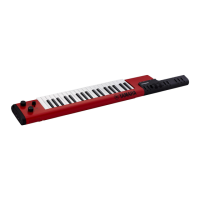
TypeKeytar
Number of Keys37
Polyphony48
Voices30
EffectsReverb, Chorus
ConnectivityUSB to Host, Aux In, MIDI In/Out, Headphones
Power SupplyAC Adaptor or 6 AA Batteries
Weight1.5 kg (3 lbs 5 oz)

Related product manuals