EasyManua.ls Logo

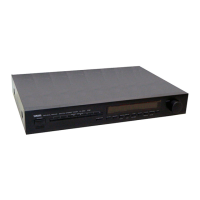
Yamaha TX-470 - User Manual

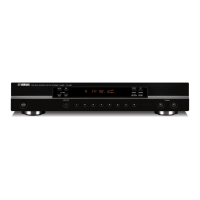
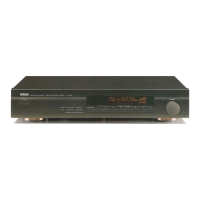
Yamaha TX-470
12 pages
Print Icon
To Next Page IconTo Next Page
Loading...
IMPORTANT!
Please record the serial number of this
unit in the space below.
Model:
Serial No.:
The serial number is located on the rear
of the unit.
Retain this Owner’s Manual in a safe
place for future reference.
WARNING
TO REDUCE THE RISK OF FIRE OR
ELECTRIC SHOCK, DO NOT EXPOSE
THIS UNIT TO RAIN OR MOISTURE.
RISK OF ELECTRIC SHOCK
DO NOT OPEN
CAUTION: TO REDUCE THE RISK OF
ELECTRIC SHOCK, DO NOT REMOVE
COVER (OR BACK), NO USER-SERVICEABLE
PARTS INSIDE, REFER SERVICING TO
QUALIFIED SERVICE PERSONNEL.
The lightning flash with arrowhead
symbol, within an equilateral triangle,
is intended to alert you to the
presence of uninsulated “dangerous
voltage” within the product’s
enclosure that may be of sufficient
magnitude to constitute a risk of
electric shock to persons.
The exclamation point within an
equilateral triangle is intended to alert
you to the presence of important
operating and maintenance
(servicing) instructions in the
literature accompanying the
appliance.
Explanation of Graphical Symbols
CAUTION
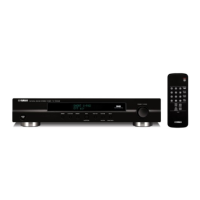
Natural Sound AM/FM Stereo Tuner
40 Station Random Access Preset Tuning
Automatic Preset Tuning for FM Stations
Multi-Status Station Memory
Rotary Encoder Tuning
Direct PLL Synthesizer Tuning
TX-470
Thank you for selecting this YAMAHA stereo tuner.
OWNER’S MANUAL
CONTENTS
Safety Instructions...................2
Supplied Accessories..............3
Connections.............................4
Tuning Operations ...................7
Preset Tuning...........................9
Troubleshooting .....................11
Specifications ........................12

Questions and Answers

  • S
    susanortizAug 16, 2025
    What to do if the STEREO indicator flickers and reception is noisy on Yamaha TX-470 Tuner?
    • M
      Margaret NicholsAug 16, 2025
      If the STEREO indicator flickers and reception is noisy on your Yamaha Tuner, it's likely due to insufficient antenna input. To resolve this, use an antenna appropriate for the reception conditions in your area.
  • J
    Jennifer LawsonAug 19, 2025
    How to tune in a weak station on my Yamaha TX-470?
    • T
      tjohnsonSep 12, 2025
      If a desired station cannot be tuned in with automatic tuning on your Yamaha Tuner, it's likely that the station is too weak. Try using the manual tuning mode or a high-quality directional FM antenna to improve reception.
  • D
    dawn48Aug 22, 2025
    Why does my Yamaha TX-470 Tuner make crackling sounds?
    • J
      John BrownAug 22, 2025
      If you are experiencing crackling sounds from your Yamaha Tuner, especially in areas with weak signals, it could be due to ignition noise from passing vehicles or noise from thermostats or other electrical equipment. To mitigate this, position the FM antenna as high as possible, away from the road, and use a coaxial cable. If the noise is from electrical equipment, attach a noise suppressor to the equipment causing the noise.
  • J
    James SantosAug 25, 2025
    How to fix noisy FM stereo reception on Yamaha TX-470?
    • D
      David FordAug 26, 2025
      If FM stereo reception is noisy on your Yamaha Tuner, especially when the transmitter is far away or the antenna input is poor, check the antenna connections. Try using a multiple element FM antenna. Additionally, set the TUNING MODE button to the manual tuning mode.
  • B
    Brittney FlynnAug 28, 2025
    What to do if there is distortion on Yamaha TX-470?
    • M
      Michael DeleonAug 28, 2025
      If you experience distortion and clear reception cannot be obtained even with a good FM antenna on your Yamaha Tuner, it's likely due to multipath interference. Adjust the antenna placement to eliminate this interference.
  • D
    Derek RobertsAug 31, 2025
    Why does my Yamaha Tuner have crackling and hissing noises?
    • J
      Jessica BoltonAug 31, 2025
      If there are continuous crackling and hissing noises on your Yamaha Tuner, it's likely due to interference from lightning, fluorescent lamps, motors, thermostats, and other electrical equipment. Using an outdoor antenna and a ground wire may help reduce these noises, but complete elimination is difficult.
  • S
    Shannon CookSep 3, 2025
    Why is there no stereo effect on my Yamaha Tuner?
    • C
      Christopher BonillaSep 3, 2025
      If you are not getting a stereo effect even with a stereo broadcast on your Yamaha Tuner, check if the TUNING MODE button is set to the manual tuning mode. If so, set the button properly.
  • E
    Emily DuncanSep 6, 2025
    How to restore preset stations on Yamaha TX-470 Tuner?
    • A
      amy68Sep 6, 2025
      If previously preset stations can no longer be tuned in on your Yamaha Tuner, it's likely that the tuner has been unplugged for a long period. Repeat the presetting procedure to restore the stations.
  • B
    bblackSep 9, 2025
    Why is my Yamaha TX-470 making buzzing and whining noises?
    • R
      rileyrobertSep 9, 2025
      If you are experiencing buzzing and whining noises, especially in the evening, on your Yamaha Tuner, it could be due to interference from another station or a nearby television set. Unfortunately, if another station is interfering, there is no remedy. If a television set is the cause, move the television away.
  • E
    evansjessicaSep 12, 2025
    How to improve Yamaha TX-470 sensitivity?
    • H
      heathermccallSep 12, 2025
      If you are experiencing insufficient sensitivity on your Yamaha Tuner, it could be due to a weak signal or loose antenna connections. Tighten the AM loop antenna connections and rotate it for the best reception.

Summary

Safety Instructions

Electrical Safety Warnings

Critical alerts regarding electric shock risks, not opening the unit, and avoiding moisture exposure.

Installation and Usage Precautions

Guidelines for safe installation, ventilation, heat, power sources, and cleaning.

Supplied Accessories

Connections

Antenna Connections

Instructions for connecting FM and AM antennas, including indoor and optional outdoor setups.

Amplifier Connections

Guidance on connecting the tuner's output to an amplifier or other components.

Tuning Operations

Automatic Tuning

Procedure for automatic station search tuning based on signal strength.

Manual Tuning

Method for tuning to specific stations by manually adjusting the tuning control.

Preset Tuning

Storing Stations

Steps to save desired radio frequencies using preset station buttons.

Recalling Preset Stations

Instructions on how to select and play previously stored radio stations.

Automatic Preset Tuning

Function to automatically tune and store FM stations with strong signals.

Troubleshooting

Specifications

Yamaha TX-470 Specifications

General IconGeneral
Tuning BandsFM, MW
Tuning ScaleDigital
Output Voltage500 mV
Power Consumption15 W
TypeStereo Tuner
FM Tuning Range87.5 - 108 MHz
MW Tuning Range530 - 1620 kHz
Signal to Noise Ratio (FM)70 dB
Signal to Noise Ratio (AM)50 dB
Distortion (FM)0.2%
Frequency Response (FM)30 - 15, 000 Hz

Related product manuals