EasyManua.ls Logo

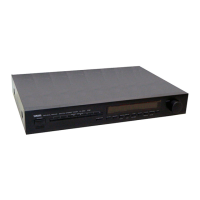
Yamaha TX-550 - Preset Memory Confirmation; LCD Display Confirmation

Yamaha TX-550
25 pages
Print Icon
To Next Page IconTo Next Page
To Previous Page IconTo Previous Page
Loading...
TX-550
TX-550
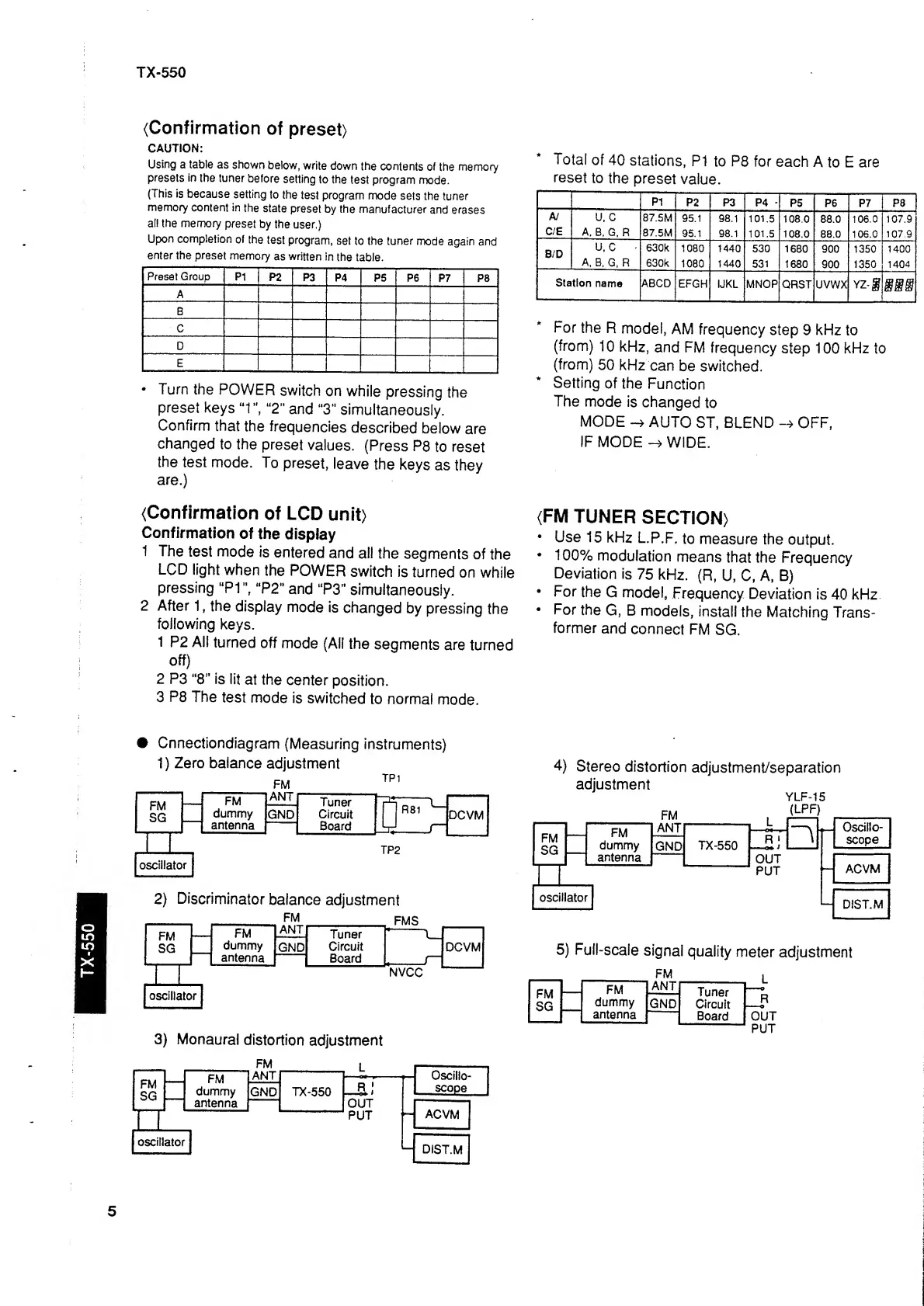
(Confirmation
of
preset)
CAUTION:
Using
a table
as shown
below,
write
down
the
contents
of
the
memory
presets
in the
tuner
before
setting
to the
test program
mode.
(This
is
because
setting
to
the
test
program
mode
sets
the tuner
memory
content in
the
state
preset
by the
manufacturer
and erases
all the
memory
preset
by
the
user,)
Upon completion
of
the
test
program,
set
to the tuner
mode
again
and
enter
the preset
memory
as written
In
the
table.
Preset Group
P1
P2
P3
P4 P5 P6
P7
a
A
B
C
D
E
Turn
the
POWER
switch
on
while
pressing
the
preset
keys
“1",
“2"
and
“3"
simultaneously.
Confirm
that
the
frequencies
described
below
are
changed
to the
preset
values.
(Press
P8
to reset
the
test
mode.
To
preset,
leave
the
keys
as
they
are.)
*
Total
of
40
stations,
P1
to
P8
for
each
A
to
E are
reset
to
the
preset
value.
P1
P2
P3 P4
*
P5
P6 P7
P8
A/
U. C
87.5M
95.1 98.1
101.5
108.0
88.0
106.0 107.9
C/E
A,
B, G,
R
87.5M
95.1 98.1
101.5
108.0
88.0 106.0
107.9
B/D
u,
c
630k
1080
1440
530
1680
900 1350 1400
A,
B, G, R
630k
1080
1440
531
1680
900
1350
1404
Station
name
For
the
R
model,
AM
frequency
step
9
kHz
to
(from)
10
kHz,
and
FM
frequency
step 100
kHz
to
(from)
50
kHz
can
be
switched.
Setting
of the
Function
The
mode
is
changed
to
MODE
AUTO
ST,
BLEND
OFF,
IF
MODE
WIDE.
(Confirmation
of LCD
unit)
Confirmation
of
the
display
1 The
test
mode
is
entered
and all
the
segments
of
the
LCD
light
when
the
POWER
switch
is
turned
on
while
pressing
“PI
",
“P2"
and
“P3"
simultaneously.
2 After
1
,
the
display
mode
is
changed
by
pressing
the
following
keys.
1
P2 All
turned
off
mode
(All
the
segments
are
turned
off)
2 P3
“8”
is
lit
at the
center
position.
3
P8
The
test
mode
is
switched
to normal
mode.
(FM
TUNER
SECTION)
Use
15
kHz
L.P.F.
to
measure
the
output.
100%
modulation
means
that
the
Frequency
Deviation
is
75
kHz.
(R,
U, C, A, B)
For
the
G
model.
Frequency
Deviation
is
40
kHz
For
the
G, B
models,
install
the
Matching
Trans-
former
and
connect
FM
SG.
Cnnectiondiagram
(Measuring
instruments)
1
)
Zero
balance
adjustment
3)
Monaural
distortion
adjustment
4)
Stereo
distortion
adjustment/separation
adjustment
YLF-1S
5)
Full-scale
signal
quality
meter
adjustment
5

Other manuals for Yamaha TX-550

Related product manuals