YMF744/754 PCI Sound Card Win98 Installation
4
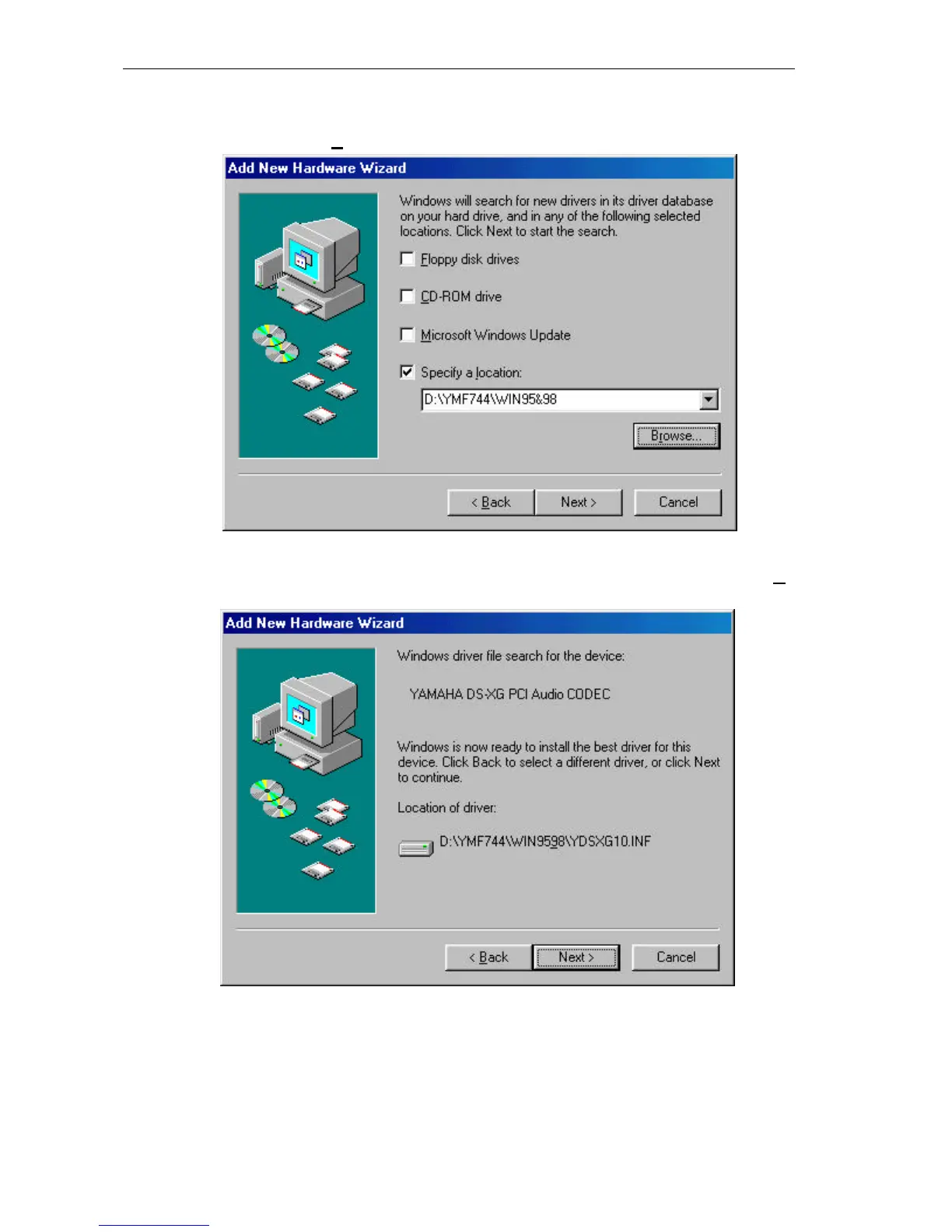
4.) In the next “Add New Hardware Wizard” dialog box, select “Specify a location”.
Assuming your CD-ROM drive is D, please type the path D:\YMF744\Win95&98 in the
command line. Click “Next>”.
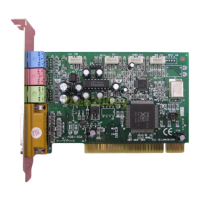
5.) The next “Add New Hardware Wizard” dialog box will inform you that the wizard has
found the “YAMAHA DS-XG Audio CODEC” in the specified location. Just click “Next>”
to accept the location of the new device driver.


 To Next Page