YMF744/754 PCI Sound Card Win98 Installation
6
2. Verifying the Device Driver Installation
If you want to view the correct installation of the device driver for your YMF744/754 PCI
sound card, please follow the steps as described below.
1.) Go to >”Start”->”Settings”->”Control Panel" and double-click on the “System” icon.
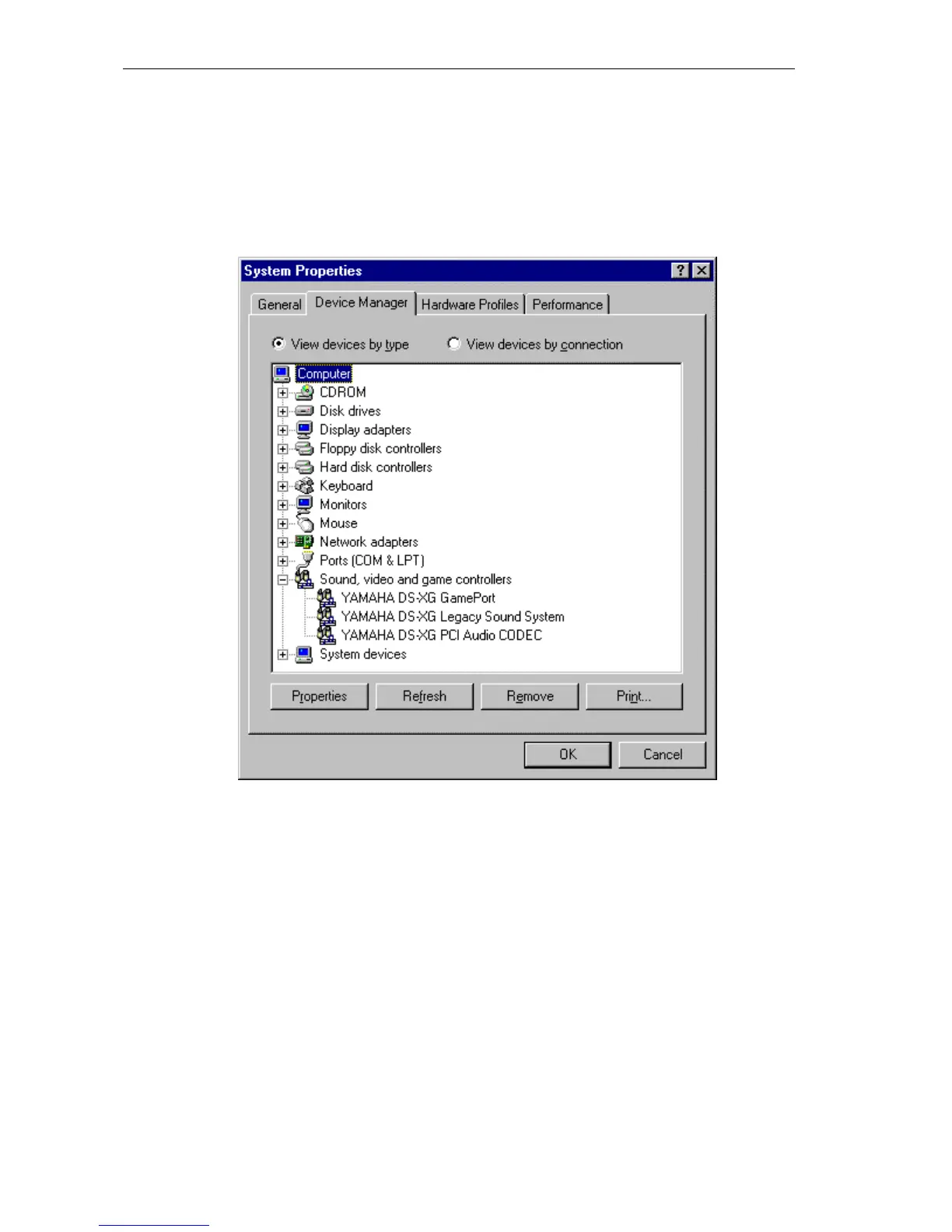
2.) From the “System Properties” dialog box select the “Device Manager” tap and you
will see the following figure.
3.) Double-click on “Sound, video and game controllers” and you will see the following
three devices have been added to your system:
Make sure that thare is no yellow Question mark or Exclaimation mark on each of the
devices to ensure the driver is successfully installed.
• YAMAHA DS-XG GamePort
• YAMAHA DS-XG Legacy Sound System
• YAMAHA DS-XG PCI Audio CODEC


 To Next Page