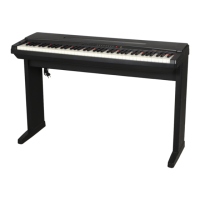
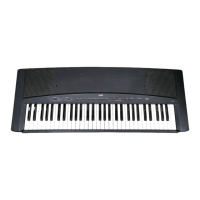
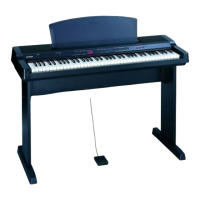
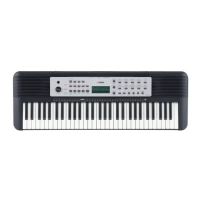
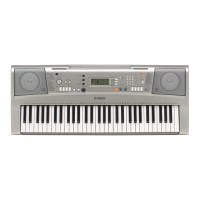
The Yamaha YPP-55 is a personal electronic piano designed for musical pleasure and ease of use. It incorporates AWM (Advanced Wave Memory) technology for clear, realistic sound reproduction and offers a stereo sound experience. The instrument features 76 touch-sensitive keys (E0-G6), allowing for dynamic and expressive playing.
Technical Specifications:
- Keyboard: 76 keys (E0-G6) with touch sensitivity.
- Voice Technology: AWM.
- Polyphony: 32 notes (for PIANO 2, HARPSICHORD), 16 notes (for PIANO 1, E. PIANO, VIBES, STRINGS, CHOIR, PIPE ORGAN).
- Voices: PIANO 1, PIANO 2, E. PIANO, HARPSICHORD, VIBES, STRINGS, CHOIR, PIPE ORGAN (8 voices total).
- Amplifier: 7.0 W x 2.
- Speakers: 12.0 cm (6Ω) x 2.
- Dimensions (with Keyboard stand LW-11): 1,203 mm (W) x 774 mm (H) x 433 mm (D).
- Dimensions (without Keyboard stand LW-11): 1,203 mm (W) x 147 mm (H) x 433mm (D).
- Weight (with Keyboard stand LW-11): 22.5 kg.
- Weight (without Keyboard stand LW-11): 14 kg.
- Accessories: Music Stand, Foot Switch FC5, Dust Cover. The Keyboard stand LW-11 may or may not be included depending on the distribution system and regulations.
Usage Features:
Basic Playing Operation:
- Power: The instrument turns on with the POWER switch. Upon startup, REVERB, PIANO 1, and SONG 1 are automatically selected.
- Volume: Adjusted via the VOLUME slide control, affecting speakers, headphones, and AUX. OUT jacks.
- Voice Selection: Eight Voice Select buttons allow choosing different sounds, with the corresponding indicator lighting up.
- Polyphony: Up to 16 notes can be played simultaneously, except for PIANO 2 and HARPSICHORD voices, which allow up to 32 notes. Some voices may have slight tone changes at certain points on the keyboard due to waveform sampling.
- Ensemble: Pressing the ENSEMBLE button adds a richer, fuller sound. When active, polyphony is limited to 16 notes.
- Reverberation: Automatically applied at startup, simulating a concert hall effect. Can be toggled on/off with the REVERB button. Reverb depth varies by voice and cannot be applied to the metronome.
Playing Tips & Features:
- Touch Sensitivity: The YPP-55 responds to playing dynamics. Stronger touch increases volume and affects timbre. Sensitivity can be adjusted to three ranges (1, 2, or 3) by holding F#6 and G6 keys and pressing PIANO 1, PIANO 2, or E. PIANO voice select buttons respectively. Range 2 is the default.
- Metronome: Activated by the METRONOME button. Tempo can be adjusted from 40 to 280 beats per minute using the TEMPO buttons. Pressing both TEMPO buttons resets the tempo to 120 bpm. The metronome aids rhythmic playing and recording.
- Transposition: The overall pitch can be transposed up or down by up to 6 semitones (half steps) in 100-cent increments. This is done by holding the MIDI/TRANSPOSE button and pressing F4 to F#5 keys. To return to standard pitch (Key of C), hold MIDI/TRANSPOSE and press C5, or power cycle the instrument.
- Fine Tuning: Allows fine-tuning the instrument's pitch up or down by up to 50 cents, useful for playing with other instruments. This is achieved by holding E0 and F#0 keys and pressing C3 to B3 keys. Holding E0, F0, and F#0 simultaneously and pressing C3 to B3 keys, or power cycling, returns to standard pitch (A3=440Hz).
Demonstration Play:
- Listening to the Demonstration: Pressing the yellow DEMONSTRATION button plays a sequence of demonstration songs, one for each voice, from PIANO 1 to PIPE ORGAN, repeating indefinitely. The user can play along in any selected voice. Performance Memory and Metronome functions are inactive during demo play.
- Playing Individual Demonstration Songs: Hold the DEMONSTRATION button and press a Voice Select button to play the corresponding song once. Press DEMONSTRATION again to stop.
The YPP-55 can record and play back up to 4 original songs.
- Recording Preparations:
- Select a song number (1-4) using the SONG button.
- Select a voice using the Voice Select buttons. Reverb and Ensemble effects can be added.
- Optionally, activate the metronome and adjust its tempo.
- Recording Procedure: Press the red RECORD button. Recording starts upon playing the first note (RECORD indicator blinks). Press RECORD again to stop.
- Recorded Events and Memory Capacity: The memory records voice selection, Reverb/Ensemble on/off, tempo changes, notes played (including velocity), and sustain on/off. The metronome sound is not recorded. The memory can store approximately 1,500 notes. When full, the RECORD indicator turns off. To clear memory for longer songs, record a single note over existing songs. Recorded songs are retained for about one week if the YPP-55 is off; power cycling once a week helps retain them longer.
- Playback Procedure: Press the PLAY button; the selected SONG indicator blinks. The YPP-55 plays back the song in the recorded voice. Press PLAY again to stop. Ensemble, Reverb, and Tempo settings can be changed during playback, but not the recorded voice.
- Playback Tips: Users can play along with recorded performances in the same or a different voice.
MIDI (Musical Instrument Digital Interface):
The YPP-55 is MIDI-equipped, allowing it to control and be controlled by other MIDI instruments (synthesizers, sequencers, drum machines).
- MIDI Setup: In a simple setup, one instrument is the Master (controlling) and the other is the Slave (controlled). Connections are made via MIDI-IN and MIDI-OUT jacks. A MIDI-THRU jack (not on YPP-55) allows chaining multiple Slaves.
- Types of MIDI Information:
- Note On Message: Transmits key depression (MIDI note number) and velocity data (for touch-sensitive instruments). YPP-55 as Master sends this to Slave, activating its sound module. As Slave, YPP-55 receives this to vary its sound.
- Program Change Message: Used to change voices on a Slave instrument. YPP-55 as Master transmits MIDI Program Numbers (00H-07H) corresponding to its voices. As Slave, YPP-55 receives these to select its own voices. This feature is automatically available at startup. To cancel, hold MIDI/TRANSPOSE and press PIANO 2 voice select button.
- Control Change Message: Deals with various aspects of sound. YPP-55 as Master transmits Damper (MIDI Control Number 64) information. As Slave, YPP-55 can receive Volume (7), Expression (11), Damper (64), Local On/Off (122), All Notes Off (123), Omni Off (124), and Omni On (125) messages. This feature is automatically available at startup. To cancel, hold MIDI/TRANSPOSE and press E. PIANO voice select button.
- MIDI Channels: 16 MIDI channels (1-16) ensure proper communication between instruments. Default transmitting and receiving channels are 1.
- Setting Transmitting Channel: Hold MIDI/TRANSPOSE and press C1 to D#2 keys.
- Setting Receiving Channel: Hold MIDI/TRANSPOSE and press C3 to D#4 keys.
- Omni On Mode: YPP-55 can receive information on all MIDI channels. To activate, hold MIDI/TRANSPOSE and press E4. To exit, select a specific receiving channel or power cycle.
- Applications:
- With another keyboard/sound module: Hand-shaking connection (Master and Slave) allows both instruments to play simultaneously, duplicating sustain and touch response.
- With a drum machine: YPP-55 as Master can trigger percussion sounds on a Slave drum machine. It can also play melody instruments on the drum machine by matching MIDI channels.
- With a sequencer: YPP-55 can be used as a Slave to a sequencer. In OMNI ON mode, it can play back multiple parts in a single voice, useful for checking performance data.
- Local Control On/Off: Normally, the keyboard is connected to its internal sound module ("Local Control On"). To disconnect the keyboard from the sound module, set to "Local Control Off" by holding MIDI/TRANSPOSE and pressing PIANO 1. This allows the YPP-55 to transmit MIDI without producing its own sound.
- Multi-timbre Mode: Allows the YPP-55 to act as ten independent sound modules, playing all 8 preset voices simultaneously. To enter/exit, hold MIDI/TRANSPOSE and press the HARPSICHORD voice select button. In this mode, the YPP-55's sound module receives MIDI messages on channels 1-10.
Controls:
- DAMPER (foot) switch.
- REVERB and ENSEMBLE buttons.
- SONG button, RECORD button, PLAY button.
- METRONOME button, TEMPO buttons.
- POWER switch, VOLUME slider, MIDI/TRANSPOSE button, DEMONSTRATION button.
Jacks:
- MIDI (IN, OUT).
- DAMPER.
- AUX. OUT L/L+R, R.
- HEADPHONES 1, 2.
Maintenance:
- Cleaning: Wipe the cabinet with a soft, slightly moistened cloth and then a dry cloth. Avoid chemical cleaners, oil, solvents, or insecticides.
- Environment: Protect from direct sunlight, moisture, extreme temperatures (above 60°C/140°F), strong magnetism, dust, and humidity.
- Placement: Place on a firm, level, vibration-free surface. Do not place objects on top.
- Servicing: Do not remove the unit's cover. Refer all repairs to a YAMAHA service center or qualified personnel.
- Power Cord: Do not place objects on or allow tripping over the power cord. Ensure proper installation to prevent fire or injury.
- Voltage: Ensure local AC mains voltage matches the instrument's requirements. Use an appropriate converter if needed for different voltages.
- Polarized Plug: If equipped, do not defeat the safety purpose of the polarized plug.
- Liquid/Objects: Prevent liquids or objects from entering the enclosure.
- Storage: Unplug the power cord when not in use for long periods.
- User Maintenance: Do not attempt servicing beyond user-maintenance instructions.
Troubleshooting:
The manual provides a troubleshooting guide for common issues such as:
- No power: Check power plug connection.
- Low volume: Adjust VOLUME slider.
- No sustain: Check foot switch connection.
- Too many notes playing: Reduce polyphony.
- No sound: Remove headphones, reset "Local Control On".
- Distorted sound: Lower volume.
- Cannot record: Memory capacity exceeded, clear other songs.
- MIDI issues: Match MIDI channels.
The manual includes warnings about electric shock (DO NOT OPEN) and important operating and maintenance instructions. It advises against modifying the unit, using only high-quality shielded cables, and notes that the product complies with FCC regulations for Class "B" digital devices. It also provides information on connecting the plug and cord for the United Kingdom, Canada, and other regions, including color codes for wiring. The nameplate location (bottom panel) is specified for model, serial number, and power requirements.

 Need help?
 General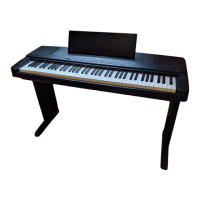

 To Next Page