EasyManua.ls Logo

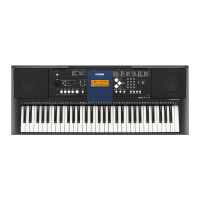
Yamaha YPT-330 - User Manual

Yamaha YPT-330
76 pages
Print Icon
To Next Page IconTo Next Page
Loading...
EN
Thank you for purchasing this Yamaha Digital Keyboard!
We recommend that you read this manual carefully so that you can fully take advantage of the
advanced and convenient functions of the instrument.
We also recommend that you keep this manual in a safe and handy place for future reference.
Before using the instrument, be sure to read “PRECAUTIONS” on pages 4–5.
Owners Manual
DIGITAL KEYBOARD
DIGITAL KEYBOARD

Table of Contents

Questions and Answers

  • W
    William SmithAug 19, 2025
    How to fix no sound on my Yamaha YPT-330?
    • J
      Jamie GallowayAug 19, 2025
      If there is no sound when you play the keyboard or a song, check that nothing is connected to the PHONES/OUTPUT jack on the rear panel. Also, check the Local Control on/off setting.
  • S
    stephenbutlerAug 21, 2025
    Why does my Yamaha YPT-330 Electronic Keyboard make noise when I use my mobile phone?
    • C
      cindy11Aug 21, 2025
      Using a mobile phone close to the Yamaha Electronic Keyboard can cause interference. To fix this, either turn off your mobile phone or move it further away from the instrument.
  • M
    Marcus FordAug 23, 2025
    What to do if my Yamaha YPT-330 Electronic Keyboard volume is too soft, sound quality is poor, or the rhythm stops?
    • A
      Anthony ThompsonAug 23, 2025
      If you're experiencing low volume, poor sound quality, rhythm issues, or incorrect playback on your Yamaha Electronic Keyboard, the batteries may be low or dead. Replace all six batteries with completely new ones, or use the optional AC adapter.
  • B
    Brittany CollierAug 26, 2025
    Why does my Yamaha Electronic Keyboard suddenly turn off?
    • E
      elizabethjamesAug 26, 2025
      The Auto Power Off function may be activated on your Yamaha Electronic Keyboard. To disable it, select “Off” in the Function settings.
  • K
    Kevin RussellAug 28, 2025
    How to troubleshoot a Yamaha Electronic Keyboard style that doesn't sound properly?
    • A
      Alan MartinAug 28, 2025
      To troubleshoot a Style that doesn't sound right on your Yamaha Electronic Keyboard: * Make sure that the Style Volume is set to an appropriate level. * Check if the Split Point is set correctly for the chords you're playing and ensure the ACMP ON indicator is showing. Also, be aware that the auto accompaniment might not change with related chords in sequence, two-note fingerings will produce a chord based on the previously played chord, and playing two same root keys in the adjacent octaves produces accompaniment based only on the root.
  • V
    Victor RichardsonAug 30, 2025
    Why do some voices not sound on my Yamaha YPT-330?
    • S
      Sarah LewisAug 30, 2025
      Your Yamaha Electronic Keyboard is polyphonic up to a maximum of 32 notes. Notes exceeding this limit will not sound.
  • J
    john12Sep 2, 2025
    Why doesn’t the harmony sound on my Yamaha YPT-330 Electronic Keyboard?
    • M
      Michelle HesterSep 2, 2025
      The method for the harmony effect differs depending on the selected type. For Types 01–05, turn the Auto Accompaniment on and play a chord in the auto accompaniment section, then play some keys in the right-hand side to get the harmony effect. For Types 06–26, turning auto accompaniment on or off has no effect, but it is necessary to play two notes simultaneously for Types 06–12.
  • M
    Mr. Noah Mccoy MDSep 4, 2025
    What to do if the sustain footswitch is reversed on my Yamaha Electronic Keyboard?
    • K
      Kelly MillerSep 4, 2025
      If the sustain footswitch seems to have the opposite effect on your Yamaha Electronic Keyboard, it means that the polarity of the footswitch is reversed. Make sure that the footswitch plug is properly connected to the SUSTAIN jack before turning on the power.
  • M
    Melody AllenSep 6, 2025
    What to do if Style or Song doesn't play on Yamaha Electronic Keyboard?
    • M
      Marcus TuckerSep 6, 2025
      Make sure External Clock is set to OFF.
  • G
    Gregory PowellSep 8, 2025
    Why do the keys on the right hand side of my Yamaha Electronic Keyboard not produce any sound?
    • M
      Meagan WellsSep 8, 2025
      When using the Dictionary function on your Yamaha Electronic Keyboard, the keys in the right-hand area are used only for entering the chord root and type.

Summary

Limited 1-Year Warranty

Warranty Coverage and Service

Details warranty terms, repair procedures, and limitations.

Special Message Section

Safety, Battery, and Disposal Information

Important warnings, battery care, and disposal instructions.

Precautions

Safety Warnings and Cautions

Lists essential safety guidelines for operation and handling.

Setting Up the Instrument

Powering the Instrument

Explains using AC adapter and batteries for power.

Setting Up and Connections

Connecting Peripherals and Powering On

Guides audio connections, footswitch, and initial power-on.

Panel Controls and Terminals

Control Layout Overview

Identifies front panel buttons and rear panel terminals.

Basic Operation

Selecting Functions and Playing

How to select voices, styles, songs, and start playback.

Playing Instrument Voices

Selecting and Playing Voices

Guides selection of instrument voices and preset types.

Enhancing Voice Sound

Covers Grand Piano, Ultra-Wide Stereo, and Touch Response.

Dual, Split, and Other Sound Effects

Covers Dual/Split modes and Reverb/Chorus effects.

Playing with Styles

Selecting and Playing Styles

How to choose and play auto-accompaniment styles.

Playing with Styles

Playing Along with Auto Accompaniment

Guides using auto-accompaniment, sync start, and chord input.

Playing Songs

Using the Lesson Feature

Keys to Success Lesson Guide

Details the "Keys to Success" practice mode.

Metronome and Tempo Control

Covers metronome use, tempo adjustment, and tap tempo.

Using the Lesson Feature

Record Your Own Performance

Recording Your Performance

How to start recording user songs and styles.

Record Your Own Performance

Backup and Initialization

Data Backup, Initialization, and File Deletion

How to back up, reset, and delete instrument data.

Function Settings

Navigating and Adjusting Functions

How to access and change instrument settings.

Function Settings

Connecting to a Computer

Connecting to a Computer

Data Transfer with Musicsoft Downloader

Guide to installing and using the data transfer software.

Troubleshooting

Common Problems and Solutions

Lists common issues and their resolutions.

Song Book Sample: Für Elise

Song Book Sample: Für Elise

Step 11: Play the Whole Song!

Final step for playing the complete song.

Voice List

Drum Kit List

Style List

Song List

Specifications

Instrument Specifications

Lists technical details like dimensions, weight, and power.

Yamaha YPT-330 Specifications

General IconGeneral
Number of Keys61
Polyphony32
Styles100
MIDIYes
USB to HostYes
Headphone JackYes
Amplifiers2.5 W + 2.5 W
Speakers12 cm x 2
Built-in Songs102
Lesson FunctionYes
MetronomeYes
TransposeYes
TuningYes
EffectsChorus
Power SupplyAdaptor or batteries
Touch ResponseYes (Soft, Medium, Hard, Fixed)

Related product manuals