EasyManua.ls Logo

Yard force Classic 500B - User Manual

Yard force Classic 500B
97 pages
Print Icon
To Next Page IconTo Next Page
Loading...
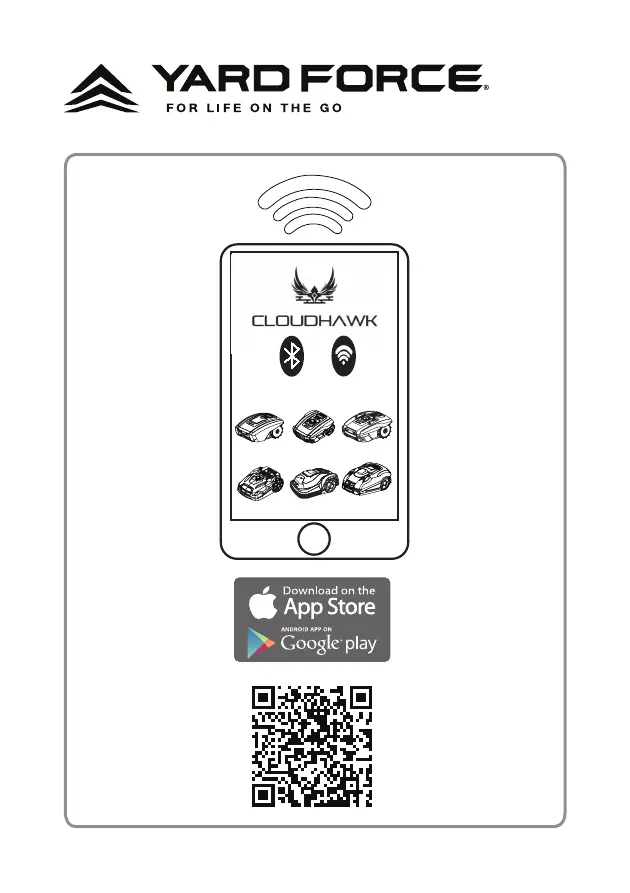
CLOUDHAWK

Other manuals for Yard force Classic 500B

Questions and Answers

  • P
    Peter WelchAug 4, 2025
    What to do if my Yard force Classic 500B won't start?
    • S
      Scott FoxAug 4, 2025
      If your Yard force Lawn Mower fails to start, several factors could be the cause. First, ensure that a time schedule is activated. Next, check for grass buildup under the deck and clean it with a brush if necessary. Also, ensure the battery has sufficient power by placing the mower in the docking station. If the grass is too long, mow it to 60mm. Check if the cutting height is too low and adjust accordingly. The battery temperature should be between 5 and 45 degrees Celsius. Finally, inspect the boundary wire for any breaks and repair them if found.
  • J
    Jessica BranchAug 9, 2025
    Why is my Yard force Classic 500B not getting any power?
    • M
      Mary GallowayAug 9, 2025
      If your Yard force Lawn Mower is not receiving power, it could be due to the ON/OFF key not being activated. Ensure the machine is switched ON. Alternatively, the robotic mower might have a low charge. Place the machine in the docking station to charge it.
  • R
    Rose BellAug 15, 2025
    How to fix uncut parts of the lawn with my Yard force Classic 500B?
    • T
      Tamara EllisAug 15, 2025
      If parts of your lawn are uncut, the mower may need more cutting time; increase the scheduled cutting time to 8 hours. Also, if the grass is too long, mow the lawn to 60 mm.
  • N
    Nicholas RichmondAug 19, 2025
    Why is my Yard force Classic 500B Lawn Mower vibrating excessively or making unusual noises?
    • G
      gnguyenSep 12, 2025
      Excessive vibration or noise in your Yard force Lawn Mower can stem from several issues. Check if the blade is loose and tighten the screw bolt. Inspect the blades for damage or jamming and replace them if necessary. If the grass is too high, increase the cutting height gradually or mow the lawn with an ordinary lawnmower first. If these steps don't resolve the issue, it may indicate a cutting motor failure.
  • K
    Katie GravesAug 25, 2025
    What to do if my Yard force Lawn Mower gets stuck in the lawn area?
    • S
      Samuel CurtisAug 26, 2025
      If your Yard force Lawn Mower gets stuck, there might be obstacles on the lawn; remove them. Also, the boundary wire might not be laid correctly; modify it to zone out obstacles. Ensure that there is 1.5 m of straight cable to the front of the docking station.
  • J
    jonathan59Aug 29, 2025
    Why is my Yard force Lawn Mower going outside the boundary wire?
    • A
      Amy DunnAug 30, 2025
      If your Yard force Lawn Mower is going outside the boundary wire, it might be because the boundary wire is on a slope. Modify the boundary wire and leave a bigger distance on the slope.

Summary

Introduction and Safety Information

About CloudHawk App

Explore App as Guest

Guest Mode Options

Access FAQ, Online Store, and Product Videos without logging in.

Account Registration and Login

Create Account and Login Methods

Register or log in using social media, email, or phone number.

Adding a Device

Device Selection and Serial Number Input

Select device model and enter serial number or scan QR code to add.

Grant System Access

Required Device Permissions

App requires Bluetooth/WiFi and Location permissions for device connection.

Enter Configuration Mode

Bluetooth Device Configuration

Steps to configure Bluetooth connection for supported models.

WiFi Device Configuration (Compact 400 R Series)

Steps to configure WiFi connection for Compact 400R series.

WiFi Device Configuration (NX Series)

NX Series WiFi Setup Process

Steps to configure WiFi connection for NX series devices.

Assistant Configuration with AP Mode

AP Mode Setup Guide

Guidance for connecting via AP mode when smart configuration fails.

APP Homepage Overview

Device Status and Details

Displays online/offline status, device name, category, and editing options.

Work Schedule Display

Shows the scheduled mowing times for the device.

Bottom Navigation Bar

Access Home, FAQ, Online Store, and App Settings.

Device Mainpage

Device Status and Information

View working status, battery, climate data, and operating messages.

Schedule Management

Switch between auto/manual modes and modify working schedules.

Work Schedule Settings

Manual Mode Scheduling

Set specific start and stop times for mowing each day.

Auto Mode Scheduling

Generate recommended schedules based on lawn size and conditions.

System and Boundary Settings

System Time Configuration

Set or automatically update the mower's system time.

Boundary Trimming and Signal Settings

Configure edge cutting, perimeter wire width, and signal selection.

Ultrasonic Sensor Settings

Activate ultrasonic sensor and set obstacle detection distance.

Sensor and Area Settings

Rain Sensor Configuration

Activate rain sensor and set delay for resuming work.

Multi-Area Mowing Setup

Define up to 4 mowing areas with percentage and distance settings.

Device Management and Notifications

PIN Code Reset

Change or reset the mower's PIN code.

Device Information and Firmware Update

View mower details and check for firmware updates.

Notification;Message Push

Enable automatic forwarding of app errors for optimization.

Yard force Classic 500B Specifications

General IconGeneral
BrandYard force
ModelClassic 500B
CategoryLawn Mower
LanguageEnglish

Related product manuals