EasyManua.ls Logo

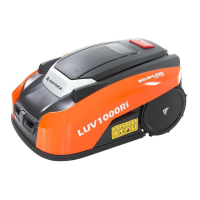
Yard force LUV1000Ri - User Manual

Yard force LUV1000Ri
42 pages
Print Icon
To Next Page IconTo Next Page
Loading...
myRobotcenter
The expert for robots in your home
With one click to the online shop
myRobotcenter.eu myRobotcenter.co.uk

Other manuals for Yard force LUV1000Ri

Questions and Answers

  • D
    David CoxJul 25, 2025
    What to do if my Yard force LUV1000Ri is noisy?
    • H
      Hayden HermanJul 26, 2025
      If your Yard force Lawn Mower is making unusual noises, first, check the blade fixing screws and tighten them if needed. Next, inspect the blades for any signs of damage and replace them if necessary. Also, the grass might be too high. Try increasing the cutting height, or mow the lawn with a regular lawnmower first. If the cutting motor has failed, please call our customer support team.
  • J
    Jonathan ChambersAug 2, 2025
    Why Yard force LUV1000Ri returns to docking station when pressing START?
    • B
      Becky LeeAug 2, 2025
      Your Yard force Lawn Mower might return to or remain at the docking station when you press the START button if it has already completed its programmed working time for the day. Also, if the battery is low, allow the Robotic Mower time to charge and then try again.
  • R
    Renee SmithAug 9, 2025
    Why my Yard force LUV1000Ri runs in circles?
    • A
      Angel KnightAug 9, 2025
      If your Yard force Lawn Mower runs in circles, while mowing or following the boundary wire, it could be due to several reasons. First, verify that no power cable runs parallel and in close proximity to the boundary wire; if needed, reposition the boundary wire. Next, check if a front wheel is stuck. If a neighbor has a similar Robotic Mower, the signals may interfere; try setting your docking station and Robotic Mower to the alternative boundary signal. If the driving motor may be damaged, please contact our customer support team.
  • M
    Melissa RobinsonAug 16, 2025
    How to fix Yard force Lawn Mower not docking?
    • K
      Kimberly FlynnAug 16, 2025
      If your Yard force Lawn Mower is unable to dock with the docking station, check that the boundary wire in front and underneath the charger is in a straight line. Also, ensure that the docking station's position is suitable as explained in this manual.

Summary

Required Permissions

Location Permission

MOWAP requires Location/GPS permission for 'Direct mode', which can be disabled post-login.

Firewall and Anti-Virus Software

Allow MOWAP in firewall/anti-virus for proper function, e.g., 'Net guard' app.

Main Page and Direct Mode

Sign Up and Login

Section for account creation or login via email or mobile number.

Explore as Guest

Provides access to FAQ and MOWAP information via submenu.

Connecting to Direct Mode

Connect mower via Wi-Fi, enabling 'Location/GPS', then configure network settings.

MOWAP Registration

Registration by Email

Process for registering the mower using an email address and verification code.

Registration by Mobile Phone

Process for registering the mower using a mobile number and verification code.

Login and Device List Management

Login Methods

Register MOWAP using email or mobile number with a password.

Adding a Mower to the Device List

Steps to add a mower via QR scan or manual serial number entry and WLAN configuration.

Working Page and Device Settings

Mower Status and Controls Overview

Displays battery status, charging cycles, working time, and mower control buttons.

Accessing History Data

View error history, cutting history, and total working history.

Mower Configuration Settings

Time Settings for Operation

Configure three working times and select days for mower operation.

Boundary Settings

Adjust trimming and width for edge cutting and perimeter wire clearance.

Multi-Area Mowing Zones

Define up to four different mowing areas for the robot mower.

Rain Sensor Delay Configuration

Set a delay for the mower to resume work after rain detection.

Advanced Device Features

Ultrasonic Distance Settings

Set the distance for the mower to stop and change direction.

Device Information and Reset

Access device name, pin settings, model, and reset options.

Share Device via QR Code

Share mower access using a QR code for convenience.

Delete Mower from Device List

Remove mower from the app's device list, e.g., after Wi-Fi password change.

App Notifications

App crash/error reporting for manufacturer optimization.

Instruction Videos

Access instructional videos for installation and operation.

Reporting Settings

Automatic Error Reporting

App errors and crashes are automatically sent to the manufacturer for optimization.

Yard force LUV1000Ri Specifications

General IconGeneral
BrandYard force
ModelLUV1000Ri
CategoryLawn Mower
LanguageEnglish

Related product manuals