8 9
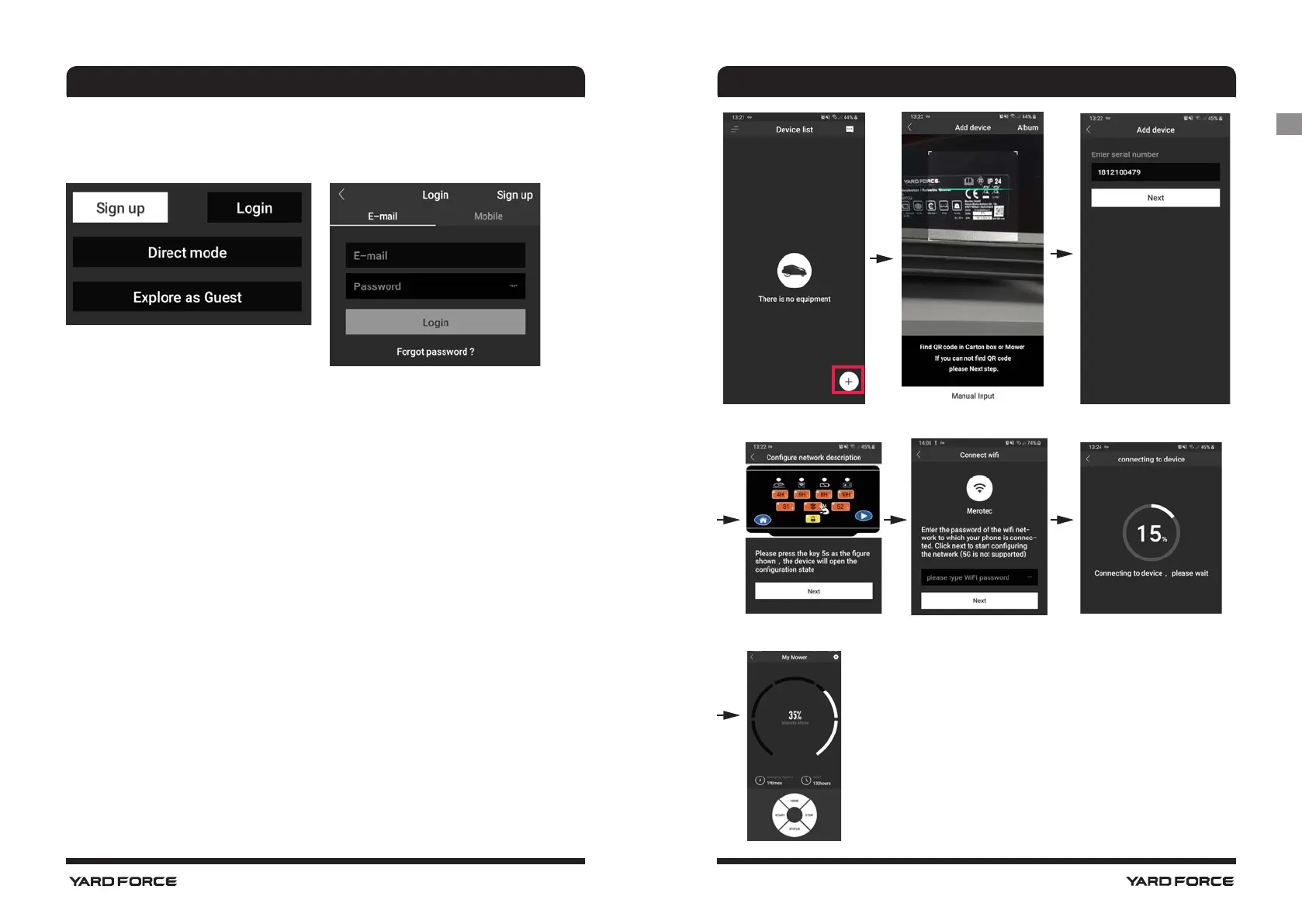
Login
E-mail or mobile phone number with password can register MOWAP.
Device list
1. Add a mower by tapping on the symbol "+"
2. Scan the QR code or manually enter the serial number, if the
serial number is correct, tap "Next".
- In order to control your robotic mower from anywhere, the mower
has to be integrated into your home WLAN network
- When the "Configure network description" page appears, press
the WLAN button on the mower until the LED Stops flashing. Then
tap "Next". (This may take a while)
NOTE: For X150i touch screen, enter into “settings” option and then
select “Wi-Fi” to configure the network.
3. Connection is in processing (this may take a while).
4. If the connection fails, check the wireless settings on your phone.
5. After successful connection, the main working page shown like
below.
MOWAP MOWAP
GB




 To Next Page