4 5
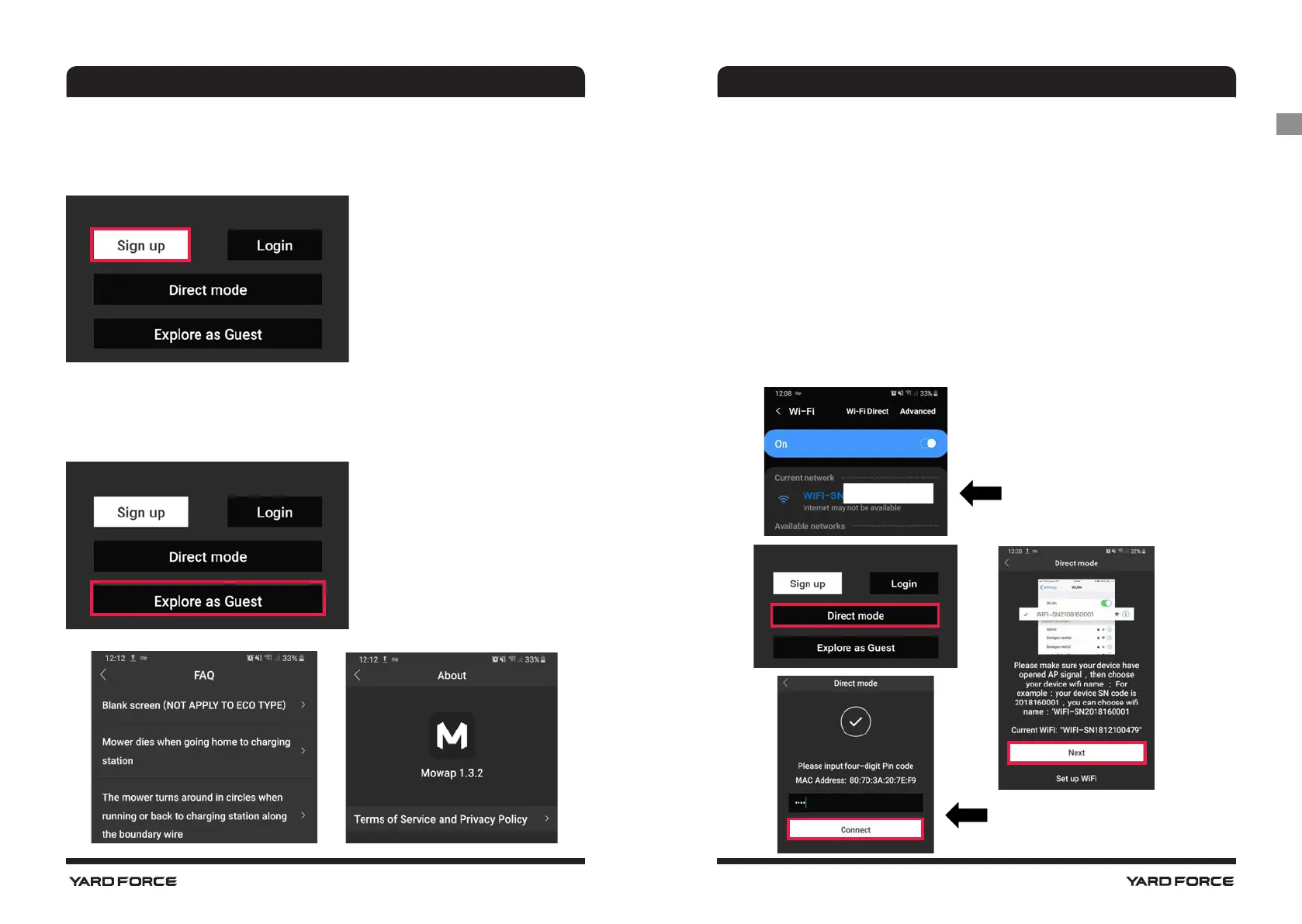
Direct mode
For direct mode use, add mower to your Wi-Fi setting and turn on
"Location / GPS"
1. Press and hold the Wi-Fi button and then turn on the main
power switch.
NOTE: For the touch screen model (e.g. X150i), turn on the machine
and enter into “settings” option and then select “Wi-Fi” to configure
the network.
2. Open your Wi-Fi setting on your phone, select the SN +
Serial number accordingly.
NOTE:Direct mode works on Android 5.0 to 10.0 and IOS 9.0 to 13
MOWAP MOWAP
Main page
Sign up/ Login
This section can be made by e-mail or mobile phone number
Explore as Guest
Here is information available when clicking on the submenu items.
There are FAQ and MOWAP info available
Unique Serial number
XXXXXXXX
Enter 4-digit Pin(default 0000)
GB




 To Next Page