14 15
MOWAP MOWAP
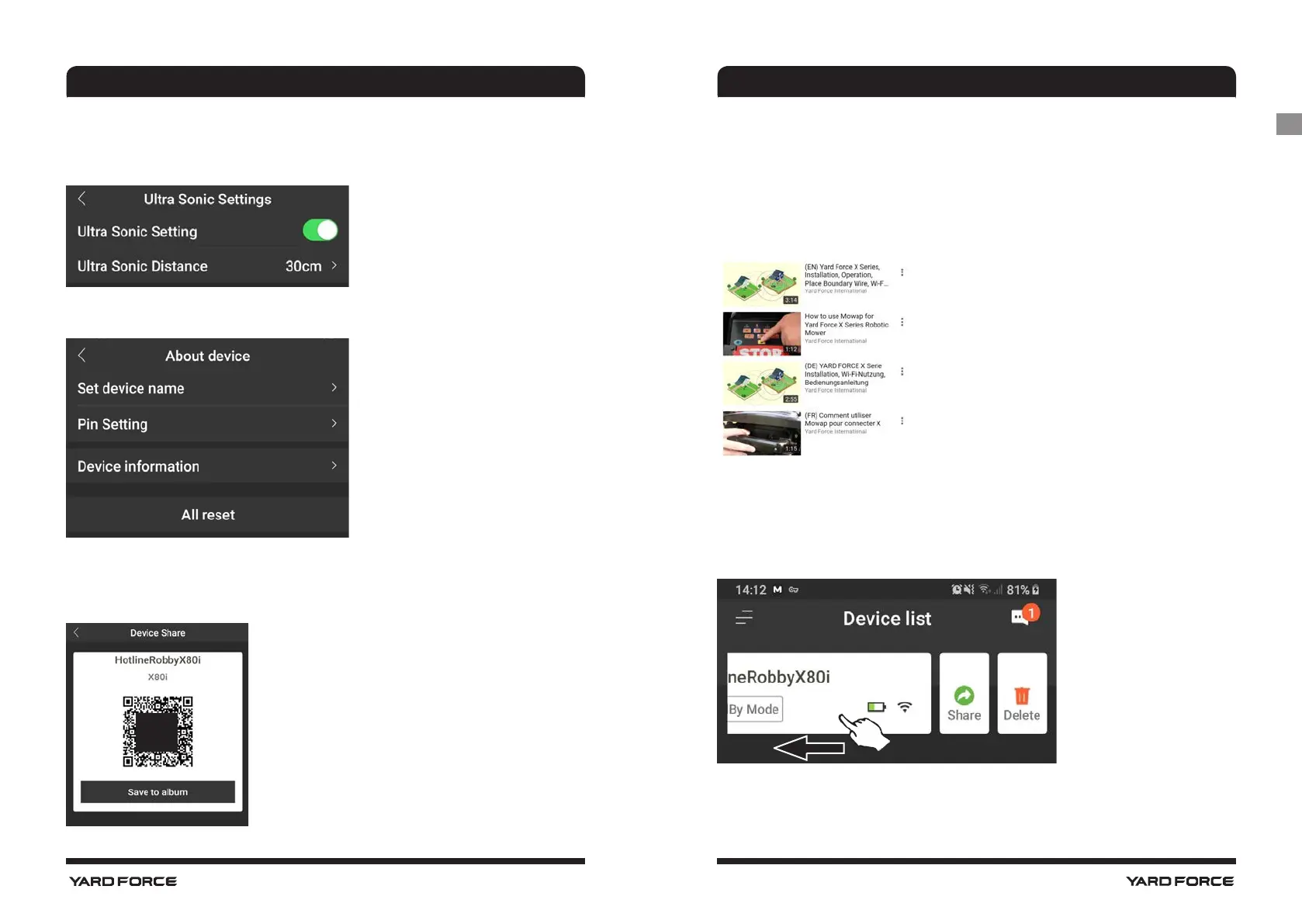
Ultrasonic settings
Set at which distance the mower should stop and turn in another
direction.
Notifications
When active, if the app crashes all app errors, are automatically
forwarded to the manufacturer for optimization purposes.
Instruction videos
Some instructional videos about installation, operation, etc.
Delete mower from device
Tap on mower and swipe to the left, then tap on delete. This is
necessary for example, if the Wi-Fi password from your router has
been changed.
Share device
Share your device with a QR code
Scan the QR code or save the QR code and share it
- Set device name
- Pin setting, change pin code
- Device information, Model,
WLAN version
- All reset, default values
About device
GB




 To Next Page