12
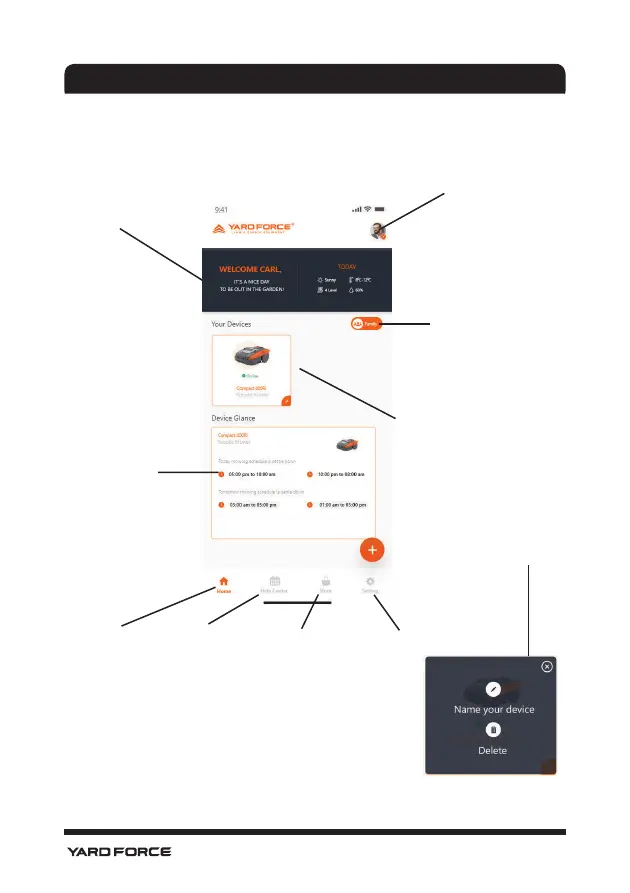
APP Homepage
After the device is successfully configured, the device will show on th e
homepage.
CLOUDHAWK
Welcome bar, weather
information is listed here
User profile can be edited here
Invi t e and sh a r e your
device with your
family numbers
Wo r k s c h e d u l e
will show here
Home button
FAQ and online
support
Online store APP setting
Device area:
1. Show online/offline status
2. Show device name
3. Show device category
4. Click the “pencil” symbol
at the right lower corner,
the user can change the
device nickname or delete
the device.






 To Next Page