14
CLOUDHAWK
Work Schedule Settings
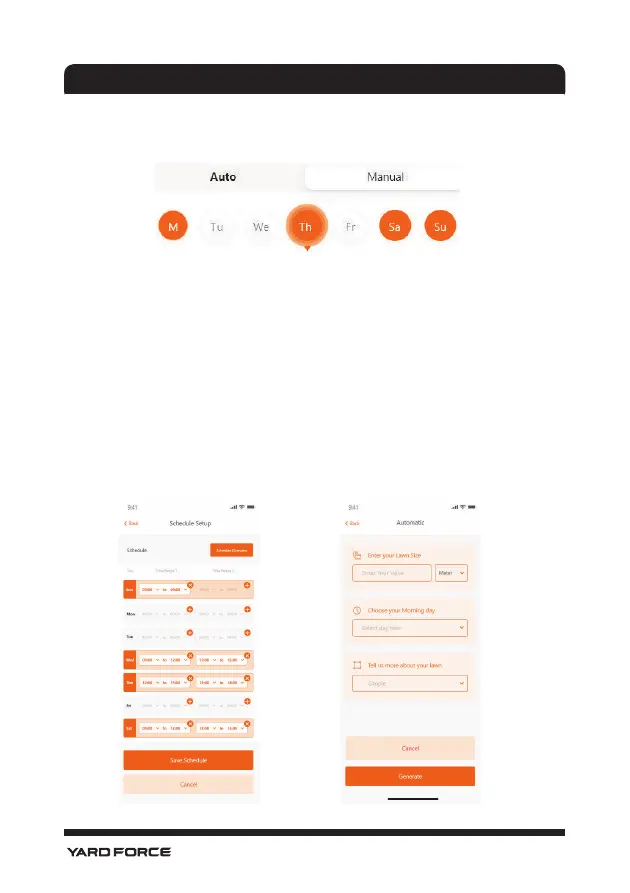
Choose either "Manual" or "Auto" to set up the work schedule.
Manual mode:
Set two time ranges for each day, if the time slot is activated, then it will
show " X " on the right top corner. Click the " + " and set the start and
stop time, then this time slot will be activated.
Auto mode:
With auto mode, the application needs more information about the lawn,
then it can give the recommended working schedule. Input the lawn size,
preferred working day and verify garden conditions (complicated or
simple.) Once you click the “Generate” button, the application will
generate a recommend value.
Manual Mode Auto Mode







 To Next Page