9
CLOUDHAWK
GB
WiFi device(NX series)
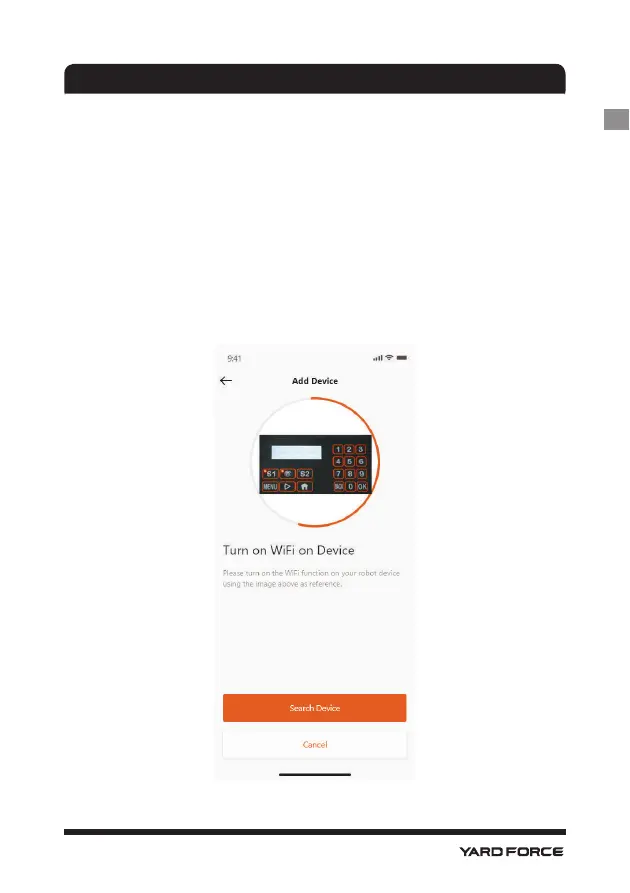
After you grant the WiFi and location, then follow page:
C
will display. Before your enter configuration process, normally the WiFi LED
should flash slowly (one time per second).
To configure the WiFi, follow the below process:
1. Power on the device and enter device control interface with PIN code.
2. Press the WiFi button.
3. Use the numeral key “1” to select the “WiFi configure”.
4. Then the device is under WiFi configuration process, follow the rest of
the APP instructions.
LED flashing quickly(four times per second): Internet connected.
LED flashing slowing (one time per second): Connection failed, please repeat above process.
LED is lit continuously: Device has been configuring mode, not connected with internet.
C






 To Next Page