EasyManua.ls Logo

Yardworks 060-2273-4 - User Manual

Yardworks 060-2273-4
9 pages
Print Icon
To Next Page IconTo Next Page
Loading...
IMPORTANT:
Read and follow all safety rules and
operating instructions before using
this product.
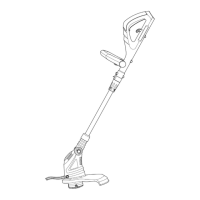
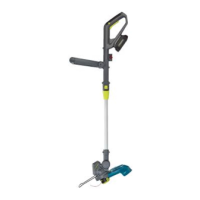
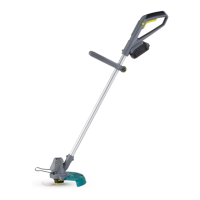
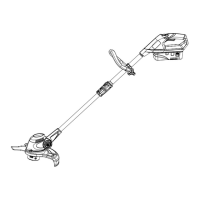
Cordless Grass Trimmer/Edger
Toll-free: 1 866 523 5218
Instruction Manual
model no. 060-2273-4
IMPORTANT:
Read and follow all safety rules and
operating instructions before using
this product.
Question and Answer IconNeed help?

Do you have a question about the Yardworks 060-2273-4 and is the answer not in the manual?

Summary

Know Your Trimmer Components

Lock-out button

Identifier for the lock-out button on the trimmer.

Switch trigger

Identifier for the main switch trigger of the trimmer.

Upper handle

Identifier for the upper handle component of the trimmer.

Battery

Identifier for the battery pack used with the trimmer.

Auxiliary handle

Identifier for the secondary handle for added control.

Auxiliary handle adjustment knob

Identifier for the knob used to adjust the auxiliary handle.

Split and telescoping shaft

Identifier for the shaft that can be split and extended.

Motor housing

Identifier for the housing containing the motor.

Edge guide

Identifier for the guide used for edging.

Guard

Identifier for the safety guard component.

Single line cutting spool

Identifier for the spool holding the cutting line.

Charger

Identifier for the battery charger unit.

Exploded View and Part List

Part List Details

Detailed list of all parts with corresponding item numbers and quantities.

Assembly Instructions

Installing the Battery

Step-by-step guide for inserting the battery pack into the trimmer handle.

Assembling the Shaft Halves

Instructions for connecting and securing the upper and lower shaft sections.

Adjusting the Auxiliary Handle

Procedure for positioning and locking the auxiliary handle.

Replacing the Spool

Guide on how to remove and install a new cutting line spool.

Safety Symbols and Rules

Understanding Safety Symbols

Explanation of various symbols used on the product and their meanings.

General Safety Precautions

Essential safety rules and guidelines for operating the grass trimmer.

Specific Safety Guidelines

Additional safety advice for using the grass trimmer in various conditions.

Operating the Trimmer

Starting and Stopping

Instructions on how to turn the trimmer on and off using the trigger.

Using the Edging Feature

How to convert the trimmer for edging tasks along surfaces.

Adjusting Shaft Length

Procedure for extending or shortening the trimmer shaft.

Adjusting Cutting Path Width

How to change the cutting width between 10 and 12 inches.

Adjusting the Cutting Angle

How to pivot the trimmer head to different positions.

Maintenance and Troubleshooting

Automatic Line Lengthening

Explanation of how the line automatically advances and how to trigger it.

Battery Charging Procedure

Steps for charging the battery pack and checking charge status.

Charger Maintenance

Guidelines for keeping the charger clean and in good working order.

Battery Pack Storage

Recommendations for storing the battery pack, including charging.

Cutting Line Replacement

Instructions for replacing the cutting line with new monofilament.

Trimmer Cleaning

How to clean the exterior, guard, and air vents of the trimmer.

Troubleshooting Common Issues

Solutions for problems like slow running or automatic line feed failure.

Warranty Information

Two-Year Limited Warranty

Details of the manufacturer's warranty coverage and duration.

Warranty Exclusions

Conditions and factors that are not covered by the warranty.

Normal Wear Parts Warranty

Specific warranty period for parts subject to normal wear.

Obtaining Service

How to contact customer support and arrange for warranty service.

Summary

Know Your Trimmer Components

Lock-out button

Identifier for the lock-out button on the trimmer.

Switch trigger

Identifier for the main switch trigger of the trimmer.

Upper handle

Identifier for the upper handle component of the trimmer.

Battery

Identifier for the battery pack used with the trimmer.

Auxiliary handle

Identifier for the secondary handle for added control.

Auxiliary handle adjustment knob

Identifier for the knob used to adjust the auxiliary handle.

Split and telescoping shaft

Identifier for the shaft that can be split and extended.

Motor housing

Identifier for the housing containing the motor.

Edge guide

Identifier for the guide used for edging.

Guard

Identifier for the safety guard component.

Single line cutting spool

Identifier for the spool holding the cutting line.

Charger

Identifier for the battery charger unit.

Exploded View and Part List

Part List Details

Detailed list of all parts with corresponding item numbers and quantities.

Assembly Instructions

Installing the Battery

Step-by-step guide for inserting the battery pack into the trimmer handle.

Assembling the Shaft Halves

Instructions for connecting and securing the upper and lower shaft sections.

Adjusting the Auxiliary Handle

Procedure for positioning and locking the auxiliary handle.

Replacing the Spool

Guide on how to remove and install a new cutting line spool.

Safety Symbols and Rules

Understanding Safety Symbols

Explanation of various symbols used on the product and their meanings.

General Safety Precautions

Essential safety rules and guidelines for operating the grass trimmer.

Specific Safety Guidelines

Additional safety advice for using the grass trimmer in various conditions.

Operating the Trimmer

Starting and Stopping

Instructions on how to turn the trimmer on and off using the trigger.

Using the Edging Feature

How to convert the trimmer for edging tasks along surfaces.

Adjusting Shaft Length

Procedure for extending or shortening the trimmer shaft.

Adjusting Cutting Path Width

How to change the cutting width between 10 and 12 inches.

Adjusting the Cutting Angle

How to pivot the trimmer head to different positions.

Maintenance and Troubleshooting

Automatic Line Lengthening

Explanation of how the line automatically advances and how to trigger it.

Battery Charging Procedure

Steps for charging the battery pack and checking charge status.

Charger Maintenance

Guidelines for keeping the charger clean and in good working order.

Battery Pack Storage

Recommendations for storing the battery pack, including charging.

Cutting Line Replacement

Instructions for replacing the cutting line with new monofilament.

Trimmer Cleaning

How to clean the exterior, guard, and air vents of the trimmer.

Troubleshooting Common Issues

Solutions for problems like slow running or automatic line feed failure.

Warranty Information

Two-Year Limited Warranty

Details of the manufacturer's warranty coverage and duration.

Warranty Exclusions

Conditions and factors that are not covered by the warranty.

Normal Wear Parts Warranty

Specific warranty period for parts subject to normal wear.

Obtaining Service

How to contact customer support and arrange for warranty service.

Yardworks 060-2273-4 Specifications

General IconGeneral
Cutting Width10 inches
Voltage20V
Model Number060-2273-4
Power SourceBattery
Line Diameter0.065 inches
Battery2.0 Ah

Related product manuals