

EasyManua.ls Logo

Yealink WDD60 - User Manual

Yealink WDD60
4 pages
Print Icon
To Next Page IconTo Next Page
Loading...
1
DECT Headset USB Dongle
WDD60
Quick Start Guide
V1.0
Package Contents
1
Quick Start Guide
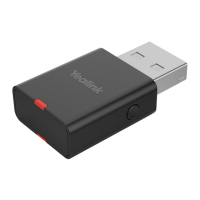
WDD60 Dongle
Question and Answer IconNeed help?

Do you have a question about the Yealink WDD60 and is the answer not in the manual?

Summary

Package Contents

Pair WDD60 with Headset and Software

Yealink USB Connect Software

Manage and personalize your WDD60 using Yealink's USB Connect client. Download from the Yealink website.

Regulatory and Safety Information

Explanation of Symbols and Warnings

Details DC symbol, WEEE symbol meaning, and RoHS compliance for safe and responsible use.

General and Environmental Safety

Covers safe installation, operation, storage, and environmental requirements for device longevity.

Operating, Battery, and Cleaning Safety

Instructions for safe power usage, battery handling, cleaning procedures, and troubleshooting.

Troubleshooting and Compliance

Troubleshooting Common Issues

Addresses connectivity problems, power issues, and environmental factors affecting device performance.

FCC and ISED Compliance Statements

Details FCC/ISED rules, warnings, and SAR compliance for radio frequency exposure.

Contact and Technical Support

Provides Yealink contact information for technical support, product documentation, and ticketing system.
Summary

Package Contents

Pair WDD60 with Headset and Software

Yealink USB Connect Software

Manage and personalize your WDD60 using Yealink's USB Connect client. Download from the Yealink website.

Regulatory and Safety Information

Explanation of Symbols and Warnings

Details DC symbol, WEEE symbol meaning, and RoHS compliance for safe and responsible use.

General and Environmental Safety

Covers safe installation, operation, storage, and environmental requirements for device longevity.

Operating, Battery, and Cleaning Safety

Instructions for safe power usage, battery handling, cleaning procedures, and troubleshooting.

Troubleshooting and Compliance

Troubleshooting Common Issues

Addresses connectivity problems, power issues, and environmental factors affecting device performance.

FCC and ISED Compliance Statements

Details FCC/ISED rules, warnings, and SAR compliance for radio frequency exposure.

Contact and Technical Support

Provides Yealink contact information for technical support, product documentation, and ticketing system.

Yealink WDD60 Specifications

General IconGeneral
BrandYealink
ModelWDD60
CategoryHeadsets
LanguageEnglish

Related product manuals








