Yeastar 4G LTE Module User Guide
8
communication with the CARRIER via the dial up connection parameters. By default, you don’t
need to configure the dial-up settings. Yeastar S-Series VoIP PBX can identify the SIM card and
dial up to connect to the Internet.
Generally, you need to configure Dial-up settings for the following situations:
The SIM card is installed in a place where the carrier network is not covered.
First contact the carrier if the SIM card could connect to a non-local network, if the answer is yes,
then ask the dial-up connection parameters from the carrier.
The SIM card carrier asks you to change dial-up settings, so that you can connect to a specific
network or another carrier network.
Note: please configure the dial-up settings under the guidance of your carrier, or the cellular network
will fail.
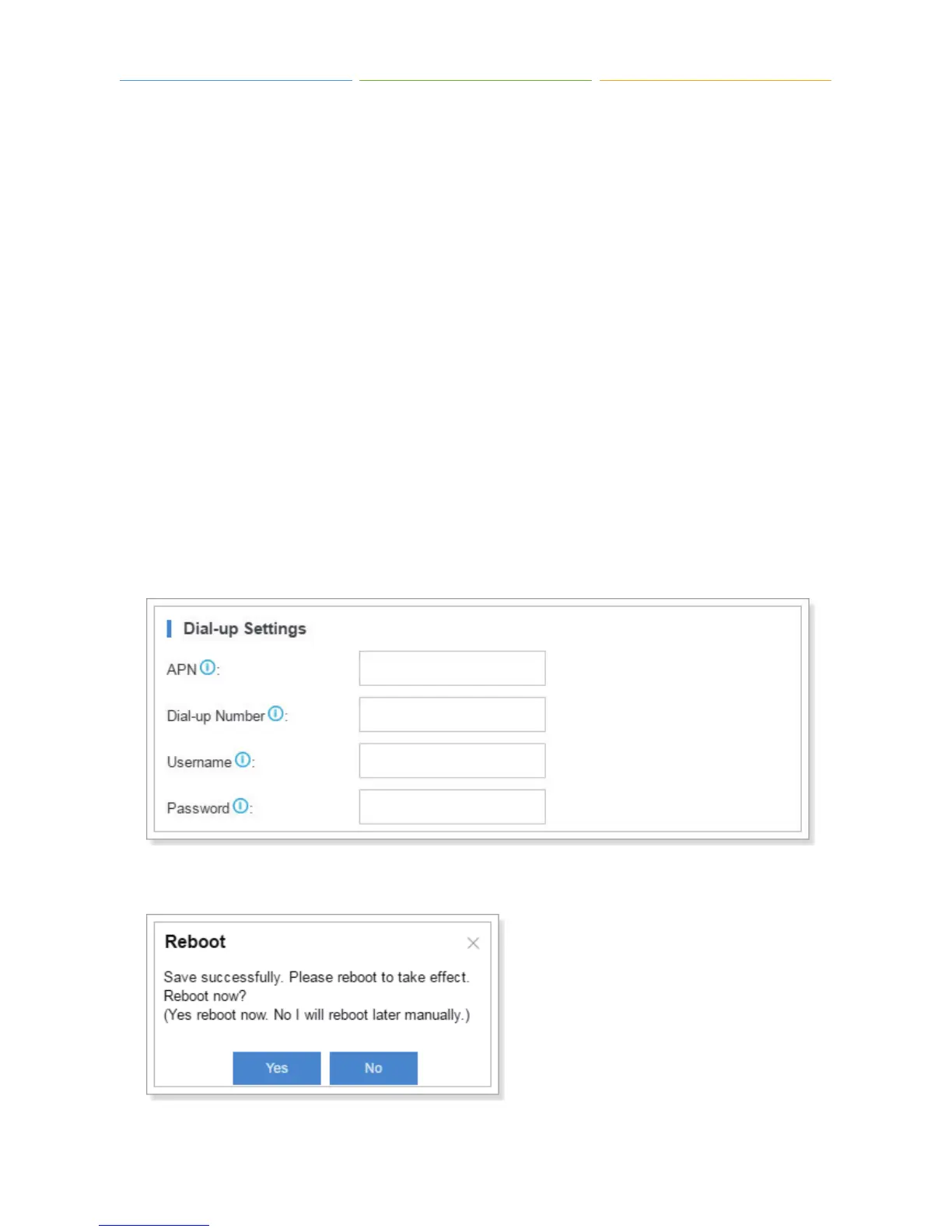
To configure Dial-up Settings:
1. Log in S-Series Web user interface, navigate to “Settings > System > Network > Cellular
Network”.
2. Enter the parameters provided by the carrier, click “Save”.
3. Click “Yes” to reboot the PBX, then the dial up settings will take effect.



 To Next Page