Yeastar 4G LTE Module User Guide
12
Accessing PBX via Cellular Network
Note:
To access PBX via cellular network, first ensure that your cellular network is a public IP address.
You cannot access PBX via a private cellular network.
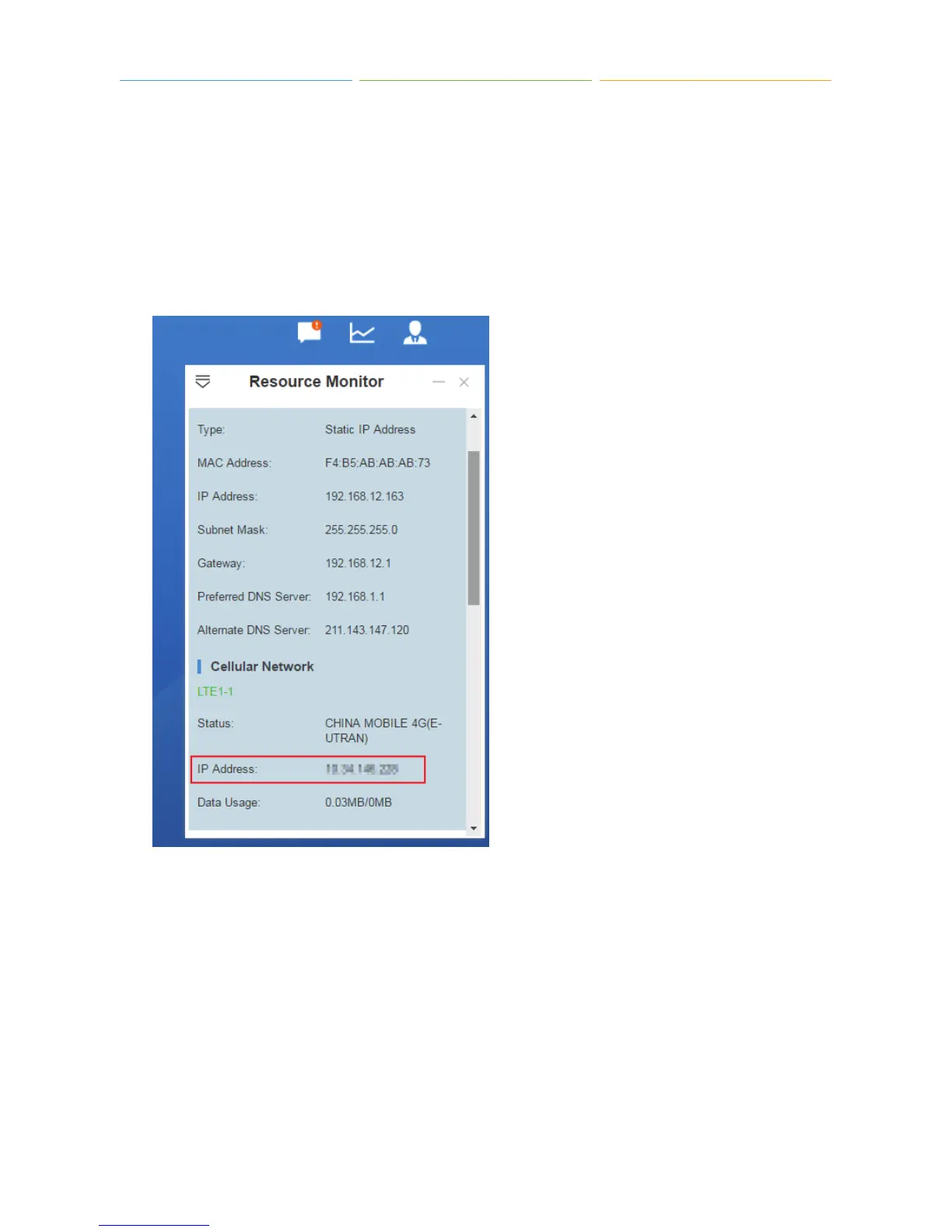
1. Log in the PBX Web user interface, click “Resource Monitor” button at the top-right corner, and
scroll down to check the IP address of cellular network.
2. Navigate to “PBX > System > Network > Basic Settings”, set “Cellular Network” as “Always”.
3. Enter the cellular IP address in your browser address bar, press “Enter” key to access the PBX.
Registering Remote Extensions/Trunks via Cellular Network
For Public Cellular Network
If you have a public cellular network, you can do the following via the cellular network:
Register a remote extension
Create a register-based VoIP trunk on other device to connect to S-Series PBX



 To Next Page