11
EN
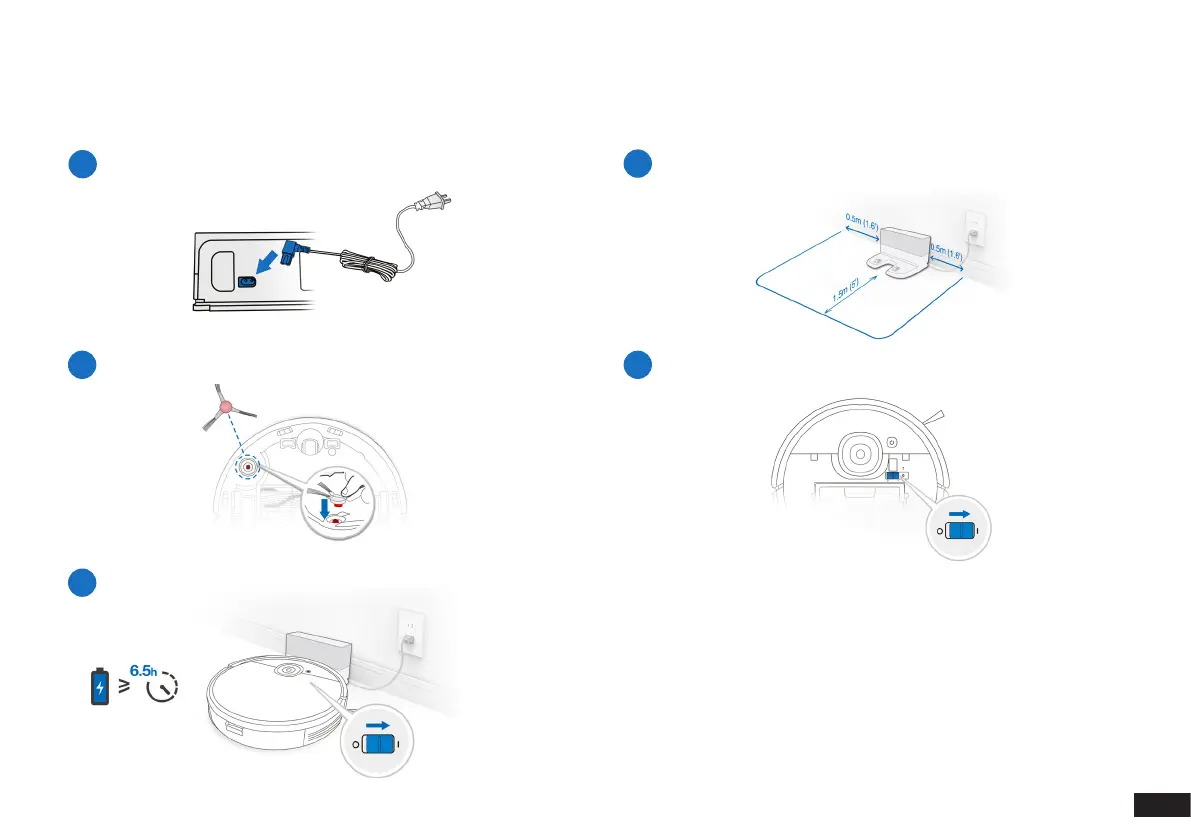
Please remove all protection materials on Robot and Docking Station before use.
1
Assemble Docking Station
2
Docking Station Placement
3
Install Edge Brush
4
Power ON
5
Charge Robot
Note: When Robot completes the cleaning cycle or when the battery
gets low, Robot automatically returns to the Docking Station to
recharge itself. Robot can also be sent back to the Docking Station at
any time by using the yeedi App or by pressing the AUTO Button on
the robot for 3 seconds.
Empty remaining water from the Reservoir and remove the Mopping
Pad Plate before charging Robot.
2. Operating and Programming/2.2 Preparation


 To Next Page