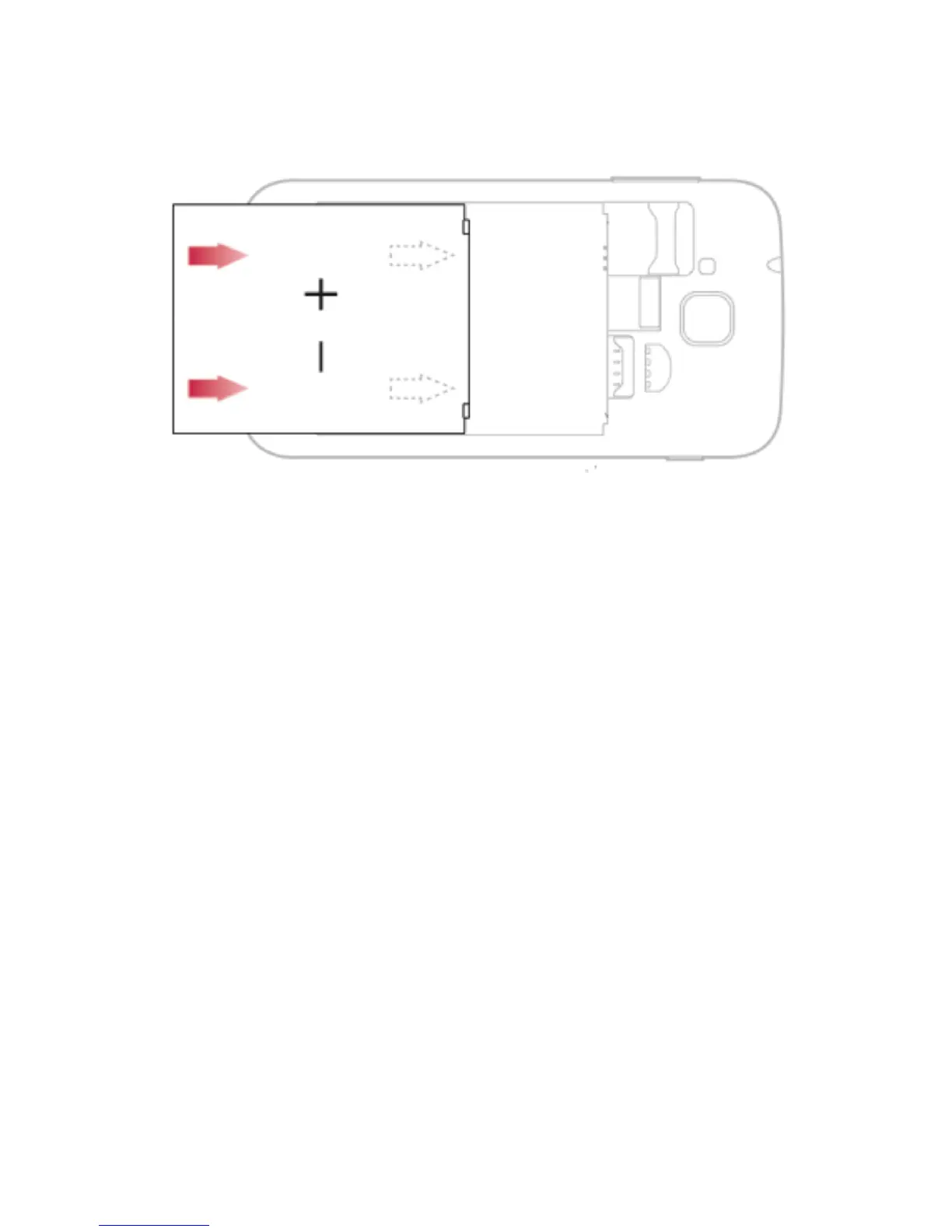
3. Insert the battery.
4. Replace the battery cover
Insert a memory card (optional)
To store additional multimedia files, you must insert a
memory card.
Your phone accepts memory cards up to 32 GB (depending
on memory card manufacturer and type).
• Formatting the memory card on a PC may cause
incompatibility with your phone. Format the memory
card only on the phone.



 To Next Page