11 12
00:00:00
C-AF
AWB 1080P
00:00
A
BKT
RAW
4:3
16M
4K
Basic Settings
Image Aspect
Card Setup
Video Settings
File Format
Flash Mode
Time Lapse
AE/WB Bracketing
Image Quality
2015/12/15
200/1200 | P8160132.JPG
Mode:
Metering:
Aperture:
Shutter:
EV:
ISO: 100
Focus Mode:
Focal length:
WB: Auto
Color Space:
Size:
Color WEB RAW JPEG
2. Information display/index display
2. Record videos
2) Press the button again to end recording.
Recording
Time
White Balance
Video Settings
1. View/edit still pictures
The last captured image/video will be displayed.
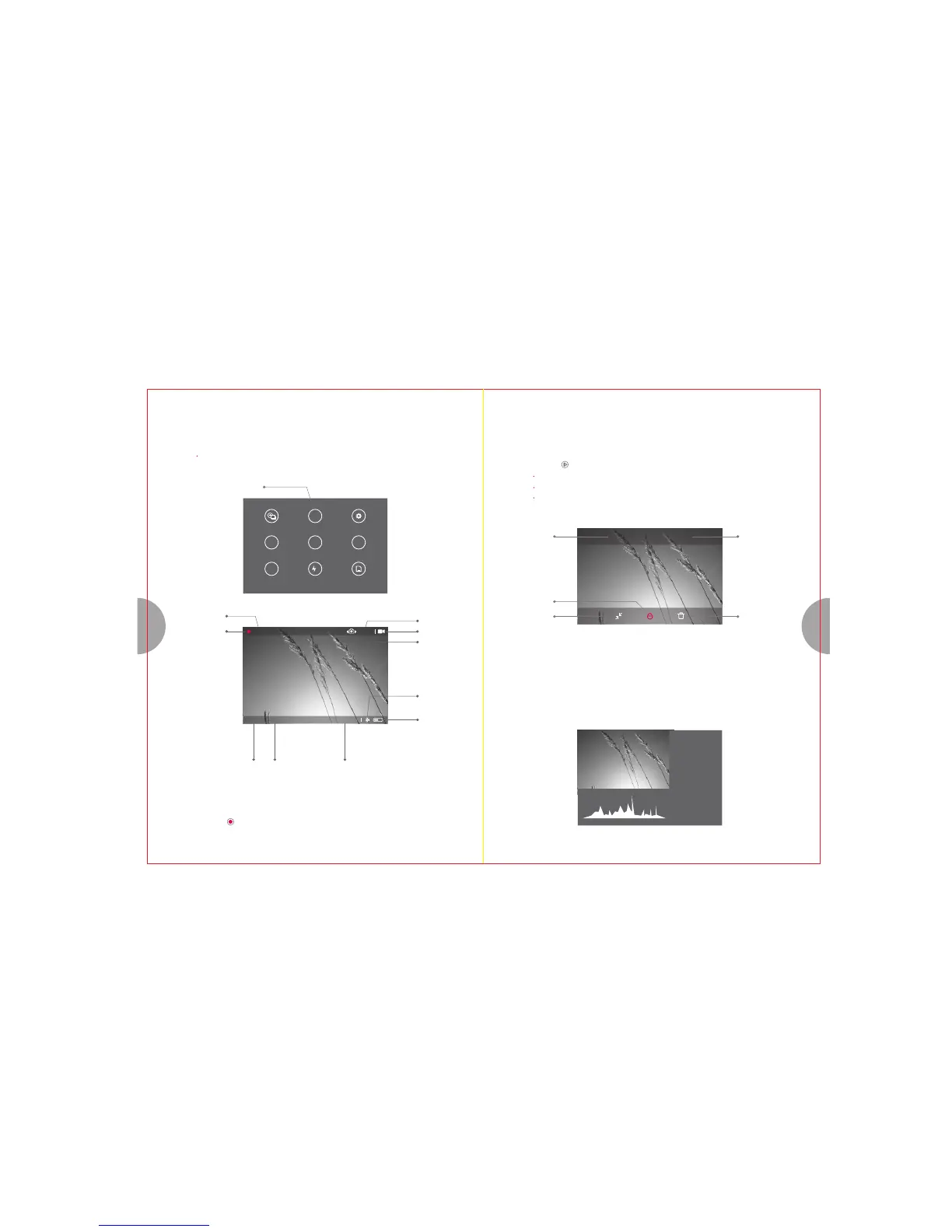
1) During the display of Live View screen, select the video button on the mode dial to record video.
Set the parameters to your preference with [Video Setting] in advanced.
Recording
Status
Focus Mode
Video Mode
Electronic
Image
Stabilization
Wi-Fi Status
Power
Video Resolution Remaining Recording Time
8. Image/Video Playback
1) Press the button to view/edit pictures/videos.
Slide the screen left or right to switch in between pictures and videos.
Long press (about 0.5s) image to enter editing interface. Tap again to exit single
viewing mode.
Color to
B&W
Locking
Resize
RAW format to
JPEG format
Delete
Rotate control dial counter-clockwise to alternate between detailed info and index display.
15:48:14
M
Center
F5.6
1/250s
0.0
200
S-AF
43mm
Sunny
AdobeRGB
5184×3888


 To Next Page