8
7
9
1 0
1 1
1 4
1 2
1 5
1 6
1 3
1 7
1 8
2 1
1 9
2 2
2 3
2 0
2 4
USE ONLY WI TH 250V F USE
1
2
3
4
5
1
2
3
4
5
IV. 305DB / 605DB / 3010DB Set up and Use
5 6
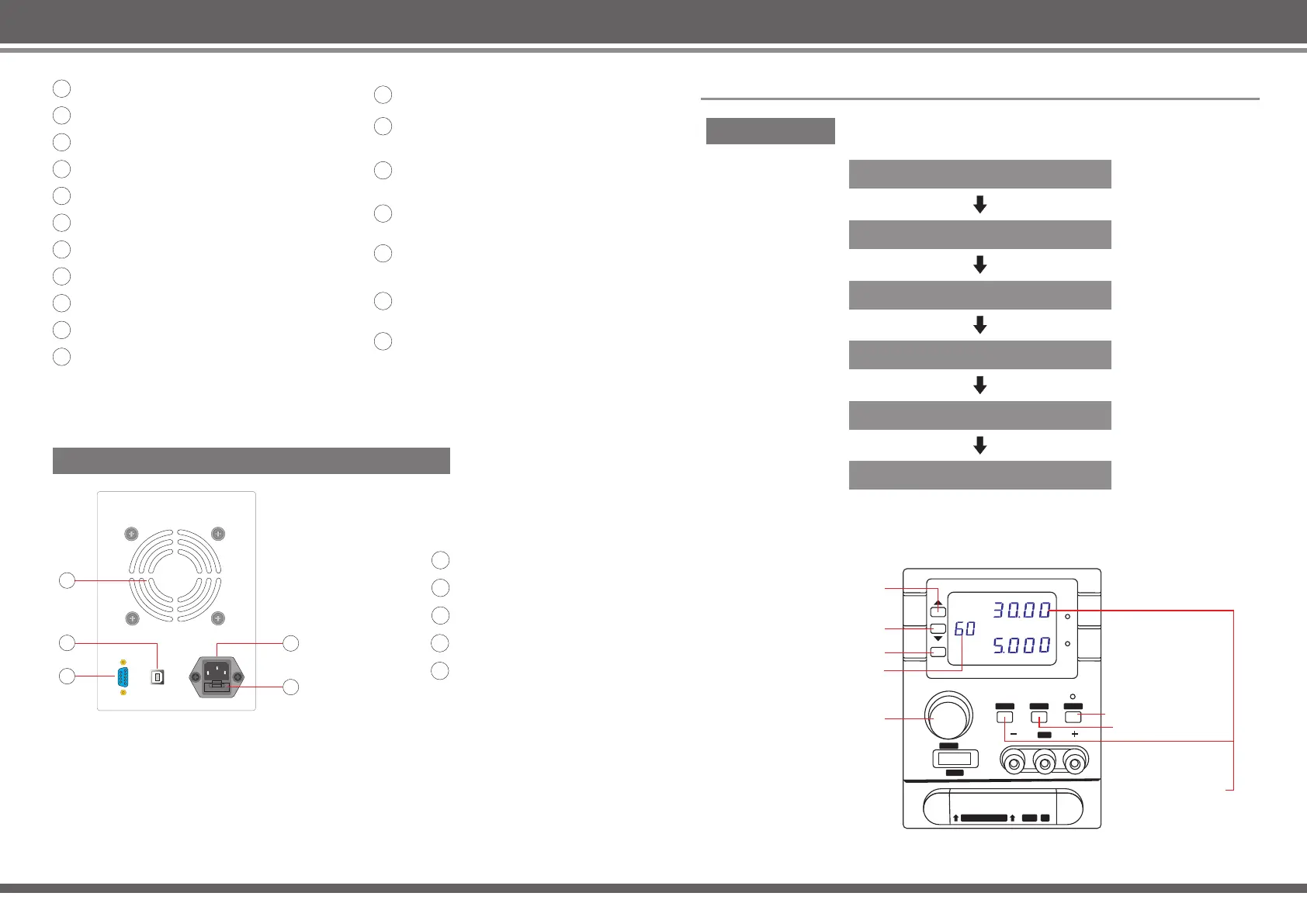
Output junction box
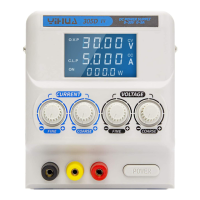
Setting / Output voltage display
Constant voltage indicator
Constant current indicator
Output current setting display
Power output light
Output on / Output off
Current settings key
Voltage settings key
Main output +
Main output ground connection
Main output -
Auxiliary output 1+ (in parallel
with the main output)
Auxiliary output 2+ (in parallel
with the main output)
Auxiliary output ground
connection
Auxiliary output 2- (in parallel
with the main output)
Auxiliary output 1- (in parallel
with the main output)
Product model
305DB / 605DB / 3010DB Back Panel Indicators
Thermal windows
USB port
9-pin D-shaped port
Electric supply input
Fuse holder
Process setting
Set current protection type
Select a storage group (default 00)
Confirm the set voltage
Confirm the set current
Press the output key ON / OFF
Load
DC REGULATED P OW ER S UP PLY
OUTPUT
GND
VAL-ADJ
POWER
AUXILIARY OUTPUT
0-30V
5A
C.V
C.C
CURRENTVOLTAGE
Memo ry
Mem
V
A
305DB/605DB/3010DB
Storage / Recall button
Display storage group
Encoder potentiometer
Output key ON / OFF
Current settings
Voltage settings
Storage groups
choose increase
Storage groups
choose decrease


 To Next Page
 Loading...