Technical
Information
Sushi Sensor System
Setup Guide
MultiConnect Conduit IP67 Base Station
Manufactured by Multi-Tech Systems
TI01W06A51-50EN
TI01W06A51-50EN
©Copyright Mar. 2019
1st Edition Mar. 2019
Yokogawa Electric Corporation
2-9-32, Nakacho, Musashino-shi, Tokyo, 180-8750 Japan
Tel.: 81-422-52-5885 Fax.: 81-422-52-2102
Contents
Introduction .............................................................................................................1
1. Overview of the LoRaWAN Gateway ..........................................................2
2. Preparation of Necessary Items .................................................................4
3. Assembly and Wiring ...................................................................................5
3.1 Connecting the Ethernet Cable .......................................................................... 5
3.2 Mounting the LTE Antennas ............................................................................... 6
3.3 Inserting a SIM Card ............................................................................................ 6
3.4 Mounting the LoRa Antenna ............................................................................... 7
3.5 Mounting the GPS Antenna ................................................................................ 7
4. Installation .....................................................................................................8
4.1 Precautions on Installation ................................................................................. 8
4.2 Mounting the Bracket on the Gateway .............................................................. 8
4.3 Installing the Gateway ......................................................................................... 9
4.4 Grounding ........................................................................................................... 10
4.5 PoEPowerSupplyandConnectionwiththeGatewayCongurationPC ... 10
5. Gateway Setup ............................................................................................ 11
5.1 Login .................................................................................................................... 11
5.2 Basic Setting of the Gateway ............................................................................ 12
5.2.1 Disabling the DHCP Server ................................................................ 12
5.2.2 Time Settings ...................................................................................... 13
5.2.3 LoRaWAN Settings ............................................................................. 13
5.3 Data Collection Server Interface Settings ....................................................... 16
5.3.1 LTE Settings ........................................................................................ 16
5.3.2 Ethernet Settings ................................................................................ 17
5.4 Message Transfer Settings ............................................................................... 18
6. Operation and Maintenance ..................................................................... 22
6.1 Daily Check ......................................................................................................... 22
6.1.1 Checking Wireless Communication Status ........................................ 22
6.1.2 Gateway Inspection ............................................................................ 22
6.1.3 Handling a Device in a Warning State ................................................ 22
6.2 Gateway Addition and Replacement ............................................................... 23
6.2.1 Adding a Gateway (Providing Redundancy) ...................................... 23
6.2.2 Replacing a Gateway .......................................................................... 23
7. Troubleshooting ........................................................................................ 24
7.1 Checking Sushi Sensor Connection Status ................................................... 24
7.2 Changing the Radio Frequency ....................................................................... 25
7.3 Initializing the Gateway ..................................................................................... 25
7.4 Collecting Gateway Logs .................................................................................. 26
Revision Information ........................................................................................... 28

 Need help?
 General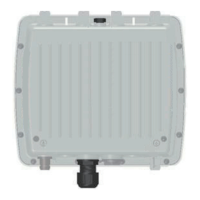

 To Next Page