YOKOMO TX3S 2.4GHz FHSS 3-channel Radio Control System
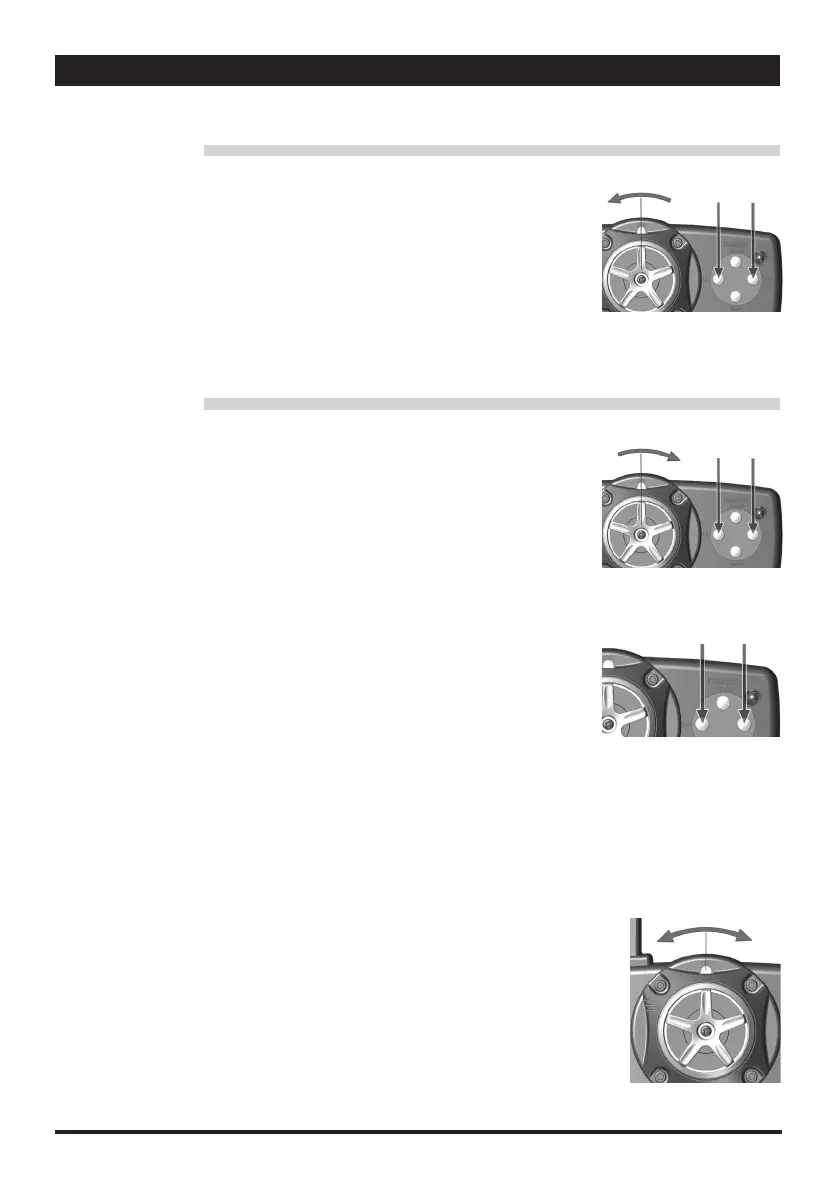
左側のエンドポイント調整
1.ステアリングを左に目一杯切ります。
2.目一杯切った際、長いピーッという音がなります。
★エンドポイントを下げる:ステアリングを左に目一杯切った状態で "ST/L-" ボタンを押します。
★エンドポイントを上げる:ステアリングを左に目一杯切った状態で "ST/L+" ボタンを押します。
3.この設定方法で、ステアリングの最大舵角調整ご使用いただけます。
右側のエンドポイント調整
1.ステアリングを右に目一杯切ります。
2.目一杯切った際、長いピーッという音がなります。
★エンドポイントを下げる:ステアリングを右に目一杯切った状態で "ST/L-" ボタンを押します。
★エンドポイントを上げる:ステアリングを右に目一杯切った状態で "ST/L+" ボタンを押します。
3.この設定方法で、ステアリングの最大舵角調整ご使用いただけます。
Right Steering End Point Adjustment
1. Turn the steering wheel fully to right
2. Once the value reaches the limit, a long steady "beep" will sound
Decrease value: Turn the steering wheel fully to right then press "ST/L-" key button
Increase value: Turn the steering wheel fully to right then press "ST/L+" key button
3. Use this to performing steering angle adjustment / decrease or increase.
Left Steering End Point Adjustment
1. Turn the steering wheel fully to left
2. Once the value reaches the limit, a long steady "beep" will sound
Decrease value: Turn the steering wheel fully to left and press "ST/L-" key button
Increase value: Turn the steering wheel full to left and press "ST/L+" key button
3. Use this to performing steering angle adjustment / decrease or increase
■デュアルレートステアリング調整
★レートを減らす場合:"D/R" キーボタンを左に押します
★レートを増やす場合:"D/R" キーボタンを右に押します。
1.エンドポイント設定の最大値を迎えた際に、長いピーッという音がなります。
2.デュアルレートの調整によって、ステアリングサーボの左右調整を速やかに行うことが可能です。
• Dual Rate Steering Adjustment
Decrease: Push the "D/R" button key to left
Increase: Push the "D/R" button key to right
1. Once the value reaches the limit, a long steady "beep" will sound
2. Steering dual-rate allows on-the fly travel adjustment to both sides (left and right) of the steering servo.
■ステアリングのエンドポイント調整 • Steering End Point Adjustment
■ステアリングデジタルトリミング
1.エンドポイント設定の最大値を迎えた際に、長いピーッという音がなります。
2.2 回の短いピッという音は、ステアリングがニュートラル位置にあることを示します。
★ポイントを減らす場合:"STL/-" キーボタンを押します。
★ポイントを増やす場合:"STR/-" キーボタンを押します。
3.車体側で調整できない際に、このファンクションにより送信機側でステアリングのニュートラル位置調整が可能です
• Steering Digital Trimming
1.Once the value reaches the limit, a long steady "beep" will sound
2.Two short "beep" sound indicate the steering is at the neutral position
Decrease: Press "ST L/-" key button
Increase: Press "ST R/+ key button
3.When the vehicle is not moving, This function allows to adjust the steering to neutral position.
ST R/+ST L/-
①
ST R/+ST L/-
①
ST R/+ST L/-
RightLeft
右左


 To Next Page
 Loading...