YOKOMO TX3S 2.4GHz FHSS 3-channel Radio Control System
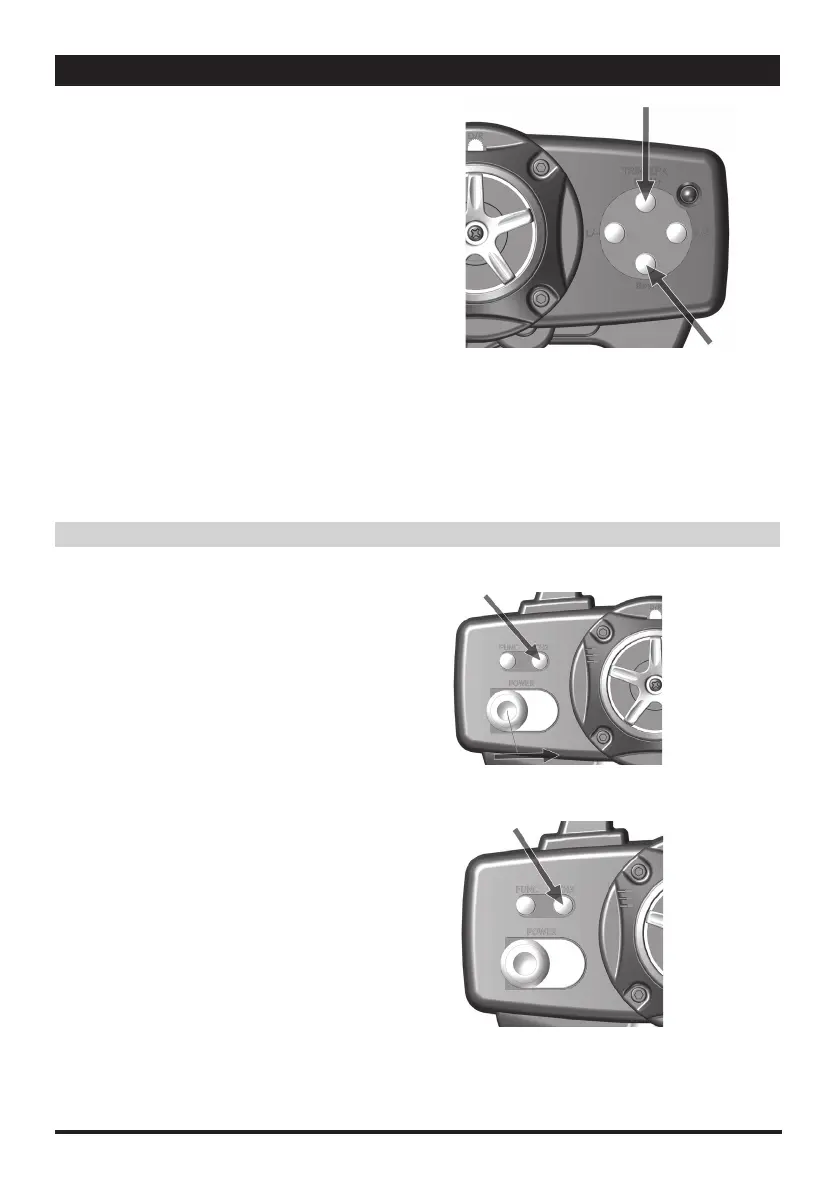
■スロットルデジタルトリミング
1.エンドポイント設定の最大値を迎えた際に、長いピーッとい
う音がなります。
2.2 回の短いピッという音は、ステアリングがニュートラル位
置にあることを示します。
★ポイントを減らす場合:THRev/- キーボタンを押します。
★ポイントを増やす場合:THFwd/+ キーボタンを押します。
3.車体側で調整できない際に、このファンクションにより送信機側
でステアリングのニュートラル位置調整が可能です。
4.設定値が ESC の限界値よりも低い場合、一部の機能は無効と
なる可能性があります。
• Throttle Digital Trimming
1.
Once the value reaches the limit, a long steady "beep" will sound
2. Two short "beep" sound indicate conformation
Decrease: Press TH Rev/- key button
Increase: Press TH Fwd/+ key button
3. When the vehicle is not moving, This function allows to adjust the throttle to neutral position.
4. If the value is lower than the setting limit of ESC, some functions may be invalid.
Auxiliary Channel 3 Adjustment
補助チャンネル 3 の調整
8
■リバース設定
1.CH3 を押したままにします。
2.押した状態で送信機の電源を入れます。
3.短い " ピッ " という音が 2 回鳴れば、設定完了の合図です。
4.CH3 のリバース設定が完了しました。
• Reverse
1. Press and hold "CH3" key button
2. While turn the power switch on
3. Two short "beep" sound for conformation
4. Now the CH3 has reversed.
■CH3 のオン・オフ
1.CH3 キーを素早く 2 回押します。
オン:2 回の短い " ピッ " という音
オフ:1 回の短い " ピッ " という音
2.この機能によって、CH3 キーのオン・オフを設定できます。
•Turn On or Off CH3 Switch
1. With two quick press CH3 key button
Turn-On: Two short beep sound
Turn-Off: One short beep sound
2. This function allow to turn On/Off the CH3 key-button.
①
①
②
TH Fwd/+
TH Rev/-



 To Next Page