3) Assemble the 3.5mm stereo socket to J1. This is the external MIC and PTT socket.
Because of the manufacturing process, the top cover opening for J1 cannot be lower. It is
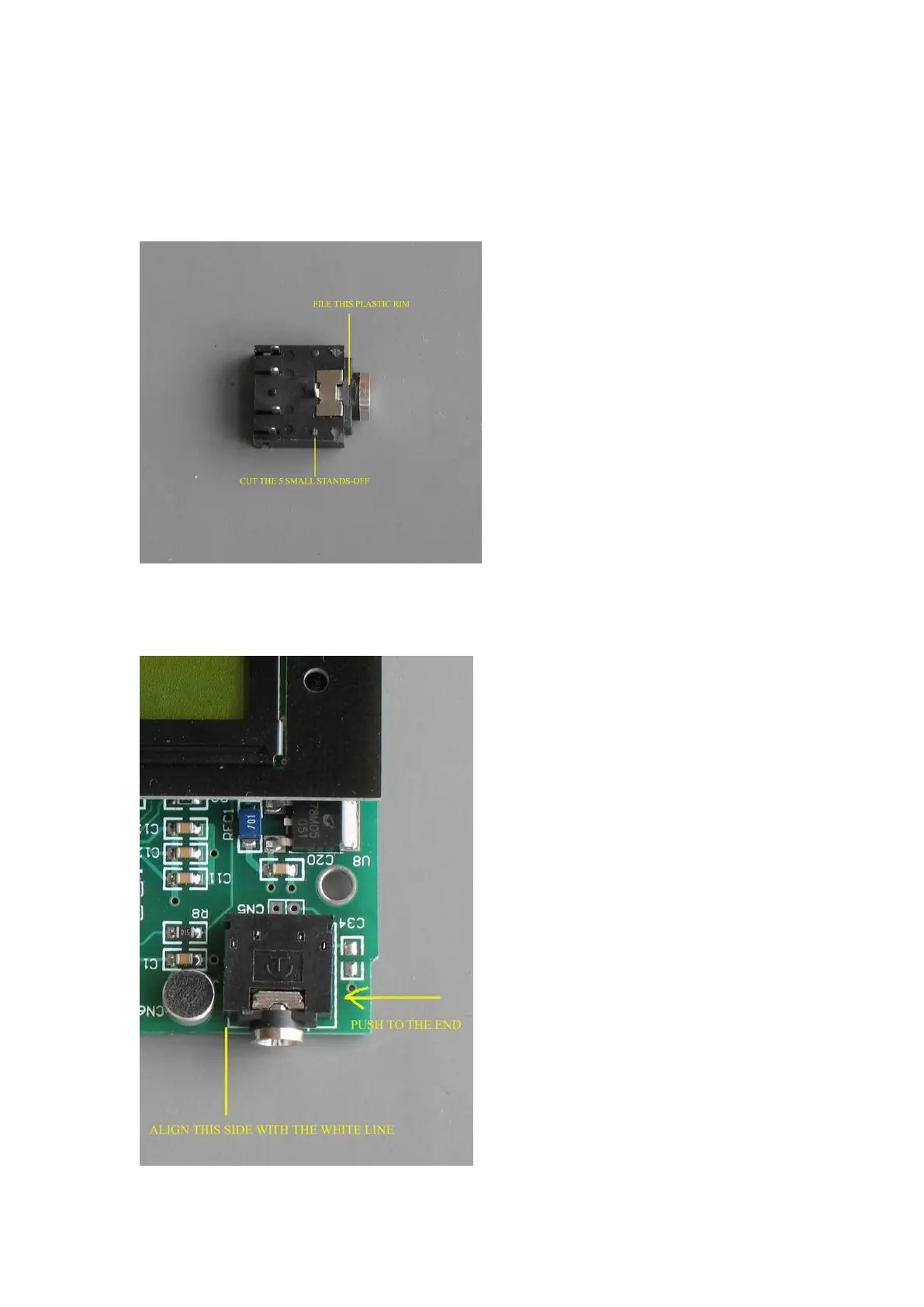
suggested to modify the socket a little so as to align with the opening better. It takes only 2
or 3 minutes. First, cut off the 5 tiny plastic stands-off on the socket. Second, flatten the
plastic rim with a file. See the illustration below.
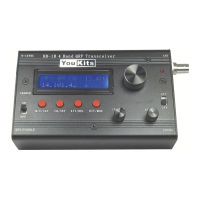
Assemble the modified socket to J1. Push the socket to the MIC side as much as possible
until the side aligns with the silk line before soldering. See the illustration below.



 To Next Page