24
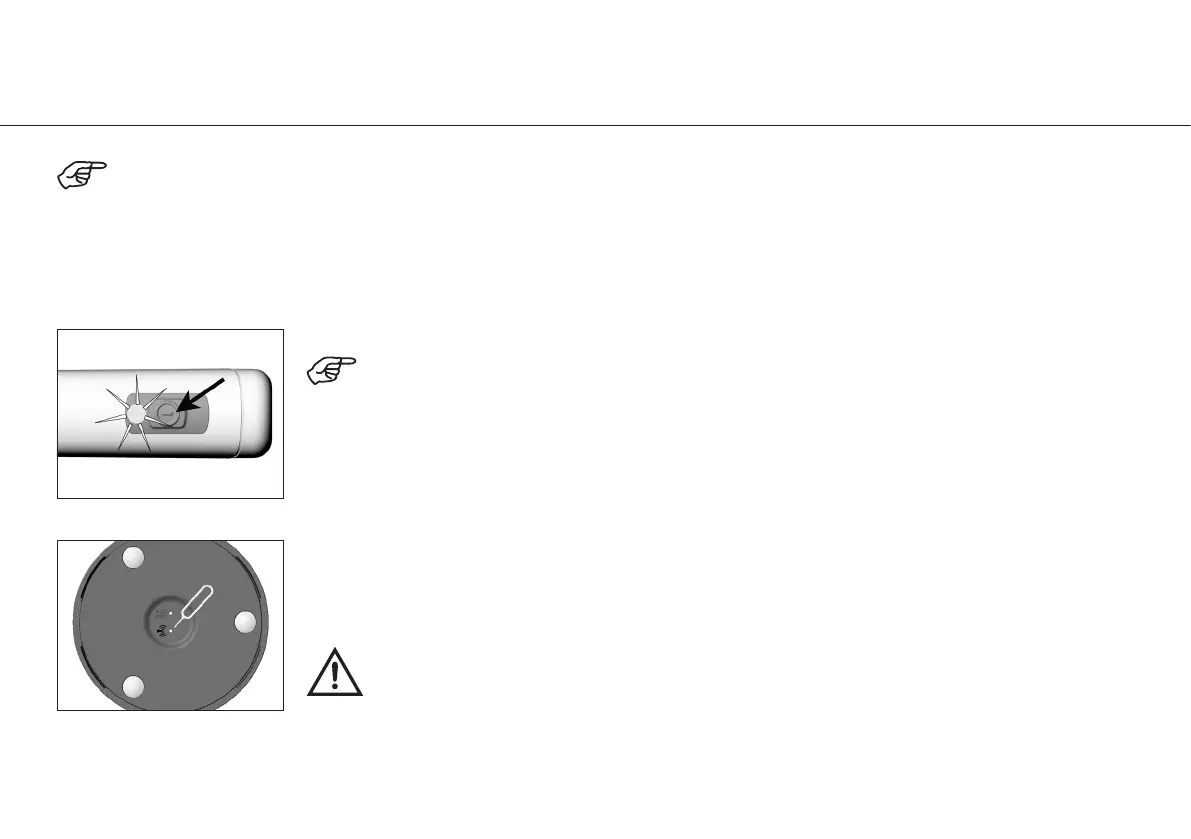
Press the ON/OFF button on the handpiece for approximately 5 seconds to activate pairing mode.
LED flashing green: The handpiece will remain in pairing mode for 30 seconds.
For your convenience, the handpience and foot control have been paired. To verify that pairing has been activated, look for
an illuminated green LED light on the foot control.
If the green light is not on, please follow the steps below to pair the devices. Note: Both devices must be within the same
vicinity and placed into pairing mode.
11. Start-up – Pairing
Use the stick to press the pairing button on the bottom of foot control and hold for 3 seconds to
activate the foot control pairing mode.
The stick is intended to be used on uncontaminated devices only. If the stick becomes
contaminated, discard the stick and order a replacement part.



 To Next Page