Page 2
06201-90
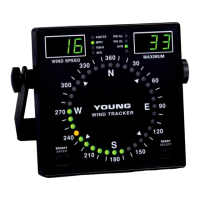
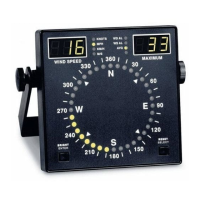
TheWindTrackermaybemountedfromabulkheadorinstalled
inaushpanelbyremovingthemountingbracket.Panelcutout
dimensions are given in the specications.An optional rack
mounting panel (Model 06280) and protective enclosure (Model
06260)areavailablefromyourYOUNGsupplier.
2. Connect cables to terminals. Refer to diagram on page
5.
Selector switch on back panel should be DOWN for normal
sensor inputs, UP for 4-20 mA inputs or for use with Wind
Monitor-SE.
3. ConnectGNDterminaltosuitableearthground.
4. Insert power supply plug into power jack, plug into standard
AC wall outlet.
5. TheWindTrackerwilldisplayasoftwareversionnumberfor
approximately 4 seconds. It will then begin to display wind
information. The following information is displayed:
• WindSpeed
• WindSpeedUnits
• MaximumWindSpeedorDirectiondegrees
• WindDirection(singleorangeindicator)
• DirectionVariability(greenindicators)
• WS,WDAlarmStatusIndicators(Ifselected)
• DataAveragingIndicator(Ifselected)
6. Observetheunitforafewminutestoverifythatitisoperating
properly. If you wish to change settings (ie: wind speed units),
this is done easily using the keys on the front panel.
CHANGING SETTINGS
The Wind Tracker has a SETUP mode that allows you to easily change
sensor type, wind speed units, averaging time, alarm settings, and
other functions.
Press and hold ENTER and SELECTkeys(about5seconds).The
displaywillbrieyash“SEtuP”,thenbegintheSETUP sequence.
Change settings with the SELECT key. Press the ENTER key to save
asettingandmovetothenextstep.Abbreviationsintheleftandright
displaywindowsidentifyeachfunctionandtheavailableselections.
DISPLAY SETUP FUNCTION
LEFT RIGHT Input / Sensor Type
InP LDi Line Driver 4-20mA input
03 Wind Sentry
04 Wind Monitor-Jr
05 Wind Monitor
05A Wind Monitor-AQ
09 Wind Monitor-SE
SEr Serial input for remote display only
If SEr is selected, SETUP sequence ends
here.
Wind Speed Units
SPd unt Press SELECT to change units, ENTER to
proceed.
Display Averaging
dSP no No averaging. Instantaneous data displayed.
YES Display averaging in effect.
If no is selected, the following step does not
appear.
PEr 030 Set averaging period in seconds (0-999).
Display will update at this interval.
dSP SPd Displays MAXIMUM wind speed in right dis-
play.
dir Displays Wind Direction degrees
(1°resolution)inrightdisplay.
Wind Direction Alarm
ALr no WD alarm not used.
YES WD alarm activated.
If no is selected, the following 2 steps do not
appear.
ALr dir Press SELECT to position alarm sector.
Press ENTER.
ALr SPn Press SELECT to set size (span) of alarm sec-
tor.
Wind Speed Alarm
ALr no WS alarm not used.
YES WS alarm activated.
If no is selected, the following step does not
appear.
ALr 000 WS alarm set point. Press SELECT to change
digits. ENTER to save.
Alarm Delay Time
If no alarm is selected, this step does not
appear.
dLY 030 Set alarm delay time in seconds (0-999).
Sound
Snd no No sound with alarm or average update.
YES Audiblebeeperwillsoundwithalarmoravg
update.
Test Functions
tSt ALr Press SELECT to close alarm relays.
CAL 0.00 PressSELECTtoalternatebetween0.00VDC
and
5.00VDCat"0-5VOUT"terminals.Usetocali-
brateexternaldevices(recorders,etc..)
ADDITIONAL INFORMATION
ALARMS
Wind speed and wind direction alarm functions are accessed in the
SETUPsequence.Eitherorbothalarmsmaybeused.Whenactivated,
alarms are indicated on the front panel. When an alarm condition
exists,theindicatorblinks,theassociatedrelaycontactclosesand
beepersounds(ifselected). When a delay time is set, the indicator
willnotreportanalarmconditionuntilithasexistedforonecomplete
delay period. Alarm activity ceases when conditions are outside the
alarmrangeforonecompletedelayperiod.Fora"latching"alarm
effect, use the Wind Tracker alarm contacts to activate an appropriate
externallatching-typerelay.
AVERAGING
The Wind Tracker can display instantaneous or averaged wind data.
AveragingisselectedintheSETUPsequenceattheprompt"dSP".
Theaverage is ablockaverageforthetime period selected.The
display updates only after each time period has elapsed and will
holdthisinformationuntilthenextupdate.


 To Next Page
 Loading...