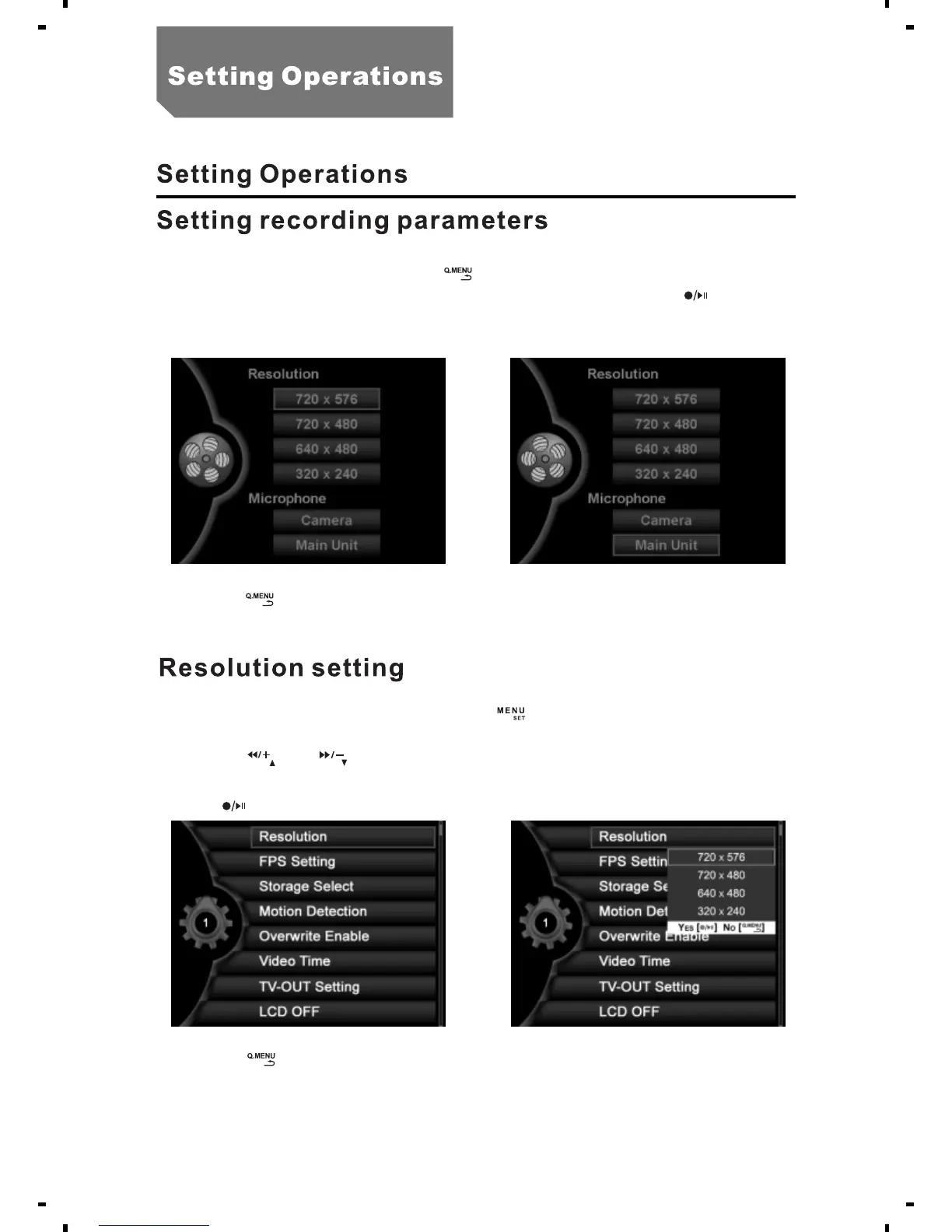
a. In the state of preview,press [ ] into record system setting.
b. Select “ " and "Microphone" submenu, press [ ].Resolution
c. Press [ ] to back to the state of preview.
a. In the state of preview, press the [ ] button, select
"System setting".
b. Press [ ] or [ ], select "Resolution".
c. Select "720x480" or "640x480" or "320x240"and "720x576" or
press [ ].
d. Press [ ] to return to the system setting menu.
You can use either internal microphone or attach an external one
using microphone input (2).
16



 To Next Page