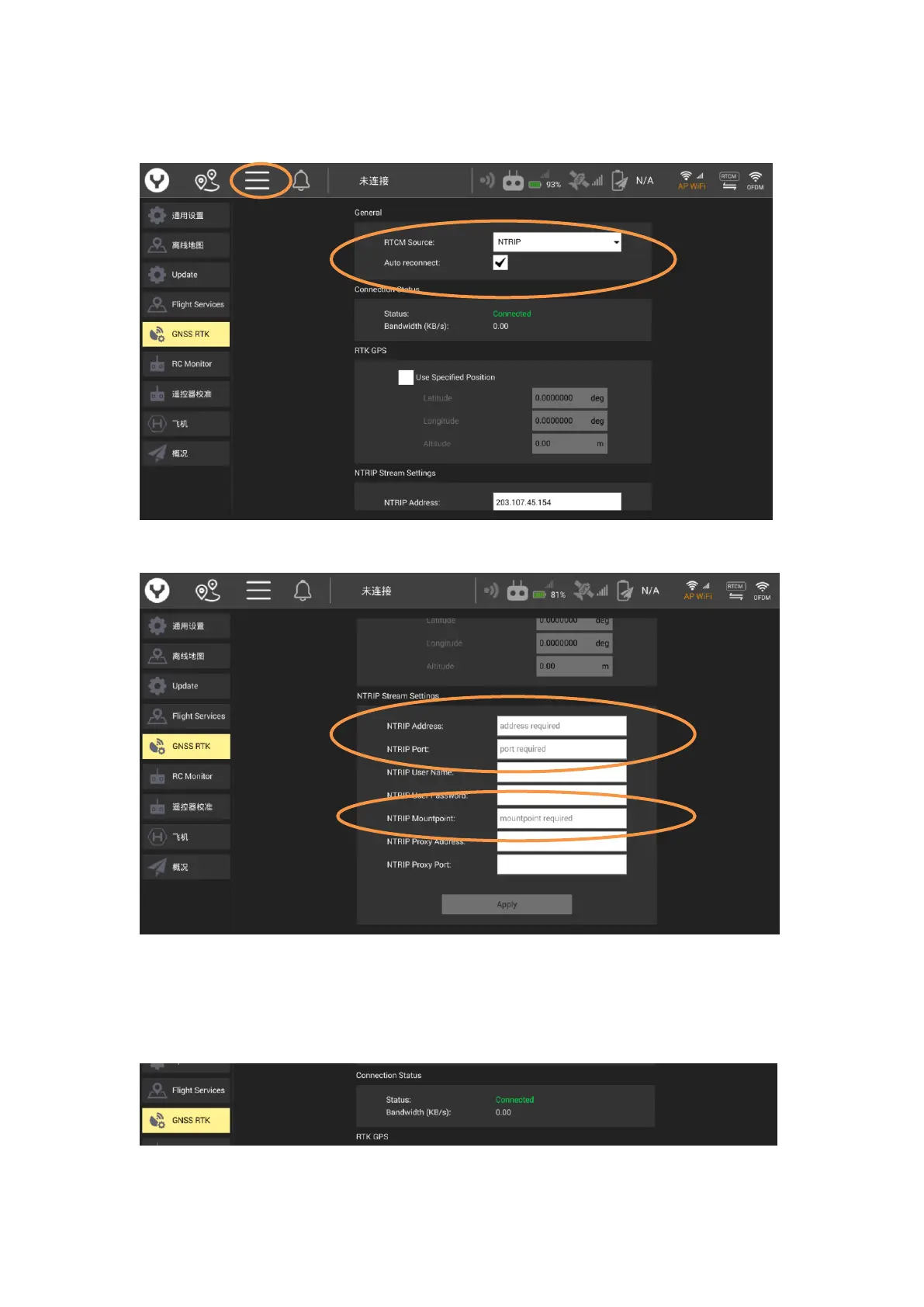
Step 2: Tap the Settings icon then tap GNSS RTK. Select NTRIP as the RTCM source, then tick
Auto Reconnect.
Step 3: Fill the following NTRIP Stream Settings parameters according to your CORS Network
Notice: You must fill out the Required Tagging Form
Step 4: Tap Apply to finish the connection process.
Notice: When connection to the CORS Network has been successful, the Connection Status
display will display a green “Connected”.



 To Next Page