Task Mode
Tap the icon on the left bottom of the screen, and then you will enter task modes: CCC, Follow
me, Watch Me, Journey, POI, Orbit.
CCC (Curve Cable Cam)
Curve Cable Cam allows you to create an invisible route for TYPHOON H PLUS to fly along. Once the
pilot sets the points, TYPHOON H PLUS will fly the set coordinates while remembering the heading.
NOTICE: The direct distance between every two waypoint should be more than 26 feet (8 meters).
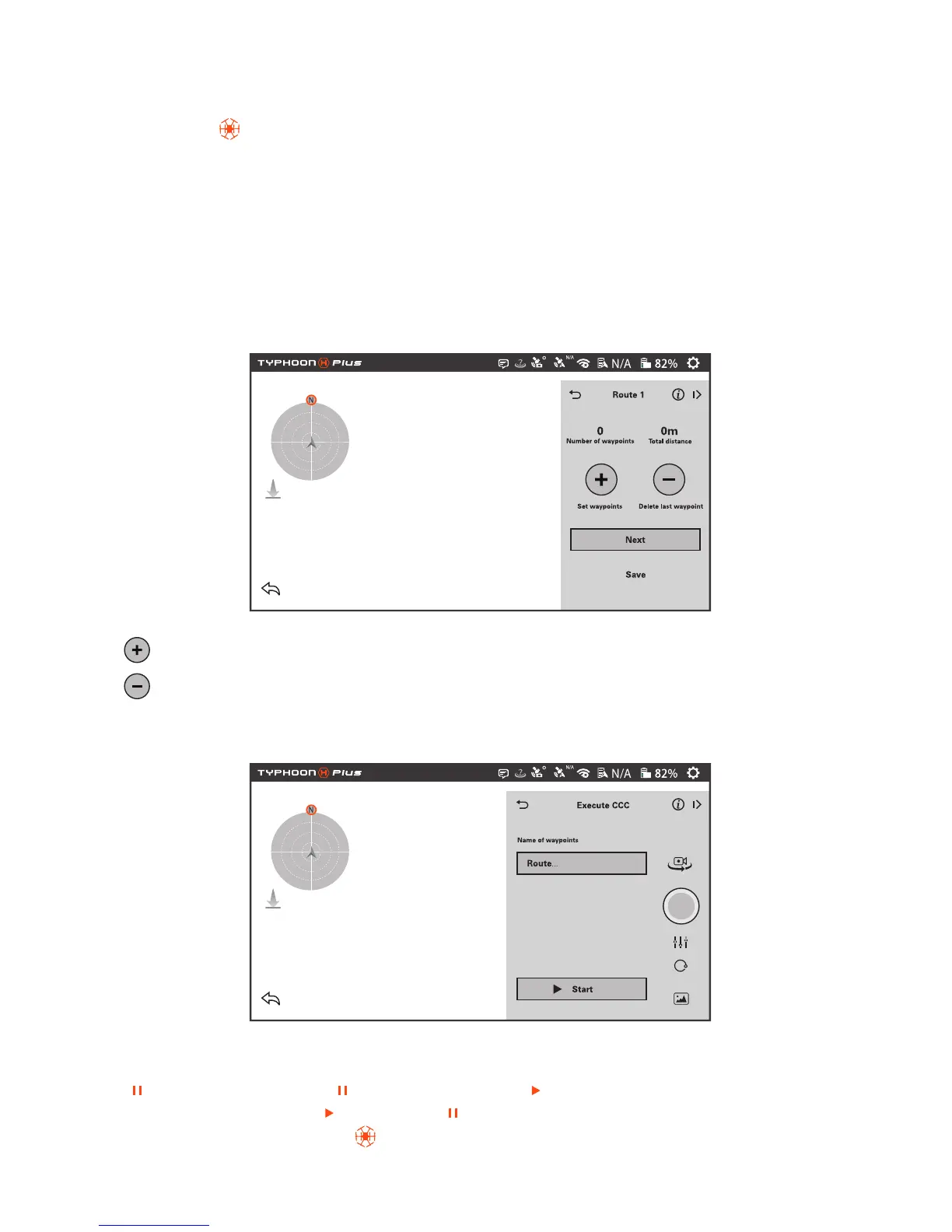
Tap the CCC to enter the Curve Cable Cam function. Choose Set waypoints.
: Tap '+' to create a new point recording the current flying position.
: '-' to delete the last point created during the flight.
NEXT : Tap the NEXT icon and Execute CCC interface will be entered.
Save: Tap Save and the current route will be saved. The name of waypoints can be defined by the pilot.
Start: Tap Start, TYPHOON H PLUS will fly back to waypoint 1 automatically.
[ ]: When the pilot taps the [ ], the icon will become [ ]and the CCC function will be paused.
When tapping it again, the [ ] will become [ ], the copter will continue the CCC function. The pilot
can exit the function by tapping [ ] icon or switching flight mode.
15



 To Next Page