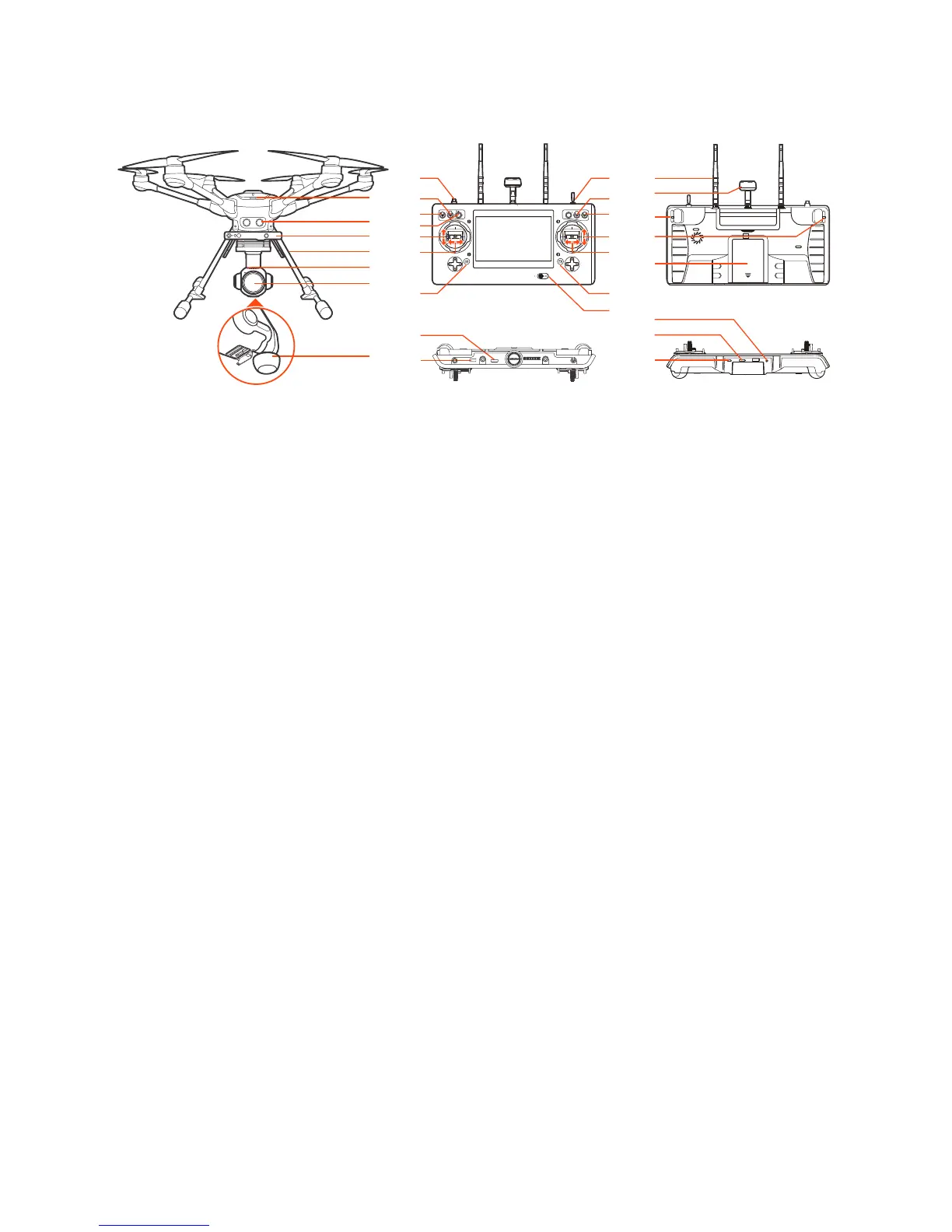
Aircraft
Charging
Power the desktop charger from a 100-240V AC outlet using the AC adapter/power supply, or from a
12V-17.4V DC accessory socket/cigarette lighter receptacle in an automobile using the included adapt-
er. Plug the aircraft battery into the charger port as illustrated.
Overview
TYPHOON H PLUS
01 Power Switch
02 Sonar
03 RealSense™
04 Retractable Landing Gear
C23
05 Camera LED Status Indicator
06 Camera Lens
07 5GHz Antenna
ST16S
08 Start/Stop Motor Button
09 Gimbal Pan Mode Switch
(Follow Mode/Follow Pan
Controllable Mode/Global Mode)
10 Gimbal Tilt Mode Switch
(Angle Mode/Velocity Mode)
11 Gimbal Pan Control Knob
12 Throttle/Altitude Control (Mode 2)
Elevator/Pitch Control (Mode 1)
13 Rudder/Yaw Control
(Mode 2 and Mode 1)
14 Take Still Photo Button
15 Landing Gear Switch
16 Obstacle Avoidance Switch
17 Flight Mode Selection Switch
18 Elevator/Pitch Control (Mode2)/
Throttle/Altitude Control (Mode 1)
19 Aileron/Roll Control
(Mode 2 and Mode 1)
20 Start/Stop Video Recording Button
21 Power Switch
22 2.4GHz Antenna
23 5GHz Antenna
24 Proportional Control Rate Slider
25 Gimbal Tilt Control Slider
26 Battery
27 HDMI
28 USB Port
29 Headset Port
30 Micro SD Slot
31 Micro USB Port
01
02
04
05
06
07
29
30
31
22
25
26
23
24
08
09
10
11
12
13
14
15
16
17
21
18
19
20
27
28
03
07



 To Next Page