EasyManua.ls Logo

YUNEEC TYPHOON Wizard - Point To Fly Function; Activating Point To Fly; Flight Behavior in Point To Fly; Exiting Point To Fly

YUNEEC TYPHOON Wizard
19 pages
Print Icon
To Next Page IconTo Next Page
To Previous Page IconTo Previous Page
Loading...
'POINT
TO
FLY'
FUNCTION
Press
and
hold
the
Magic
Button
on
the
TYPHOON
Wizard
™,
and
the
aircraft
will
fly
in
the
direction
the
TYPHOON
Wizard™
is
pointed
to
in
the
sky
.
To
Enter
'
Point
To
Fly'
Function
When
the
aircraft
is
fly
i
ng
,
point
the
TYPHOON
Wizard™
to
a
direction
,
press
and
hold
the
Magic
Button.
Release
the
Magic
Button
when
Aircraft
Mode
LED
glows
solid
blue
and
TYPHOON
Wizard™
vibrates
once.
Then
the
aircraft
will
fly
to
the
direction
the
TYPHOON
Wizard™
points.
The
closer
the
TYPHOON
Wizard™
is
tilted
towards
0°,
the
further
the
aircraft
will
fly
away
from
the
pilot
.
The
closer
the
TYPHOON
Wizard™
is
tilted
towards
90
°,
the
closer
the
aircraft
will
fly
to
the
pilot
.
When
the
Wizard™
is
tilted
at
90
°,
the
aircraft
will
fly
close
to
you
straightly
and
stop
at
a
safe
distance
.
NOTICE:
The
recommended
flying
height
is
33-66
ft
(1
0-20
m)
.
The
operat
i
ng
distance
range
of
the
TYPHOON
Wizard
TM
is
33
-1
64
ft
(1
0-
50
m) .
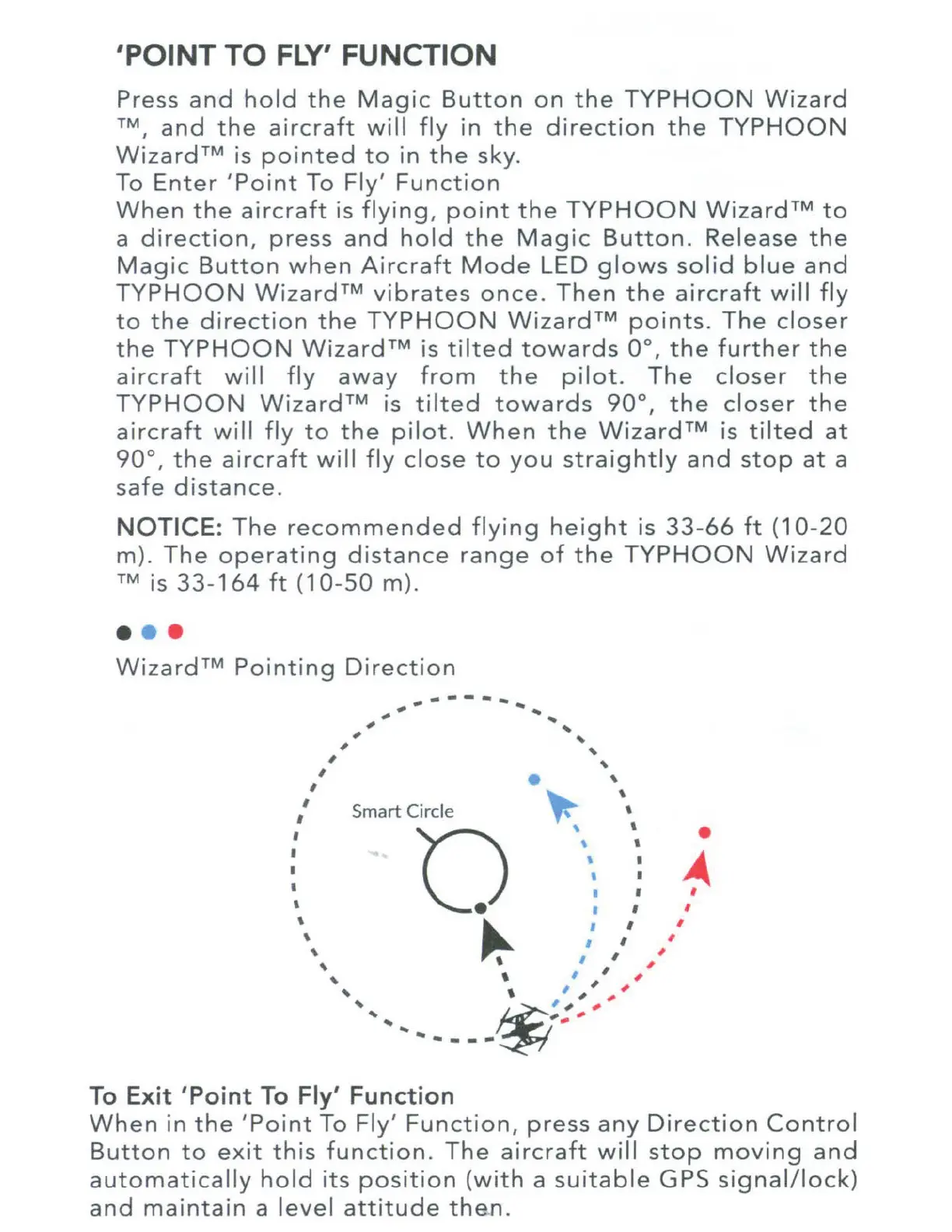
Wizard™
Pointing
Direction
,
I
I
I
I
I
I
I
'
,
,
,
,
-------
,
Sm
art
Circle
To
Exit 'Point
To
Fly' Function
......
...
'
'
'
'
'
~
'
'
'
'
'
I
'
I
~
'
I
I
I
I
I
I
I
When
in
the
'
Point
To
Fly'
Funct
i
on,
press
any
Direction
Control
Button
to
exit
this
function.
The
aircraft
will
stop
moving
and
automatically
hold
its
position
(
with
a
suitable
GPS
signal/lock)
and
maintain
a
level
attitude
then.

Other manuals for YUNEEC TYPHOON Wizard