EasyManua.ls Logo

YUNEEC TYPHOON Wizard - Charging the Batteries; Charging Process; Powering On and Off

YUNEEC TYPHOON Wizard
19 pages
Print Icon
To Next Page IconTo Next Page
To Previous Page IconTo Previous Page
Loading...
CHARGING
THE
BATTERIES
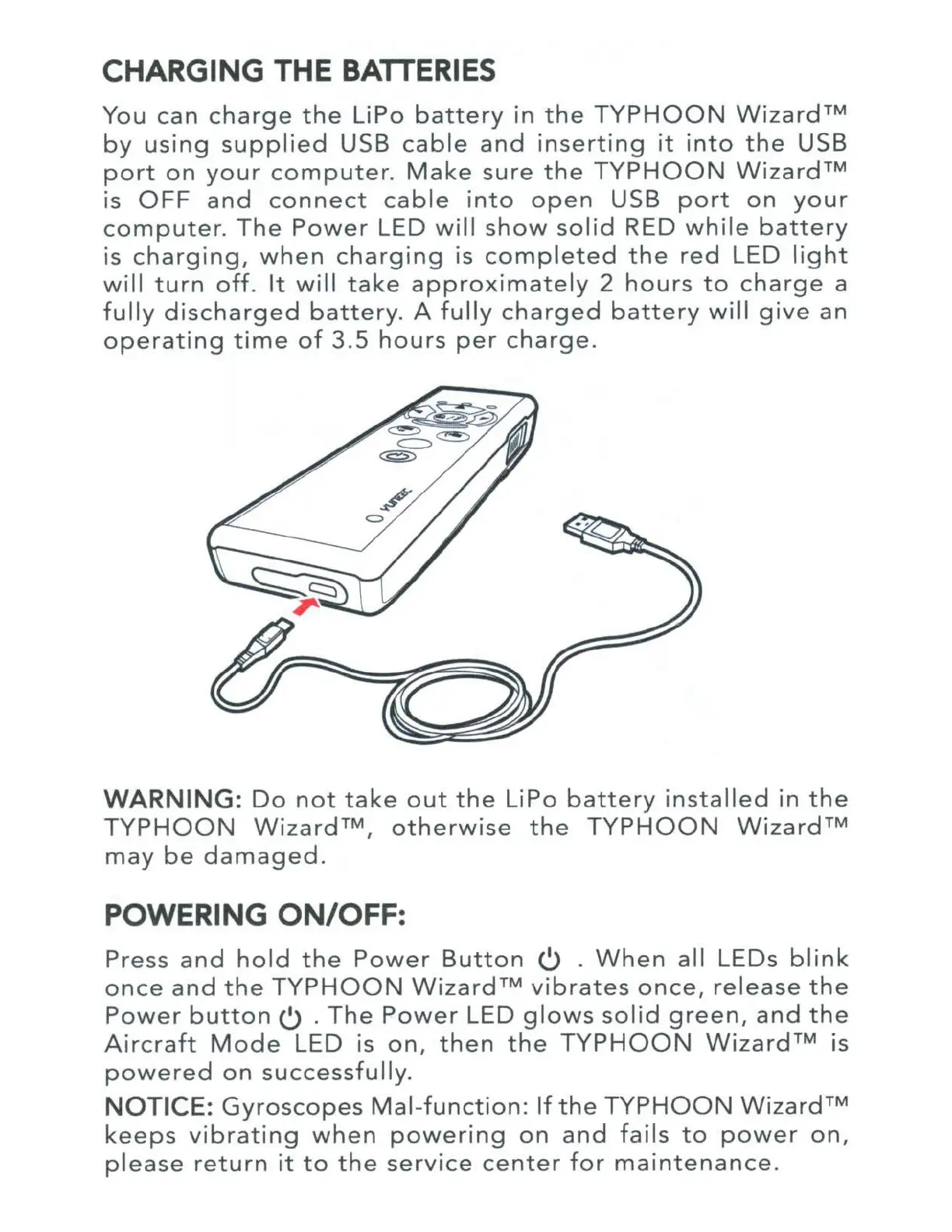
You can
charge
the
LiPo
battery
in
the
TYPHOON
Wizard™
by
using
supplied
USB
cable
and
inserting
it
into
the
USB
port
on
your
computer
.
Make
sure
the
TYPHOON
Wizard™
is
OFF
and
connect
cable
into
open
USB
port
on
your
computer.
The
Power
LED
wil
l
show
solid
RED
while
battery
is
charging,
when
charging
is
completed
the
red
LED
light
will
turn
off.
It
will
take
approximately
2
hours
to
charge
a
fully
discharged
battery.
A
fully
charged
battery
will
give
an
operating
time
of
3.5
hours
per
charge.
WARNING:
Do
not
take
out
the
LiPo
battery
installed
in
the
TYPHOON
Wizard™,
otherwise
the
TYPHOON
Wizard™
may
be
damaged
.
POWERING
ON/OFF:
Press
and
hold
the
Power
Button
0 .
When
all LEOs
blink
once
and
the
TYPHOON
Wizard™
vibrates
once,
release
the
Power
button
0 .
The
Power
LED
glows
solid
green,
and
the
Aircraft
Mode
LED is
on,
then
the
TYPHOON
Wizard™
is
powered
on
successfully.
NOTICE:
Gyroscopes
Mal-function:
If
the
TYPHOON
Wizard™
keeps
vibrating
when
powering
on
and
fails
to
power
on,
please
return
it
to
the
service
center
for
maintenance.

Other manuals for YUNEEC TYPHOON Wizard