EasyManua.ls Logo

YUNEEC TYPHOON Wizard - Home Mode and Camera Controls; Home Mode Functionality; Camera Control via Apps

YUNEEC TYPHOON Wizard
19 pages
Print Icon
To Next Page IconTo Next Page
To Previous Page IconTo Previous Page
Loading...
HOME
MOnE
When
the
Flight
Mode
Selection
Switch
is
in
the
bottom
position,
the
aircraft
will
be
in
the
Home
Mode.
The
Aircraft
Mode
LED
will
be
solid
red.
To
exit
the
Home
Mode,
switch
the
Mode
Switch
to
Angle/Smart
Mode,
then
the
aircraft
will
stop
moving
and
automatically
hold
its
position
(with
a
suitable
GPS
signal/lock)
and
maintain
a
level
attitude
then.
In
Home
Mode
the
aircraft
will
fly
in
a
straight
line
in
the
direction
of
the
pilots'
current
location,
and
automatically
land
within
13-26
ft
(4-8
m)
of
the
pilot.
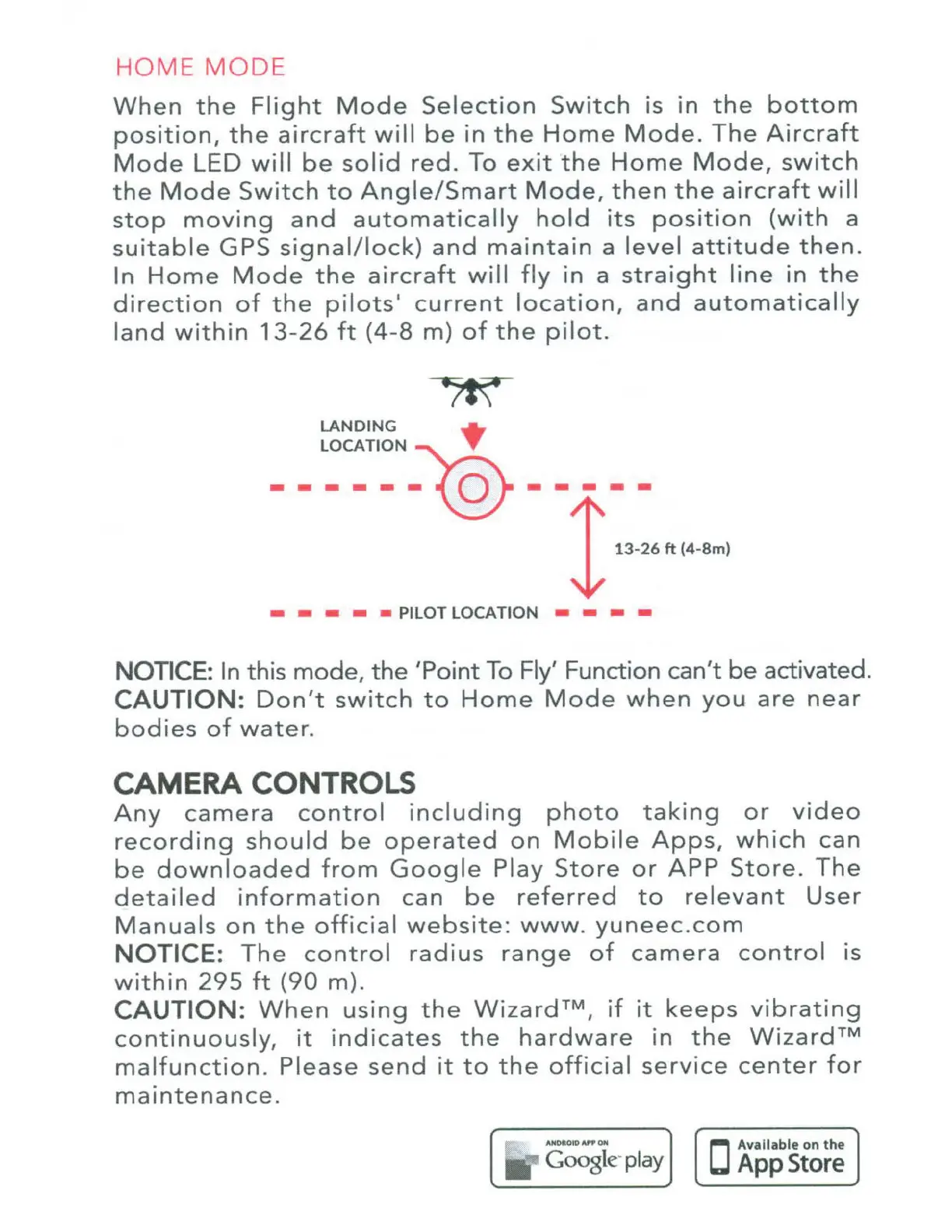
LANDING
LOCATION
~
------0-----
13·26
ft
(4·8m)
PILOT LOCATION
---
NOTICE:
In this
mode,
the
'Point
To
Fly'
Function
can't
be
activated.
CAUTION:
Don't
switch
to
Home
Mode
when
you
are
near
bodies
of
water.
CAMERA CONTROLS
Any
camera
control
including
photo
taking
or
video
recording
should
be
operated
on
Mobile
Apps,
which
can
be
downloaded
from
Google
Play
Store
or
APP
Store.
The
detailed
information
can
be
referred
to
relevant
User
Manuals
on
the
official
website:
www.
yuneec.com
NOTICE:
The
control
radius
range
of
camera
control
is
within
295
ft
(90
m).
CAUTION:
When
using
the
Wizard™,
if
it
keeps
vibrating
continuously,
it
indicates
the
hardware
in
the
Wizard™
malfunction.
Please
send
it
to
the
official
service
center
for
maintenance.
AN~OIOAif'OH
Coogle
play

Other manuals for YUNEEC TYPHOON Wizard