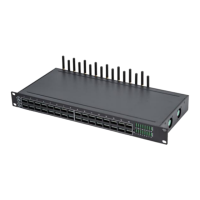
GSM/CDMA/WCDMA VoIP Gateway
YX Technical department ~ 2 ~
CONTENT
1 Introduction ........................................................................................................................... 5
1.1 Overview ............................................................................................................................ 5
1.2 Glossary............................................................................................................................. 5
2 Equipment Information .......................................................................................................... 6
2.1 Product Brief ...................................................................................................................... 6
2.2 Appearance ....................................................................................................................... 6
2.3 Special Features ................................................................................................................ 7
2.4 Specification ...................................................................................................................... 8
2.5 Mobile Features ................................................................................................................. 9
2.6 Maintenance and Management ........................................................................................ 10
3 Equipment Installation ...................................................................................................... 10
3.1 Network Setup ................................................................................................................. 10
3.2 Equipment IP Address ..................................................................................................... 11
3.3 Equipment Connection ..................................................................................................... 11
3.4 LED Indicators ................................................................................................................. 11
4 Web Settings ..................................................................................................................... 11
4.1 Login ................................................................................................................................ 11
5 Guider ................................................................................................................................ 13
6 Status Information ............................................................................................................. 14
6.1.1 Call Status ............................................................................................................. 14
6.1.2 Call Statistics ......................................................................................................... 15
6.2 Device Status(SIP and Module) ....................................................................................... 16
6.3 System Status .................................................................................................................. 17
6.4 InterCall Statistics ............................................................................................................ 17
7 Gateway Settings .............................................................................................................. 18
7.1 Network Settings .............................................................................................................. 18



 To Next Page