Preliminary User manual
FCC ID: M4Y-XG-300 Page 4 of 10
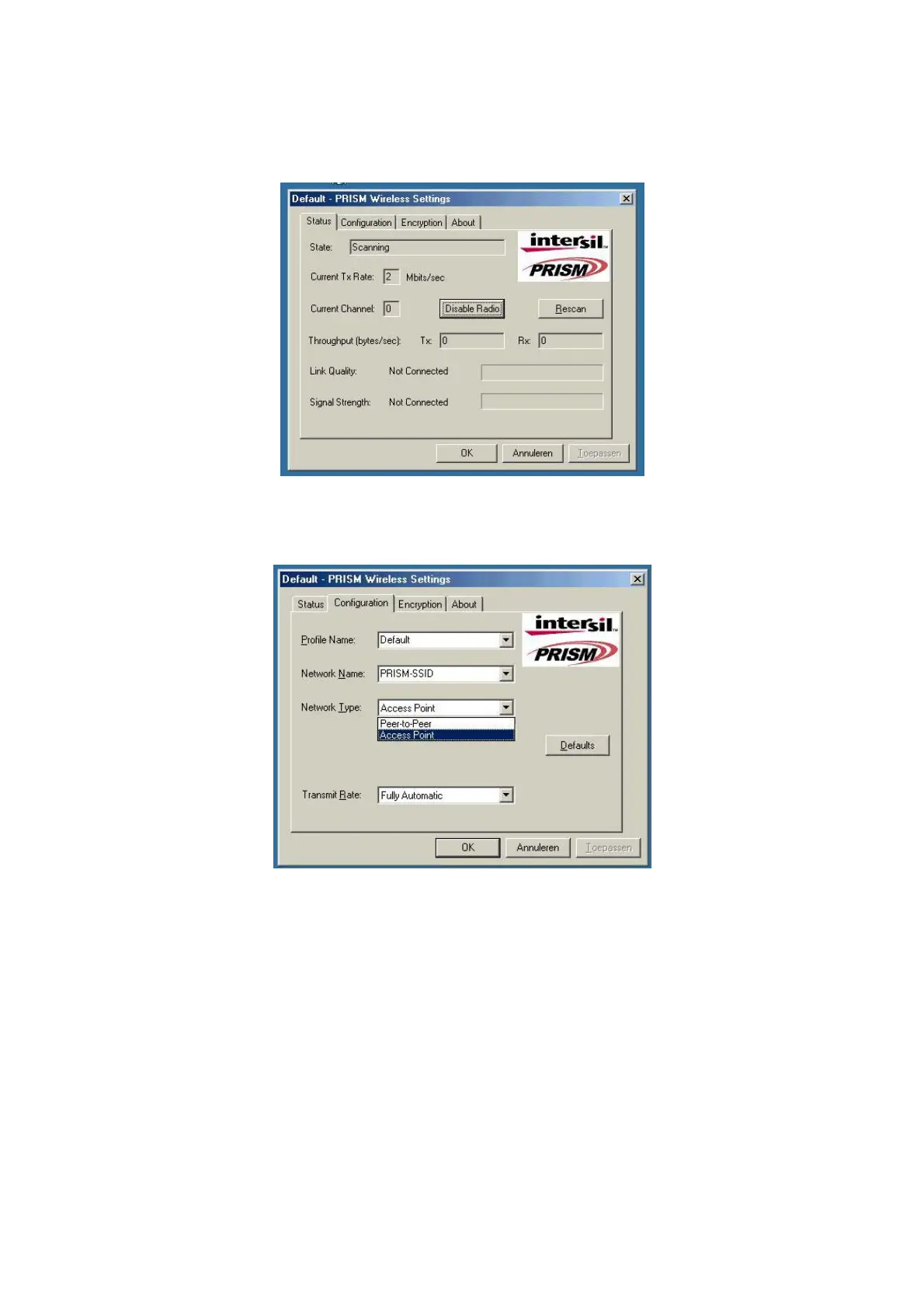
e-double click the Z-Com WLAN icon to open the WLAN settings, the following window will appear
(see fig.02)
fig, 02: Z-Com WLAN settings window
f-click on configuration tab and select which type of network is required (access point or Peer-to-peer
mode), see fig. 03.
fig, 03: WLAN network type setting window


 To Next Page