Preliminary User manual
FCC ID: M4Y-XG-300 Page 5 of 10
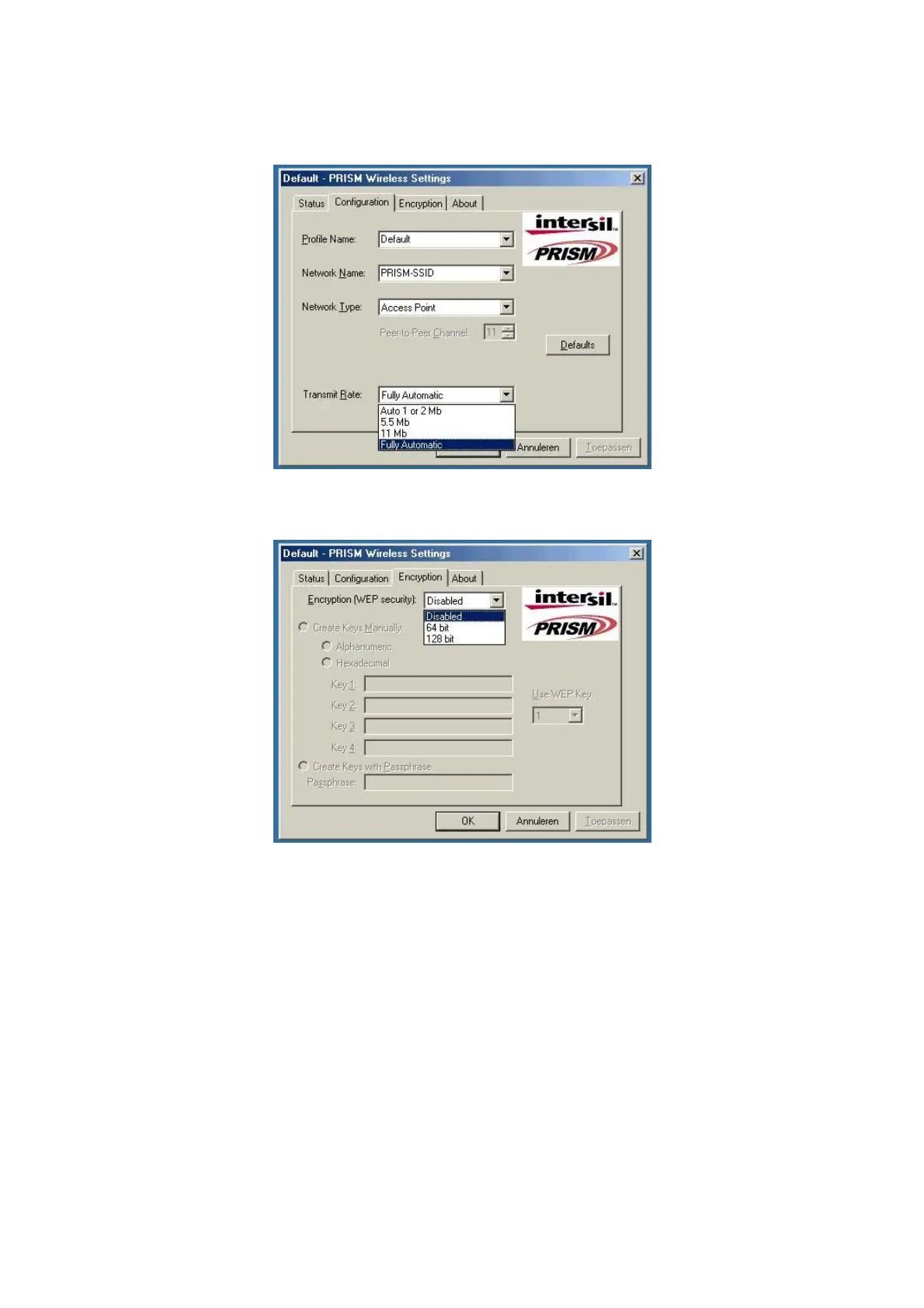
g-select what TX rate is required (default setting is fully automatic) see fig. 04.
fig, 04: WLAN tx rate setting window
h-select what encryption type is required, 64 or 128 bit WEP (default setting is disabled) see fig. 05.
fig, 05: WLAN encryption rate setting window


 To Next Page