18
Anamorphic
• Select the anamorphic
de-squeeze factor
corresponding to your lens.
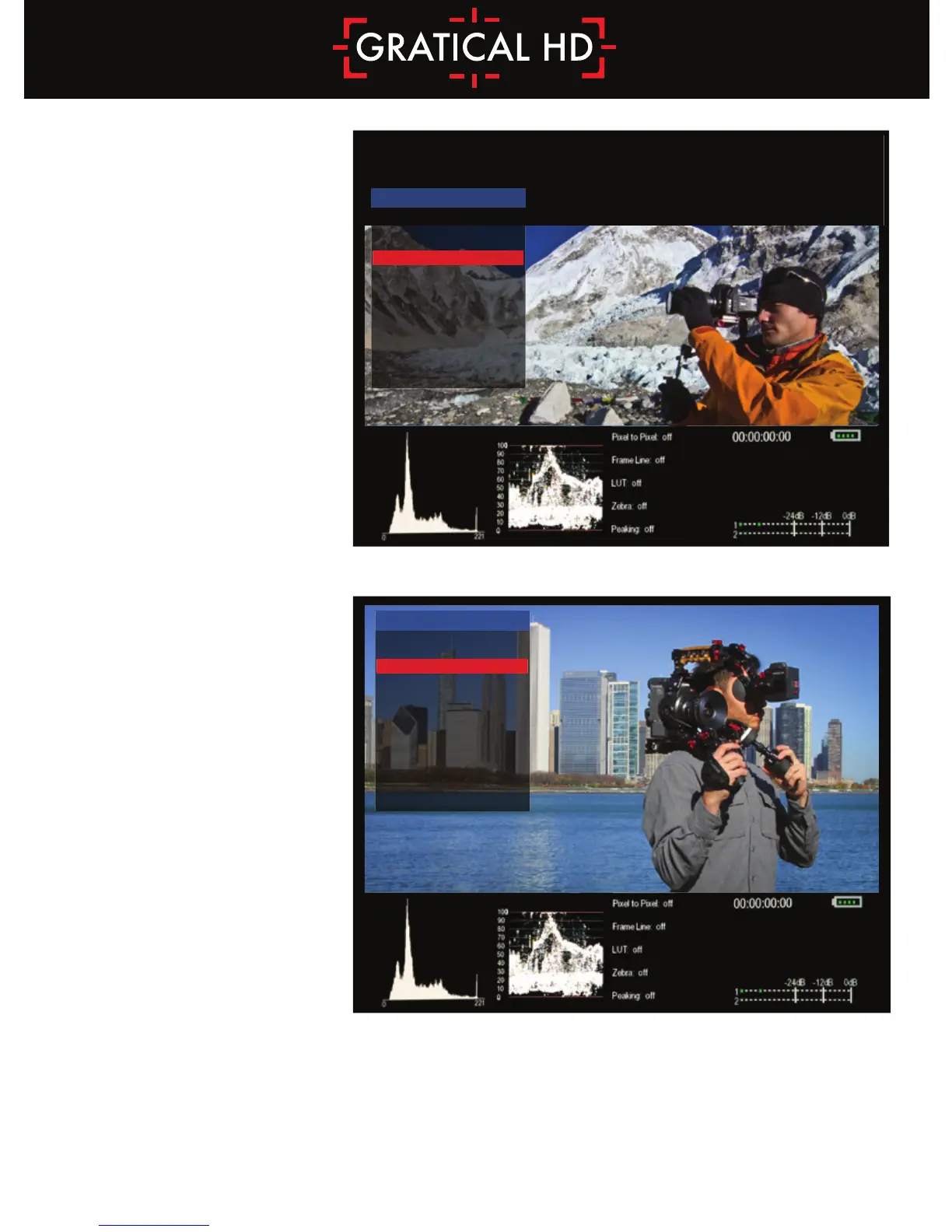
Frame Store
• Toggle Show ON/OFF to
display the stored frame in
the selected memory bank.
If no frame has been stored
in the selected bank, a
warning message will
appear “Frame (X) has
not been stored!”
• Within SHOW STYLE you
may choose for the saved
frame to be overlaid as
OPAQUE or TRANSP
allowing you to match up
your live video with the
stored frame.
• Toggle the CAPTURE menu to ON and you will be promoted with a message “Press any Function
button to store frame...” Press a Function button on the side of the EVF and a frame from the
current video on screen will be stored to the next available memory bank.
• See Function Buttons Section p18 to assign to a function button.
ANAMORPHIC CORRECTION
NORMAL
1.33x
1.5x
2x **
2x(4:3)
FRAME STORE
STORE NUMBER
SHOW
SHOW STYLE
CAPTURE
1
ON
OPAQUE
OFF



 To Next Page