4
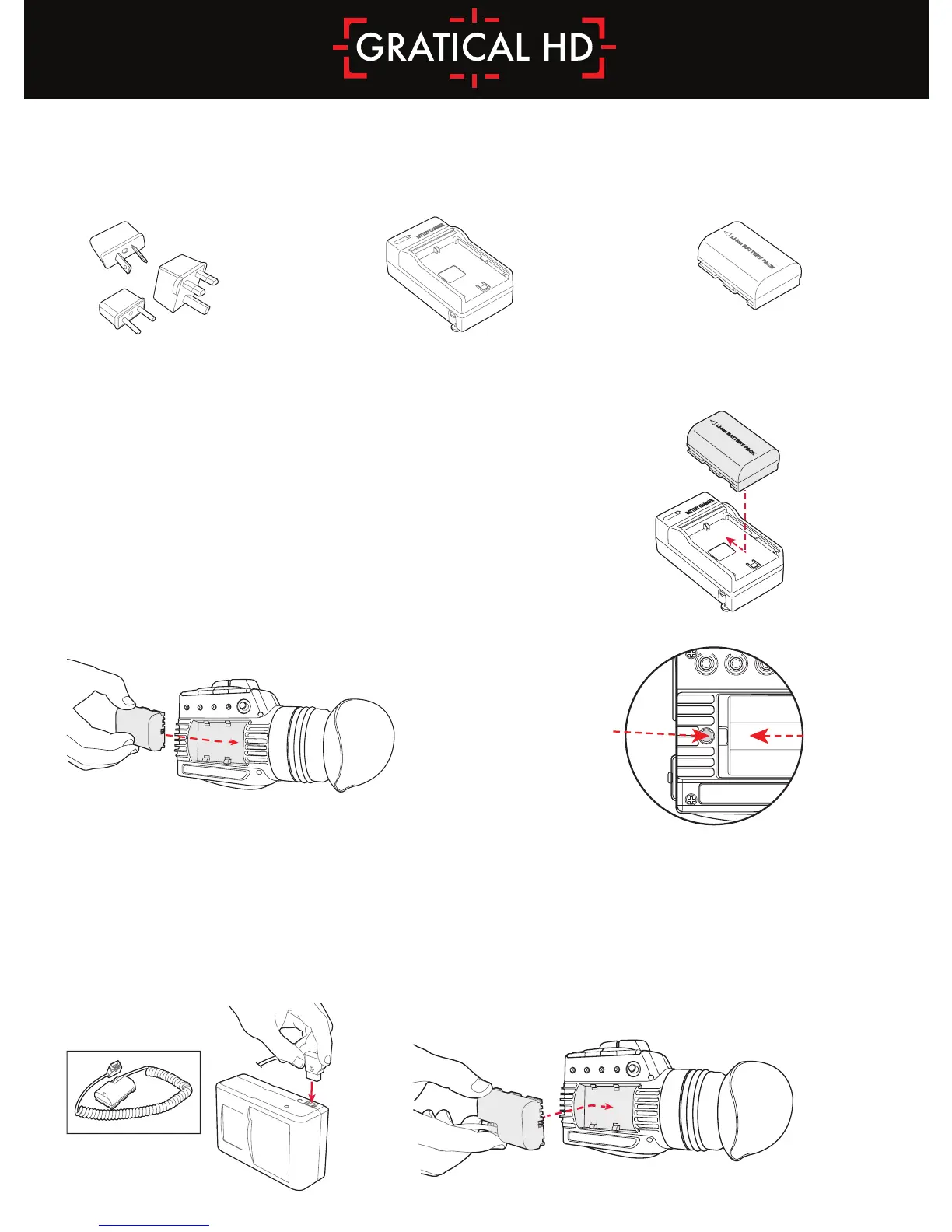
Insert the battery into the left side compartment of the
Gratical. Slide to the right until locked in place. To remove the
battery press the release button and slide the battery to the left
of the case.
Connect male D-Tap
to power source.
PT-ZAC-E6
Slide Battery attachment
into the Gratical.
Battery Usage
To ensure full runtime charge your battery before first use.
Note: Only use LP-E6 type batteries with the
Gratical. Doing otherwise may damage the unit.
Using an External Power Source
Optional equipment includes an External Battery
Attachment with D-Tap and a compatible battery source.
Release Button
Included Components
3 AC Plug Adapters Li-ion Battery Charger Li-ion Battery LP-E6 Pack



 To Next Page