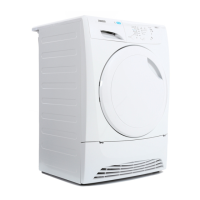
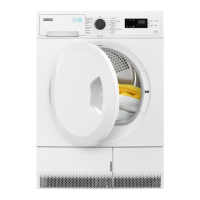
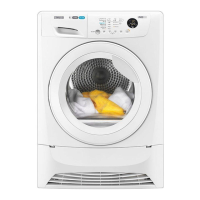
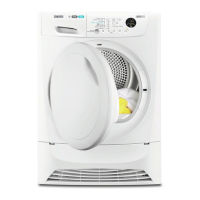
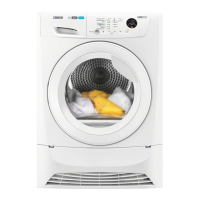
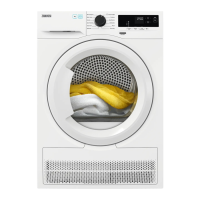
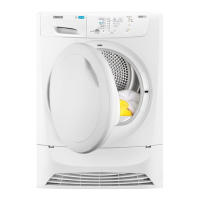
This document is the user manual for the Zanussi ZDP7203PZ Tumble Dryer, providing comprehensive information on its operation, safety, technical specifications, and maintenance.
Function Description
The Zanussi ZDP7203PZ is a tumble dryer designed for household use, offering various drying programs and options to suit different fabric types and desired dryness levels. It features a cool-down cycle at the end of each program to ensure items are left at a safe temperature. The appliance can be installed freestanding or under a kitchen counter, provided there is adequate space and ventilation.
Important Technical Specifications
- Model: ZDP7203PZ
- Maximum Load Volume: 7 kg (for dry items)
- Dimensions (Height x Width x Depth): 850 x 600 x 540 mm (maximal 610 mm depth with door open)
- Adjustable Height: 850 mm (+ 15 mm - feet regulation)
- Drum Volume: 104 L
- Voltage: 230-240 V
- Frequency: 50 Hz
- Necessary Fuse: 13 A
- Total Power: 2800 W
- Energy Efficiency Class: B
- Energy Consumption (Standard Cotton Programme): 4.27 kWh (at 1000 rpm / 60% residual humidity)
- Annual Energy Consumption: 504 kWh (based on 160 drying cycles)
- Left-on Mode Power Absorption: 0.41 W
- Off Mode Power Absorption: 0.41 W
- Permitted Ambient Temperature: +5°C to +35°C
- Level of Protection: IPX4 (against ingress of solid particles and moisture)
Usage Features
The tumble dryer offers a range of programs and options accessible via a control panel with touchpads and a program selection knob.
Control Panel Elements:
- On / Off button
- Programme selection touchpad
- Dryness selection touchpad
- Options selection touchpad
- Start/Pause touchpad
- Delay touchpad
- Indicators for Filter, Condenser, and Tank
- Child lock indicator
Drying Programs:
- Cottons: For cotton fabrics, with dryness levels including Extra Dry, Strong Dry, Cupboard Dry, and Iron Dry. Maximum load: 7kg.
- Synthetics: For synthetic fabrics, with dryness levels including Extra Dry, Cupboard Dry, and Iron Dry. Maximum load: 3kg.
- Mix: For cotton and synthetic fabrics, a low-temperature program with warm air. Maximum load: 3kg.
- Easy Iron: For easy-care fabrics requiring minimal ironing. Maximum load: 1kg (or 5 shirts).
- Wool: For washable woollens, gentle drying. Woolmark Apparel Care certified. Maximum load: 1kg.
- Duvet: For one or two duvets and pillows (feather, down, or synthetic fillings). Maximum load: 3kg.
- Refresh: For refreshing textiles from storage. Maximum load: 1kg.
- Time 30 min: A timed program for individual items. Maximum load: 1kg.
Options:
- Dryness: Allows selection of Extra Dry, Strong Dry (Cotton only), Cupboard Dry, or Iron Dry to achieve desired dryness levels.
- Anticrease 90 min: Extends the standard 30-minute anticrease phase by an additional 60 minutes to prevent creases. Laundry can be removed during this phase.
- Time 60 min: Extends the Time 30 min program by 30 minutes.
- Delicate: Sets a low-temperature drying program, suitable for fabrics with the symbol on the label (e.g., acrylic, viscose).
Starting a Program:
- Prepare and load laundry, ensuring the door closes without catching items.
- Press the On/Off button.
- Select the desired program and options.
- Press the Start/Pause touchpad.
Delay Start:
Programs can be delayed by 3, 6, or 9 hours by repeatedly pressing the delay start button after setting the program and options.
End of Program:
An intermittent acoustic signal sounds, and the Filter and Tank indicators illuminate. The appliance enters a 30-minute crease guard phase to reduce creases. Laundry can be removed before or after this phase.
Stand-by Function:
The appliance automatically deactivates after 5 minutes of inactivity (no program started or after program completion) to reduce energy consumption.
Child Lock Function:
This feature locks the program knob and touchpads to prevent children from operating the appliance during a program. Only the On/Off button remains unlocked. To activate, press On/Off, wait 8 seconds, then press and hold touchpads (C) and (D) simultaneously. Repeat to deactivate.
Buzzer On/Off:
Acoustic signals can be activated or deactivated by pressing and holding touchpads (B) and (C) for approximately 2 seconds.
Adjustment of Remaining Laundry Moisture Degree:
The default remaining moisture degree can be adjusted by pressing On/Off, waiting 8 seconds, then pressing and holding buttons (B) and (D) simultaneously. Use button (E) to cycle through options (Tank - maximum dry, Filter - more dry, Condenser - standard dry) and confirm by pressing and holding (B) and (D) again.
Maintenance Features
Regular maintenance is crucial for the appliance's performance and longevity.
Cleaning the Filter:
The lint filter should be cleaned before or after each use. This involves pulling out the primary filter, opening it, removing lint, and then reassembling and reinserting it.
Draining the Water Container:
The water container must be emptied after each program. The collected water can be used as an alternative to distilled water for steam ironing, but dirt residues should be removed with a filter first.
Cleaning the Condenser:
The condenser should be cleaned periodically. This involves opening the bottom cover, releasing the condenser locks, pulling out the condenser, and rinsing it under running water to remove lint.
Cleaning the Drum:
The inner surface of the drum and drum ribs should be cleaned with a moist soft cloth and a standard neutral soap detergent. Abrasive materials or steel wool should not be used.
Cleaning the Control Panel and Housing:
The control panel and housing should be cleaned with a moist soft cloth and a standard neutral soap detergent. Furniture cleaning agents or corrosive cleaning agents should not be used.
Cleaning the Airflow Slots:
Use a vacuum cleaner to remove fluff from the airflow slots.
General Safety Guidelines:
- Read all instructions carefully before installation and use.
- Do not modify the appliance's specifications.
- Use a stacking kit if placing the dryer on a washing machine.
- Ensure proper ventilation in the installation room.
- Do not obstruct ventilation openings.
- Connect the mains plug only after installation and ensure it's accessible.
- Do not discharge exhaust air into flues used for other appliances.
- Replace damaged supply cords only with manufacturer-approved parts.
- Observe the maximum load volume of 7kg.
- Do not use industrial chemicals for cleaning.
- Clean the lint filter before/after each use.
- Do not dry unwashed items or items soiled with flammable substances (e.g., cooking oil, acetone, alcohol, petrol, kerosene, spot removers, turpentine, waxes). These should be washed in hot water with extra detergent first.
- Do not dry foam rubber, shower caps, waterproof textiles, rubber-backed articles, or clothes/pillows with foam rubber pads.
- Use fabric softeners as per their instructions.
- Remove all objects from pockets before drying.
- Never stop a tumble dryer before the end of the drying cycle unless items are quickly removed and spread out to dissipate heat.
- Disconnect the appliance from the mains before maintenance.
Electrical Connection:
- The appliance must be earthed.
- Ensure electrical information on the rating plate matches the power supply.
- Use a correctly installed shockproof socket.
- Do not use multi-plug adapters or extension cables.
- Always pull the mains plug, not the cable, to disconnect.
- For UK and Ireland, use a 13 amp ASTA (BS 1362) fuse if replacing the fuse in the mains plug.
Troubleshooting:
The manual includes a troubleshooting section addressing common issues such as the appliance not activating, programs not starting, the door not closing, the appliance stopping during operation, and unusually long drying cycles, providing possible solutions for each.


 To Next Page
 General