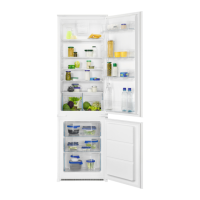
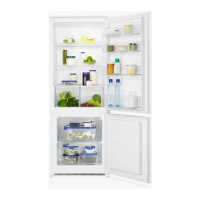
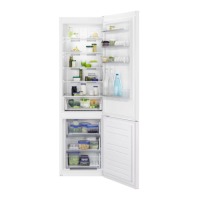
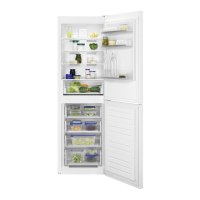
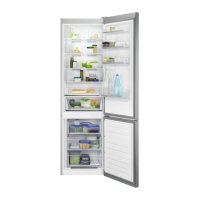
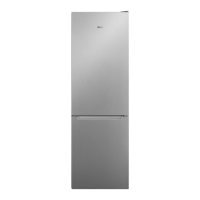
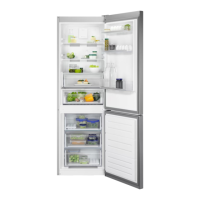
This document is a user manual for a Zanussi ZNFN18ES3 Fridge Freezer, providing comprehensive information on its installation, operation, maintenance, and troubleshooting.
The fridge freezer is designed for storing food and beverages in a single household domestic indoor environment. It can also be used in offices, hotel guest rooms, bed & breakfast guest rooms, farm guest houses, and similar accommodations, provided the usage does not exceed average domestic levels.
Function Description:
The Zanussi ZNFN18ES3 Fridge Freezer is a combined refrigeration appliance with both a refrigerator and a freezer compartment. The refrigerator compartment is designed to store fresh food and beverages, while the freezer compartment is for freezing fresh food and storing frozen and deep-frozen items.
The appliance features a "FastFreeze" function, which is used for pre-freezing and fast freezing in the freezer compartment. This function accelerates the freezing process for fresh food and protects already stored frozen products from warming. The freezer compartment is equipped with trays for ice-cube production.
The refrigerator compartment includes a fan to ensure rapid cooling of foods and maintain a more uniform temperature. It also has movable shelves and special drawers for fruits and vegetables, allowing for flexible storage arrangements.
Usage Features:
- Temperature Regulation: The appliance's temperature can be regulated using a temperature regulator button. Selection is progressive, ranging from 2°C to 8°C, with 4°C being the recommended setting. The set temperature is stored even after a power failure.
- FastFreeze Function: To activate, press the FastFreeze button. The FastFreeze indicator will light up. It is recommended to activate this function at least 24 hours before placing fresh food in the freezer for pre-freezing. The function stops automatically after 52 hours but can be deactivated manually at any time.
- Door Open Alarm: If the fridge door is left open for approximately 5 minutes, an alarm light flashes, and a sound is emitted. The sound can be muted by pressing any button and switches off automatically after about an hour. The alarm deactivates once the door is closed.
- High Temperature Alarm: In case of a temperature increase in the freezer compartment (e.g., due to a power failure), the alarm light flashes, and a sound is emitted. Pressing any button mutes the sound, but the alarm light continues to flash until normal conditions are restored. The sound switches off automatically after about an hour if no button is pressed.
- Positioning Door Shelves: The door shelves can be adjusted to different heights to accommodate various food package sizes. To reposition, gradually pull the shelf up until it comes free, then place it at the desired height.
- Movable Shelves: The refrigerator walls have runners that allow the shelves to be positioned as desired. It is advised not to move the glass shelf above the vegetable drawer to ensure proper air circulation.
- Vegetable Drawers: Dedicated drawers are provided at the bottom for storing fruits and vegetables.
- Ice-Cube Production: The appliance comes with trays for making ice cubes. Fill the trays with water and place them in the freezer compartment.
- Food Storage Guidelines: The manual provides detailed hints for freezing fresh food, storing frozen food, and refrigerating fresh food, including recommended shelf lives for various food types (seafood, meat, dairy, fruits, vegetables, leftovers). It emphasizes proper packaging, avoiding hot food placement, and maintaining good air circulation.
Maintenance Features:
- Periodic Cleaning: The interior and accessories should be cleaned regularly with lukewarm water and a neutral soap. Door seals should also be checked and wiped clean to ensure they are free from debris. The appliance should be rinsed and dried thoroughly. A moist soft cloth and neutral detergents are recommended; abrasive products, solvents, or metal objects should be avoided.
- Defrosting the Refrigerator: Frost is automatically eliminated from the refrigerator evaporator during normal use. The defrost water drains into a special container at the back of the appliance and evaporates. The defrost water drain hole in the middle of the refrigerator compartment channel should be periodically cleaned using the provided tube cleaner to prevent water overflow.
- Defrosting the Freezer: The freezer should be defrosted when the frost layer reaches a thickness of about 3-5 mm. Before defrosting, set a lower temperature for about 12 hours to build up chill reserve. To defrost, switch off the appliance, remove all stored food and place it in a cool area, and leave the door open. A pot of warm water can be placed inside to speed up the process. The supplied ice scraper can be used to remove ice pieces. After defrosting, dry the interior thoroughly, switch on the appliance, set the temperature regulator to maximum coldness, and run it for at least 3 hours before returning food.
- Period of Non-Operation: If the appliance will not be used for a long time, disconnect it from electricity, remove all food, defrost, clean all accessories, and leave the doors open to prevent unpleasant smells.
- Replacing the Lamp: The appliance is equipped with a long-life LED interior light. Only authorized service personnel are permitted to replace the lighting device.
- Closing the Door: To ensure proper door closure, clean the door gaskets, adjust the door if necessary (refer to installation instructions), and replace defective door gaskets through an authorized service center.


 To Next Page
 General