
 Need help?
Do you have a question about the Zanussi ZOP37902XK and is the answer not in the manual?
Safety guidelines for children and vulnerable individuals using the appliance.
General safety precautions to be followed during appliance operation and use.
Instructions for the safe and correct installation of the oven.
Guidelines for the safe electrical connection of the appliance.
Procedures for cleaning and maintaining the oven to ensure safe operation and longevity.
Instructions and safety precautions for the self-cleaning function of the oven.
Information about the oven's internal lighting system.
Instructions on how to safely dispose of the appliance.
Steps for cleaning the oven before its first operation.
Guide on how to set the clock on the oven display.
How to turn the oven on and off using the control knobs.
Overview of available cooking functions and their applications.
Steps for preheating the oven before cooking.
Understanding the indicators for oven temperature changes.
How to set the oven's operation duration or end time.
Instructions for setting the minute minder or countdown timer.
Using the timer function to monitor cooking duration.
How to use the trivet and roasting pan for grilling and toasting.
Information on activating and deactivating the child lock feature.
Understanding the automatic deactivation feature for safety.
How the cooling fan operates to maintain appliance temperature.
Explanation of the safety thermostat's function against overheating.
Tips for baking cakes, including oven door usage.
Advice for cooking meat and fish, including preventing smoke and stains.
Guidance on how cooking times vary and how to determine them.
Specific cleaning instructions for stainless steel and aluminium surfaces.
How to remove shelf supports for cleaning the side walls.
Procedures for removing and reinstalling oven shelf supports.
Instructions and precautions for changing the oven lamp.
Detailed procedure for safely removing and reinstalling oven door glass panels.
Troubleshooting steps when the oven fails to heat.
Solutions if the oven's internal light is not working.
Troubleshooting error code C3 related to pyrolytic cleaning not starting.
Troubleshooting error code F102, likely related to door lock or closure.
Steps to deactivate demo mode when the oven shows "Demo".
Guidance for handling unspecified error codes displayed by the oven.
Advice on managing steam and condensation during cooking.
Important safety precautions and cable specifications for electrical installation.
Details on the recyclable nature of the packaging materials.
This document is a user manual for a Zanussi oven, model ZOP37902, providing comprehensive information on its functions, usage, and maintenance.
The manual emphasizes safety throughout, particularly regarding children and vulnerable people. It states that the appliance can be used by children aged 8 and above, and by individuals with reduced physical, sensory, or mental capabilities, or lack of experience, provided they are supervised by an adult responsible for their safety. Children should not play with the appliance, and all packaging should be kept away from them. During operation and cooling, children and pets should be kept away as accessible parts become hot. If a child safety device is present, its activation is recommended. Cleaning and user maintenance should not be performed by children without supervision.
General safety guidelines include warnings that the appliance becomes hot internally during operation, and heating elements should not be touched. Oven gloves should always be used when handling accessories or ovenware. Steam cleaners should not be used for cleaning, and the power supply must be cut before maintenance. Harsh abrasive cleaners or sharp metal scrapers are prohibited for cleaning the glass door to prevent scratching and potential shattering. Excess spillage must be removed before pyrolytic cleaning, and all parts should be removed from the oven. To remove shelf supports, the front should be pulled first, then the rear end away from the side walls, with installation in the opposite sequence.
Installation should only be performed by a qualified person. All packaging must be removed, and a damaged appliance should not be installed or used. Installation instructions must be followed, and caution exercised when moving the heavy appliance, always wearing safety gloves. The appliance should not be pulled by its handle and should maintain a minimum distance from other appliances and units. It must be installed below and adjacent to safe structures, with its sides adjacent to appliances or units of the same height.
Electrical connections must be made by a qualified electrician, and the appliance must be earthed. Electrical information on the rating plate must match the power supply. A correctly installed shockproof socket should always be used, and multi-plug adapters or extension cables are prohibited. Care must be taken not to damage the mains plug or cable, and a damaged cable should be replaced by Service or an electrician. Mains cables should not touch the appliance door, especially when hot. Shock protection for live and insulated parts must be fastened securely. The mains plug should only be connected after installation, ensuring access to it. If the mains socket is loose, the mains plug should not be connected. The mains plug, not the cable, should be pulled to disconnect the appliance. Correct isolation devices, such as line protecting cut-outs, fuses, earth leakage trips, and contactors, must be used. The electrical installation must have an isolation device allowing disconnection from the mains at all poles, with a contact opening width of at least 3 mm. The appliance door must be fully closed before connecting the mains plug.
The oven is designed for household use, and its specifications should not be altered. Ventilation openings must not be blocked, and the appliance should not be left unattended during operation. It should be deactivated after each use. Caution is advised when opening the door during operation due to hot air release. The appliance should not be operated with wet hands or when in contact with water. Pressure should not be applied to the open door, nor should the appliance be used as a work or storage surface. The door should always be kept closed during operation. When opening the door, caution is needed as ingredients with alcohol can cause an alcohol-air mixture. Sparks or open flames should not come into contact with the appliance when the door is open. Flammable products or items wet with flammable products should not be placed in, near, or on the appliance.
To prevent damage or discoloration of the enamel, ovenware or other objects should not be placed directly on the bottom, nor should aluminum foil. Water should not be poured directly into the hot appliance. Moist dishes and food should not be kept in the appliance after cooking. Care should be taken when removing or installing accessories. Enamel discoloration does not affect performance and is not a defect under warranty. A deep pan should be used for moist cakes, as fruit juices can cause permanent stains.
Before maintenance, the appliance must be deactivated and disconnected from the mains socket. The appliance must be cold before cleaning to avoid the risk of glass panel breakage. Damaged door glass panels should be replaced immediately, contacting Service. Caution is needed when removing the heavy door. Regular cleaning is essential to prevent surface material deterioration. Remaining fat or food can cause fire. The appliance should be cleaned with a moist soft cloth and neutral detergents only, avoiding abrasive products, cleaning pads, solvents, or metal objects. If using oven spray, safety instructions on the packaging must be followed. Catalytic enamel should not be cleaned with any detergent.
Before pyrolytic self-cleaning or first use, excess food residues, oil, or grease spills/deposits, and any removable objects (shelves, side rails, non-stick pots, pans, trays, utensils) must be removed from the oven cavity. All instructions for pyrolytic cleaning must be read carefully. Children should be kept away during pyrolytic cleaning as the appliance becomes very hot. Pyrolytic cleaning is a high-temperature operation that can release fumes from cooking residues and construction materials. Good ventilation is advised during and after each pyrolytic cleaning, and during and after first use at maximum temperature. Pets (especially birds) should be removed from the vicinity during and after pyrolytic cleaning and first use, to a well-ventilated area. Some birds and reptiles are extremely sensitive to potential fumes. Small pets can also be highly sensitive to localized temperature changes. Non-stick surfaces can be damaged by high-temperature pyrolytic cleaning and can be a source of low-level harmful fumes. Fumes released are not harmful to humans, including infants or those with medical conditions.
The light bulb or halogen lamp used is for household appliances only, not for general house lighting. Before replacing the lamp, the appliance must be disconnected from the power supply. Only lamps with the same specifications should be used.
The appliance must be disconnected from the mains supply, the mains cable cut and discarded, and the door catch removed to prevent children and pets from getting trapped. The symbol on the product or packaging indicates that it should not be treated as household waste but taken to an appropriate collection point for recycling electrical and electronic equipment. Packaging material is environmentally-friendly and recyclable, with plastic parts marked with international abbreviations (e.g., PE, PS). Packaging material should be disposed of in local waste management facilities.
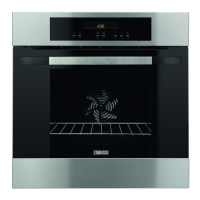
The oven features a knob for oven functions, an electronic programmer, a knob for temperature, a grill, an oven lamp, a fan, removable shelf supports, a rating plate, and shelf positions. Oven accessories include a wire shelf for cookware, cake tins, and roasts, and a grill-/roasting pan for baking, roasting, or collecting fat. A trivet is included for roasting and grilling, to be used only with the grill-/roasting pan.
All accessories and removable shelf supports should be removed, and the appliance cleaned before first use. The time of day is set by pressing '+' or '-' to set the hour, confirming with 'OK', then setting minutes similarly. The new time is saved automatically after five seconds. The time of day can only be changed when the appliance is off. Preheating the empty appliance is recommended to burn off remaining grease: set the function and maximum temperature for 45 minutes, then set the function and maximum temperature for 15 minutes. Accessories may become hotter than usual, and the appliance may emit an odor and smoke, which is normal; ensure sufficient airflow.
To use the appliance, push the knob to make it come out. To activate, turn the oven function knob to an oven function, then turn the temperature knob to set the temperature. To deactivate, turn the oven function knob to the off position.
Oven functions include:
The display shows a timer, heat-up and residual heat indicator, water tank (selected models only), core temperature sensor (selected models only), door lock (selected models only), hours/minutes, and clock functions. Buttons include 'Clock' to set a clock function, and 'Minus, plus' to set the time. When an oven function is activated, bars in the display indicate temperature increase or decrease.
The display shows the residual heat indicator if the oven temperature is above 40°C after deactivation. Turning the temperature knob shows the oven temperature. Clock functions include:
To set Duration or End, press 'Clock' repeatedly until the symbol flashes, set minutes with '+/-', confirm, set hours with '+/-', confirm. When time ends, the symbol flashes, an acoustic signal sounds for two minutes, and the appliance deactivates. Pressing a button or opening the door stops the signal. If 'OK' is pressed during Duration setting, it switches to End function.
To set Minute Minder, press 'Clock' repeatedly until the symbol and '00' flash, set time with '+/-'. The Minute Minder starts automatically after five seconds. When time ends, '00:00' and the symbol flash, an acoustic signal sounds for two minutes. Pressing a button stops the signal. If Minute Minder is set while Duration or End is operating, the symbol comes on.
The Count Up Timer monitors oven operation time and starts immediately when the oven heats. To reset, press and hold '+' and '-'. It cannot be used when Duration or End is operating.
The appliance has five shelf levels, counted from the bottom. It features a special system that circulates air and recycles steam, allowing for steamy cooking, keeping food soft inside and crusty outside, reducing cooking time and energy consumption. Moisture condensation on the appliance or door glass panels is normal. Stand back when opening the door during cooking. To reduce condensation, operate the appliance for 10 minutes before cooking. Clean moisture after each use. Objects should not be placed directly on the appliance floor, nor should aluminum foil on components, as this can affect baking results and damage enamel. If using two baking trays, keep one empty level between them.
For cooking meat and fish, use a deep pan for fatty food to prevent permanent stains. Let meat rest for approximately 15 minutes before carving. To prevent smoke during roasting, add water to the deep pan, replenishing as it dries. Cooking times depend on food type, consistency, and volume; monitor performance initially to find best settings.
Do not open the oven door before 3/4 of the set cooking time has passed.
The manual provides detailed tables for various dishes, including cakes, bread and pizza, flans, meat (beef, pork, veal, lamb, poultry), and fish (steamed), specifying recommended shelf positions, temperatures (Conventional Cooking and True Fan Cooking), and cooking times. For grilling, it provides quantities, shelf positions, temperatures, and cooking times for both sides. Defrosting tables include defrosting time and further defrosting time, with notes for specific items. Drying (True Fan Cooking) suggests covering oven shelves with baking parchment.
According to scientific knowledge, if food is browned (especially brown food), acrylamides can pose a health risk. It is recommended to cook at the lowest temperatures and not brown food too much.
To remove, pull the front of the shelf support away from the side wall, then the rear end away from the side wall. Install in the opposite sequence, ensuring rounded ends point to the front.
The appliance becomes very hot during pyrolysis, posing a burn risk. If a hob is installed with the appliance, do not use it simultaneously with pyrolysis to avoid damage. Remove removable shelf supports and accessories. Manually remove the worst dirt. Fully close the oven door (cleaning cannot start otherwise). Set the Pyrolysis function. When the symbol flashes, press '+/-' to select P1 (1 hour for light dirt) or P2 (1 hour 30 minutes for heavier dirt). Press 'OK' to start. The 'End' function can delay the start. When the oven reaches temperature, the door locks, and the symbol and heat indicator bars appear. To stop pyrolysis, turn the oven function knob to 'off'. After completion, the display shows the time of day, the door remains locked until cool, then an acoustic signal sounds, and the door unlocks. The oven lamp is off during pyrolysis.
A cleaning reminder, 'PYR', flashes for 10 seconds after each activation and deactivation of the appliance. It goes off after pyrolysis or if '+' and '-' are pressed simultaneously while 'PYR' flashes.
Caution is advised when changing the oven lamp due to electrical shock risk. Deactivate the oven and remove fuses or deactivate the circuit breaker. Place a cloth on the oven bottom to protect the lamp and glass cover. Always hold halogen lamps with a cloth to prevent grease residue from burning. Turn the glass cover counterclockwise to remove it, clean it, replace the bulb with an applicable 300°C heat-resistant oven light bulb of the same type, then install the glass cover.
The oven door has three glass panels that can be removed for cleaning. The door may close if glass panels are removed before the door itself.
The manual provides a troubleshooting guide for common issues:
If a solution is not found, contact the dealer or service center. The manual advises noting the model, product number (PNC), and serial number (S.N.) from the rating plate (on the front frame of the appliance cavity) for service.
 General
| Style | Single |
|---|---|
| Color | Stainless Steel |
| Total Capacity | 64 L |
| Temperature Settings | - |
| Cooking Programms | Pizza |
| Special Features | Fan-forced oven |
| Accessories | Baking Pan |
| Energy Class | A |
| Power Consumption | - |
| Annual Energy Consumption | - |
| Energy Consumption per Cycle | - |
| Voltage | - |
| Frequency | - |
| Current | - |
 Weight and Dimensions
| Depth | 572 mm |
|---|---|
| Height | 596 mm |
| Width | 895 mm |
| Net Weight | - |





 To Next Page