EasyManua.ls Logo

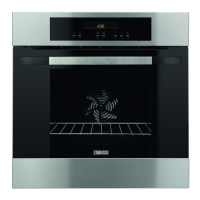
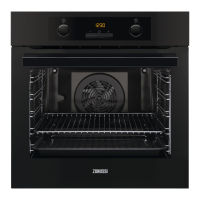
Zanussi ZOP37982BU - User Manual

Zanussi ZOP37982BU
56 pages
Print Icon
To Next Page IconTo Next Page
Loading...
GETTING
STARTED?
EASY.
User Manual
ZOP37982BU
ZOP37982XU
ZOP37902XU
EN User Manual 2
Oven
DE Benutzerinformation 28
Backofen

Questions and Answers

  • S
    Sarah EdwardsAug 19, 2025
    Why Zanussi ZOP37982BU Oven does not heat up?
    • A
      Anthony GarciaAug 19, 2025
      If your Zanussi Oven isn't heating up, several factors could be at play. First, ensure the oven is activated and the clock is properly set. Check that all necessary settings are correctly configured. Also, verify that the automatic switch-off feature isn't enabled and that the Child Lock is deactivated. Finally, inspect the fuse to ensure it hasn't blown. If the fuse repeatedly blows, consult a qualified electrician.
  • B
    Brian NewmanAug 21, 2025
    Why is my Zanussi Oven not heating up?
    • M
      Mackenzie WilliamsAug 21, 2025
      If your Zanussi Oven is not heating up, there could be several reasons: * The oven might be deactivated, so try activating it. * The clock may not be set; in this case, set the clock. * The necessary settings might be incorrect, so ensure they are properly configured. * The automatic switch-off could be activated; refer to the "Automatic switch-off" section for guidance. * The Child Lock might be on; refer to "Using the Child Lock" for instructions. * A fuse might be blown. Verify if the fuse is the issue, and if it repeatedly blows, consult a qualified electrician.
  • M
    Mark LiuAug 23, 2025
    What does F102 mean on Zanussi Oven?
    • K
      Kathleen GomezAug 23, 2025
      If your Zanussi Oven's display shows "F102", it could be due to the door not being fully closed or a defective door lock. Ensure the door is completely closed. If the issue persists, deactivate the oven using the house fuse or safety switch in the fuse box, then reactivate it. If "F102" reappears, contact the Customer Care Department.
  • N
    Nancy ThomasAug 26, 2025
    What does C3 mean on Zanussi ZOP37982BU Oven?
    • M
      Ms. Krista AdkinsAug 26, 2025
      If the display of your Zanussi Oven shows "C3", it means the cleaning function is not working. Ensure that the oven door is fully closed, as the issue may be due to the door not being completely shut or a defective door lock.
  • D
    Dale WheelerAug 27, 2025
    What does it mean if my Zanussi ZOP37982BU Oven display shows an error code that is not in the manual?
    • J
      Jade WilcoxAug 28, 2025
      If the display of your Zanussi Oven shows an error code not listed in the manual, it indicates an electrical fault. To resolve this, deactivate the oven using the house fuse or the safety switch in the fuse box, and then reactivate it. If the error code reappears, it is recommended to contact the Customer Care Department.
  • D
    Daniel DoughertyAug 29, 2025
    How to turn off demo mode on Zanussi ZOP37982BU Oven?
    • T
      Thomas EvansAug 30, 2025
      If your Zanussi Oven is activated but not heating, the fan isn't working, and the display shows 'Demo', the demo mode is likely activated. Here's how to deactivate it: 1. Deactivate the oven. 2. Press and hold the button indicated in the manual. 3. The first digit on the display and the Demo indicator will start to blink. 4. Enter the code 2468 by pressing the buttons to change the values and press to confirm each digit. The next digit starts to blink. 5. Demo mode deactivates when you confirm the last digit and the code is correct.
  • L
    Lucas HoodSep 1, 2025
    What does 'C3' mean on my Zanussi ZOP37982BU Oven display?
    • N
      Nicole Guerrero DDSSep 1, 2025
      If the display of your Zanussi Oven shows 'C3', it means the cleaning function isn't working. This is likely because the door isn't fully closed or the door lock is defective. Ensure the door is fully closed.
  • D
    Dennis ColeSep 3, 2025
    What to do if Zanussi Oven displays an error code that is not in this table?
    • L
      Leah MillerSep 3, 2025
      If your Zanussi Oven displays an error code not listed in the manual, it indicates an electrical fault. Try deactivating the oven using the house fuse or the safety switch in the fuse box, then reactivate it. If the error code persists, it is recommended to contact the Customer Care Department.
  • E
    Elizabeth MartinSep 5, 2025
    How to deactivate demo mode on Zanussi ZOP37982BU?
    • D
      Daniel JohnsonSep 5, 2025
      If your Zanussi Oven is activated but not heating, the fan isn't working, and the display shows "Demo", the demo mode is likely activated. To deactivate it: 1. Deactivate the oven. 2. Press and hold the button indicated in your manual. 3. The first digit on the display and Demo indicator will start to blink. 4. Enter the code 2468 by pressing the buttons to change the values and press to confirm each digit. Demo mode deactivates when you confirm the last digit and the code is correct.
  • R
    Raymond GarrettSep 7, 2025
    Why does it take too long to cook dishes in Zanussi ZOP37982BU Oven?
    • L
      Lisa WaltersSep 7, 2025
      If your dishes are taking too long or cooking too quickly in your Zanussi Oven, the temperature may be improperly set. Adjust the temperature as needed and refer to the user manual for guidance.

Zanussi ZOP37982BU Specifications

General IconGeneral
Energy Efficiency ClassA
Number of Functions/Cooking Programs9
Control TypeElectronic
Oven SizeLarge
Number of Ovens1
Oven PositionBuilt-in
ColorBlack
Power2800 W

Related product manuals