1
Zavio D5113 Quick Installation Guide
Please follow the installation steps below to set up your F7210 Box IP Camera.
Check the package contents against the list below. See P.1
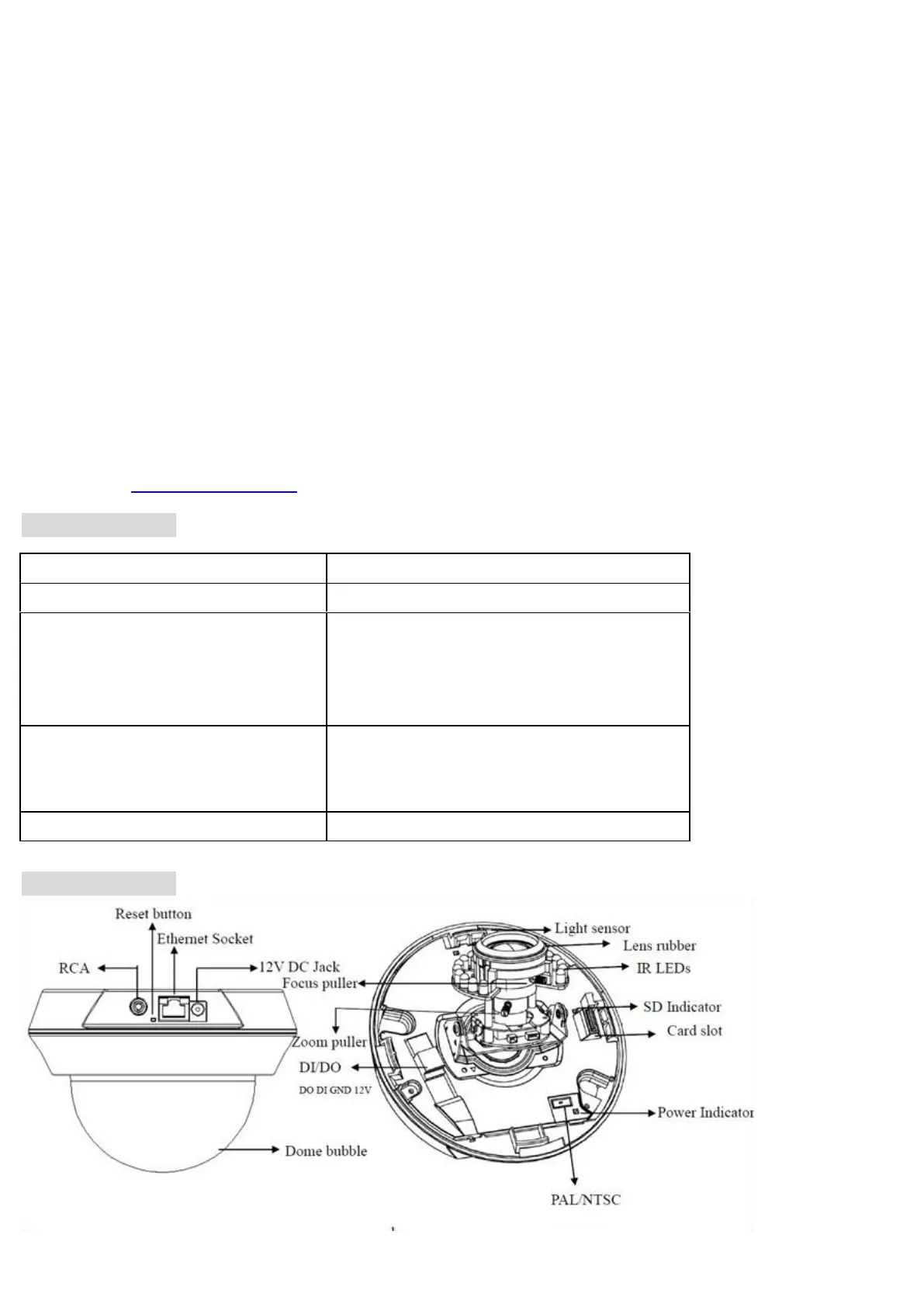
Physical overview. See P.1
LED Indicator Definition. See P.2
I/O Terminal Block Circuit. See P.2
Install the hardware and connect all cables. See P.3
Microsoft OS: Use the software CD to install Intelligent IP Installer. See P.6
Access the IP Camera using Intelligent IP Installer. P.6
Mac OS using Safari Browser. P.8
Change light environment setting. P.8
Change the Web Interface into your preferred language. P.9
Wireless Setting P.9
Application of IP Camera P.10
For more information, please check the User Manual available in the Software CD or you can download the latest
software from http://www.zavio.com
Package Contents
Brief product information and quick installation
IP Surveillance Software
Intelligent IP Installer
User Manual
Language Packs
Three plastic anchors and screws
Alignment sticker
4pin I/O terminal block
Physical overview



 To Next Page