6
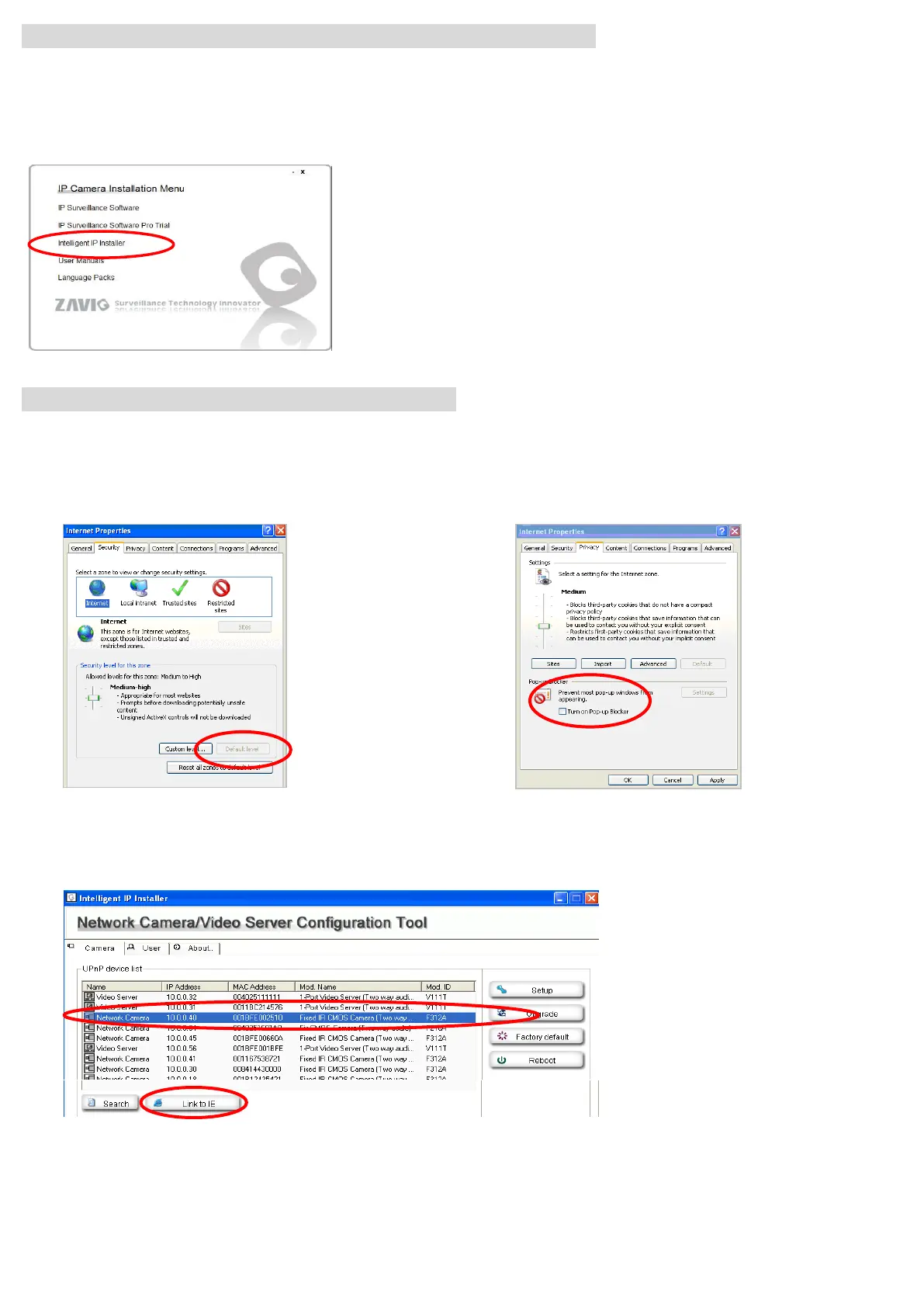
Microsoft OS:Use the software CD to install Intelligent IP Installer
Power on your PC and insert the CD-ROM. The setup page will show up automatically. Please follow these steps to
install the firmware.
Access the IP Camera using Intelligent IP Installer
1. Please check two settings before using Intelligent IP Installer .
Select “Intelligent IP Installer” and follow the installation process to complete the installation.
b. Browser’s Internet Properties → Privacy
→ Uncheck Pop-up Blocker
a. Browser’s Internet Properties → Security
→ Default Level
2. Click the Intelligent IP Installer Icon on your desktop. The main page will show up listing all active
camera and video server devices. Select the relevant IP camera from the list and click Link to IE.



 To Next Page