on
Mit diesem Schalter wird der Effektweg
geschlossen, bzw. unterbrochen. Der
Schalter liegt elektrisch nach dem PFL-
Schalter und vor dem Volume-Regler.
So lassen sich alle Vorteile der PFL-
Schaltung auch bei ausgeschaltetem Ef-
fekt-Return nutzen. Weitere Vorteile:
Man kann den Effekt durch einfachen
Knopfdruck wegschalten (z.B. für Ansa-
gen o.ä.) ohne die optimale Effekt-Ein-
stellung zu verändern. Man kann beim
Sound-Check durch Ein- und Ausschal-
ten das "trockene" Signal und das mit
einem Effekt belegte Signal direkt ver-
gleichen. Der Schaltzustand wird durch
die grüne L E D angezeigt.
PFL
Pre-Fade-Listening
Der PFL-Schalter ermöglicht das direkte
Mithören des Monitorsignales über Kopf-
hörer. Man hört das Signal vor dem
Fader (pre fade) ab. Gleichzeitig wird
die Stärke des Monitorsignals auf der
Master Right LED-Zeile angezeigt. Der
PFL-Schalter ermöglicht ein genaues
Einpegeln des Monitorsignales verbun-
den mit Abhörkontrolle.
Solo-Funktion PFL
In Verbindung mit dem Schalter
PFL/Solo in der Mastersektion ist eine
weitere Einzelkontrolle der Monitorwege
möglich. Ist der Schalter PFL/Solo (Ma-
stersektion) gedrückt, wird nur das Sig-
nal über Master gegeben, bei dem PFL
aktiviert ist. So können Monitorwege ein-
zeln akustisch im Saal abgehört werden.
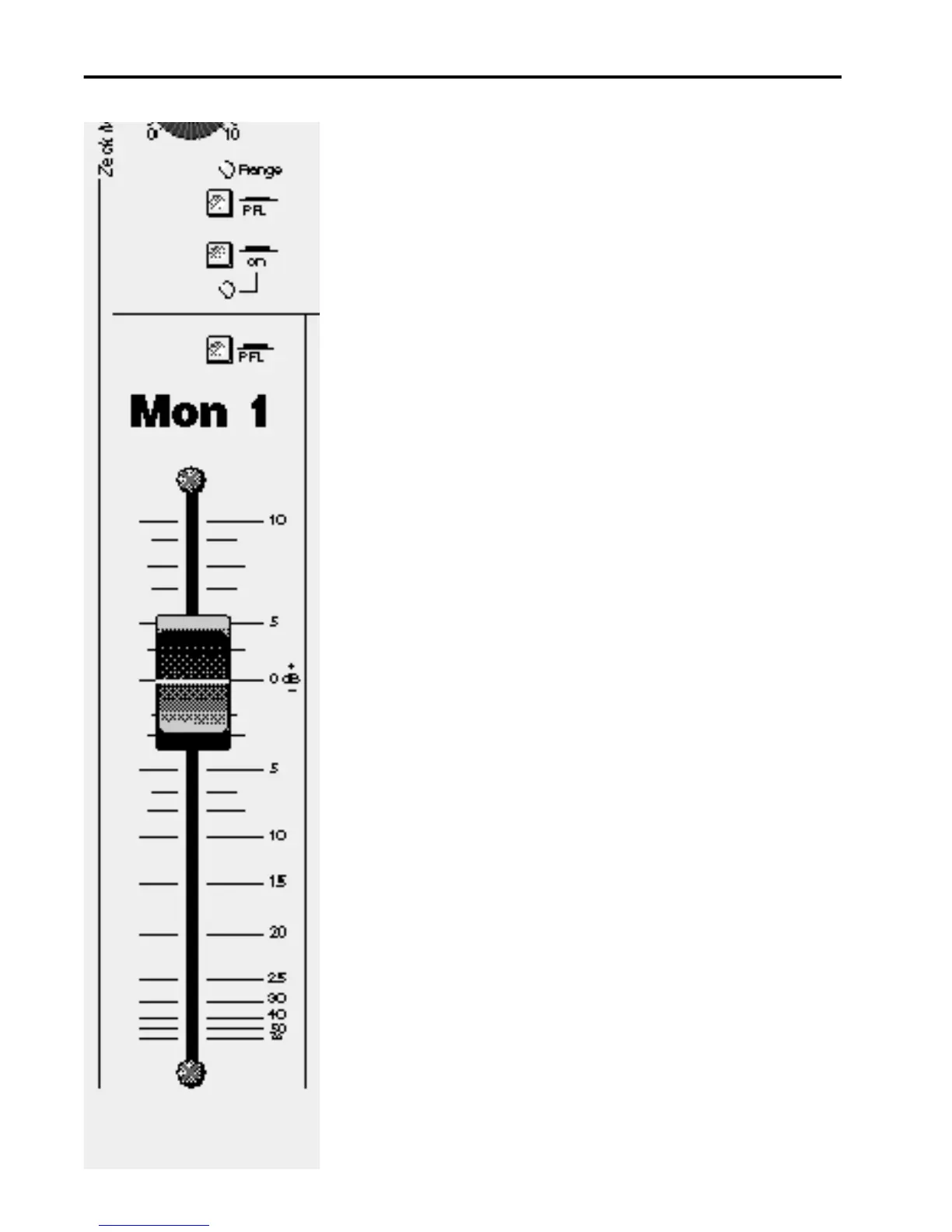
Fader
100 mm-Fader für Monitorlautstärke. Die
Monitor-Abmischung sollte so eingepe-
gelt sein, daß der Fader etwa im 0 dB-
Bereich betrieben wird. Ist die Monitor-
lautstärke bei 0 dB zu hoch, sollte man
die Monitor-Regler der Einzelkanäle
(Mon 1/Mon 2) zurücknehmen und den
Fader im 0 dB-Bereich lassen. Dadurch
erreicht man eine höhere Übersteue-
rungsreserve (headroom)
on
This button completes or interrupts the
effects route. It is positoned post-PFL
button and pre-volume control. In this
way all the advantages of the PFL swit-
ching are maintained, even when the ef-
fects retrun is switched off. Further ad-
vantages: effects are switched off by a
simple push-button (eg. for announce-
ments etc.) without loosing the setting.
During sound checks, one can directly
compare the "dry" signal and the effec-
ted signal, simply by switching on and
off. The switch position is indicated by
the green LED directly below the button.
PFL
Pre-Fade-Listening
The PFL button facilitates direct li-
stening into the monitor signal with
headphones. The signal that one hears
is pre-fade and it is simultaneously regi-
stered by the master-right LED bar
graph. The PFL button facilitates exact
level setting of the monitor combined
with a listening-in-control.
Solo-Function PFL
Further individual monitor control is faci-
litated by the PFL/Solo switch in the
master section. If the PFL/Solo switch
(master section) is pressed, only the
PFL activated monitor route is routed
over master, thus allowing individual,
acoustic signal control over the spea-
kers.
Fader
The monitor fader has a regulating
length of 100 mm. The monitor mix
should be set so that the fader is opera-
ting around the 0 dB mark. If the moni-
tor volume is too high at the 0 dB set-
ting, the individual channel monitor
controls (Mon 1/Mon2) should be read-
justed, leaving the monitor faders
around 0 dB. In this way one achieves
higher headroom.
FMS Mast er Modul e
18



 To Next Page
 Loading...